


Music sounds fine, then joining voice chat changes the playback. Before replacing the headphones, check whether your PC supports the specific mode you want. Bluetooth LE Audio stereo microphone support depends on a complete chain of Windows features, manufacturer drivers and compatible audio hardware, rather than the Bluetooth number printed on one box.
Quick Answer
Check your existing setup for R0 before buying anything: stereo playback during microphone use requires a supported Windows 11 24H2-or-newer PC, suitable drivers and an LE Audio device. A generic Bluetooth version badge is not enough. If wireless compatibility remains unresolved, Evetech listed the separate wired Logitech H111 at R159 on 18 September 2026; confirm its jack suits your PC before treating it as a fallback.
🎧 Check both ends of the audio connection
Start with the headset specification and the PC maker's support information. Look for explicit LE Audio support, rather than assuming ordinary Bluetooth Low Energy means the same thing. The computer's radio, audio components and drivers must support the required path together.
Basic LE Audio support and stereo playback while the microphone is active are also different checks. Microsoft specifies Windows 11 24H2 or newer for the latter, with relevant updates and manufacturer support. Being able to pair the headphones is therefore only the beginning of the test.
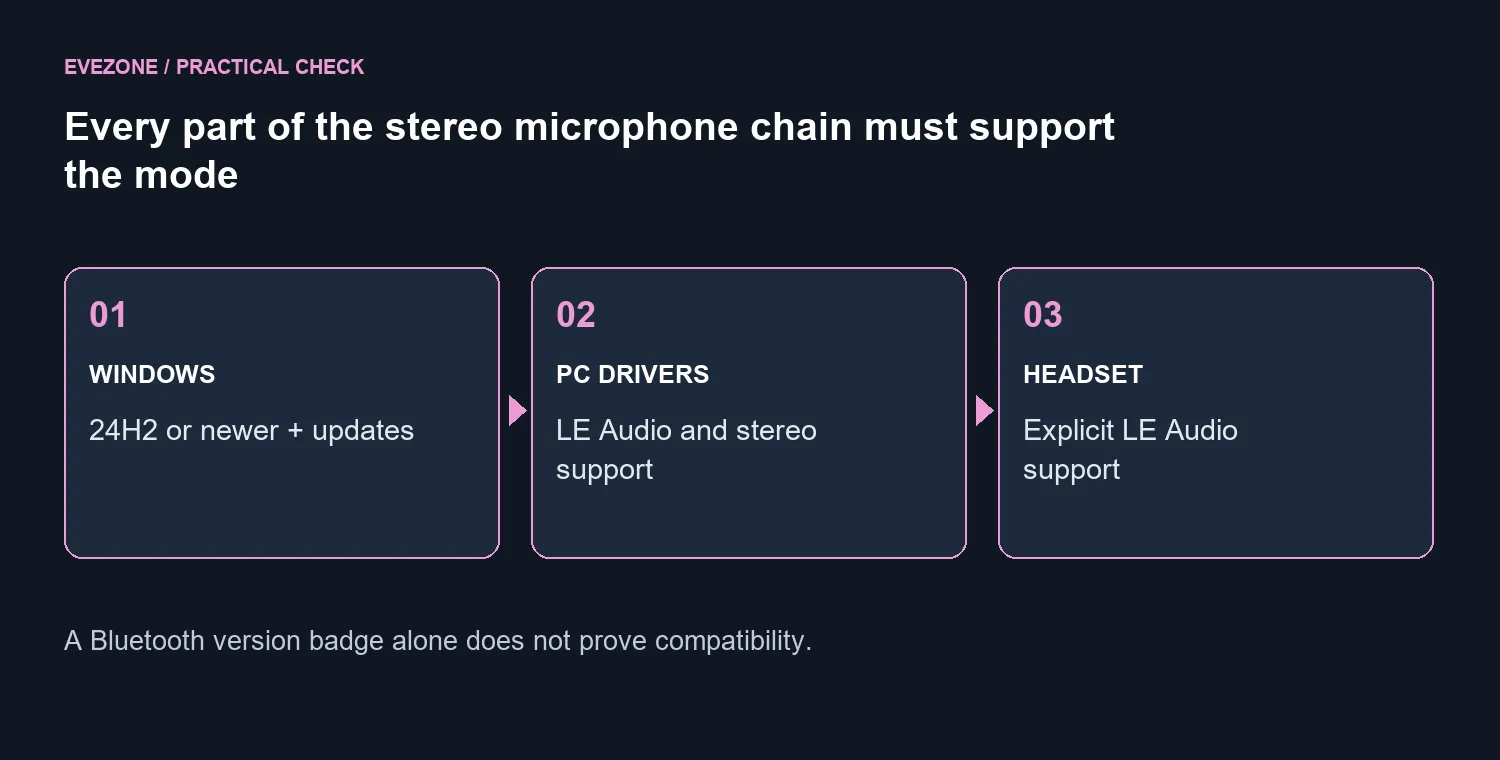
Make a short note of the PC model, Windows version, headset model and driver package. These details are more useful to a support agent than saying that the computer has new Bluetooth. They also help avoid buying another headset when the missing part is on the PC side.
⚙️ Inspect the settings that establish support
In Settings, open Bluetooth & devices, then Devices. Under Device settings, look for Use LE Audio when available. If the option is absent, the current hardware or drivers may not provide LE Audio support. Check the PC manufacturer's guidance before downloading unrelated driver packages.
With a supported device paired and connected, open its output properties under System, Sound. The Format section can offer Format when microphone is active. On a compatible configuration this is where stereo microphone playback is controlled; do not expect the option to appear on every machine.
After any supported update, restart if required and test again. Keep a familiar audio sample playing, activate the microphone in the application you normally use and listen for the change. Make sure that application is using the intended input and output rather than silently selecting another device.
🎙️ Choose a practical fallback for the whole setup
If the required support is unavailable, first consider equipment you already own. A separate supported microphone may let you keep listening through your preferred headphones without using their microphone. Test the application's routing and actual sound before buying a new component around that idea.
The microphone range is useful when a separate input suits the desk, but it introduces its own space and connection requirements. Consider background noise, placement and whether you need the microphone outside gaming as well.
A wired headset avoids this Bluetooth path. The R159 H111 reference is a wired 3.5mm product, not an LE Audio headset and not proof that every computer jack supports its microphone. Check the full connection before choosing it, including any adapter your particular machine requires.
Frequently Asked Questions
Does Bluetooth 5.4 prove the feature will work?
No. The advertised radio version does not confirm the required Windows audio implementation or driver combination. Ask about the exact PC and headset pair.
Should I keep reinstalling drivers until the switch appears?
Use the packages and compatibility guidance supplied for your system. Repeatedly installing unrelated drivers cannot establish that unsupported hardware has gained the feature.
What should I test after enabling stereo?
Test playback and microphone capture together in your normal voice application. A music-only test does not exercise the mode that was causing trouble.
Do I have to replace working headphones?
Not necessarily. An existing separate microphone or suitable wired connection may meet your needs while you establish the PC's supported options.
Choosing clearer game chat without another wrong purchase? Compare Evetech headsets and microphones by the complete connection your PC supports. Confirm playback and capture together before deciding what to replace.










