



WhatsApp Business Replies Cost 12c From October
From 1 October 2026, WhatsApp Business Platform service replies in South Africa are expected to cost about $0.0076, or 12 cents, per delivered message.
Read moreRX 7600 Crimson Desert Competitive Settings. Real-world benchmark data, FPS numbers & performance analysis. What SA gamers can actually expect.
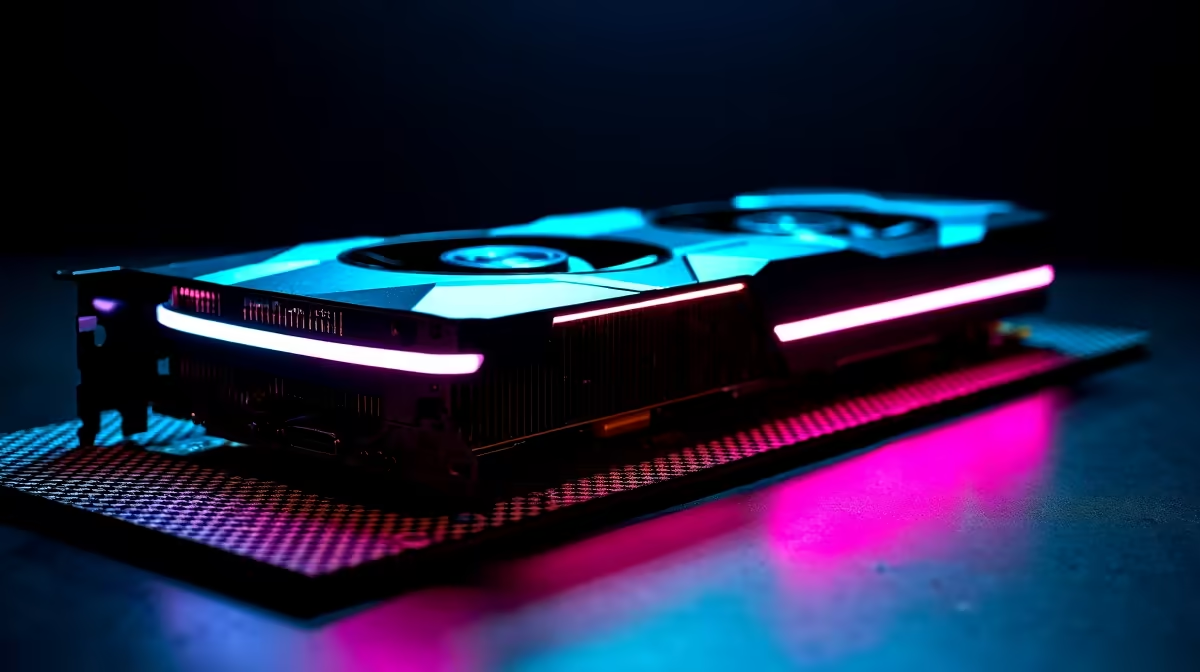
The RX 7600 can run Crimson Desert at 1440p with competitive-oriented settings by reducing shadows, ambient occlusion, and post-processing effects. Expect smooth, playable frame rates with the right configuration, though ultra-quality presets will push the card harder than its 8 GB VRAM buffer prefers at this resolution.
Crimson Desert is one of the more visually demanding open-world action titles of 2026, and pairing it with 1440p on the RX 7600 requires a deliberate settings approach. The RX 7600 is a capable 1080p card that punches into 1440p territory when you dial back the right options. Here is how to get the most competitive and consistent frame rate out of this card at 2K resolution.
The goal at 1440p on the RX 7600 is to maintain a consistent, high-refresh frame rate rather than chasing peak visual fidelity. Start by setting the overall quality preset to Medium, then manually adjust individual settings. Shadow Quality should be set to Low or Medium - shadows are the single biggest GPU tax in Crimson Desert. Ambient Occlusion can be turned off entirely in competitive play without a meaningful visual loss during fast-paced sections. Texture Quality can stay at High since the RX 7600 handles textures well within its 8 GB VRAM. Anti-Aliasing should use FSR (AMD FidelityFX Super Resolution) set to Quality or Balanced mode - this recovers significant performance while keeping the image sharp enough for gameplay. Post-processing effects such as motion blur and depth of field should be disabled for competitive clarity and a slight FPS benefit.
The RX 7600 ships with 8 GB of VRAM, which is the minimum comfortable amount for 1440p gaming in 2026. Crimson Desert is an open-world game with large streaming environments, and at Very High or Ultra texture settings at 1440p, VRAM usage can approach or exceed 8 GB, causing stutters. Keeping textures at High rather than Very High or Ultra keeps VRAM usage in a safer zone and produces a smoother, more consistent frame time - which matters far more for competitive play than a marginal texture quality increase.
Beyond in-game settings, AMD Adrenalin software offers additional tools. Enable Radeon Anti-Lag+ if the game supports it - this reduces input latency, which is meaningful in an action title where reaction time matters. RSR (Radeon Super Resolution) is another option if FSR is not available natively in-game. Ensure your driver is up to date, as AMD regularly releases game-specific optimisation patches. Set the GPU power limit to maximum in Adrenalin to avoid thermal throttling - the RX 7600 has a modest TDP and should have no trouble maintaining full boost clocks in a well-ventilated case.
Q: Can the RX 7600 hit 60fps in Crimson Desert at 1440p? A: Yes, with medium-to-high settings and FSR Quality enabled, the RX 7600 comfortably exceeds 60fps in most areas of Crimson Desert at 1440p. Demanding open-world zones with heavy foliage may dip lower at Ultra settings, which is why dialling back shadows and post-processing is recommended.
Q: Does FSR help significantly on the RX 7600 at 1440p? A: Significantly, yes. FSR Quality mode at 1440p renders internally at approximately 1080p and upscales, recovering 20 to 35 percent more performance in GPU-limited scenarios with minimal perceptible quality loss at typical viewing distances.
Q: Is the RX 7600 a good card for 1440p gaming in South Africa in 2026? A: It is a strong budget-to-mid-range option at 1440p when paired with FSR and sensible settings. For a purely native 1440p ultra-settings experience, a higher-tier card is needed, but for the price point the RX 7600 represents in the South African market, it delivers excellent value.
Ready to Find Your Perfect Match? Shop AMD graphics cards at Evetech.
RX 7600 Crimson Desert Competitive Setti available at Evetech.co.za with local warranty and fast delivery.
RX 7600 Crimson Desert Competitive Setti - check Evetech for latest stock and SA pricing.
Depends on your use case. RX 7600 Crimson Desert Competi offers good value at current Rand pricing.
From 1 October 2026, WhatsApp Business Platform service replies in South Africa are expected to cost about $0.0076, or 12 cents, per delivered message.
Read more
A Windows 11 Experimental Insider build adds per-app camera, microphone and location controls for Win32 programs, plus permission prompts.
Read more
Black Friday Gaming PC Timing is worth waiting for only if your current setup still works. SA gamers should balance timing, budget, warranty, and uncertainty before delaying a purchase on a R20,000 plan.
Read more
Black Friday Gaming PC Wait can help if your PC need is flexible. On a R12,000 SA budget, compare deal risk, component balance, warranty, and timing before waiting.
Read more
Pre-Black Friday 1440p monitor buying advice should be shortlisted around the job it must do. South African buyers should compare panel type, resolution, refresh rate, and ports, warranty path, and upgrade room before treating any pick as best.
Read more
Black Friday 2026 DDR4 RAM kit strategy in SA - what to buy, what to skip gets a cautious, practical look for South African readers. Compare fit, setup needs, compatibility, and upgrade timing before you shortlist options or plan your next move.
Read more From 1 October 2026, WhatsApp Business Platform service replies in South Africa are expected to cost about $0.0076, or 12 cents, per delivered message.

DDR5-8000 RAM Kits pros and cons depend on the build, budget, and workload. Weigh gaming needs, platform fit, power, cooling, warranty support, and South African pricing context before shortlisting it.

Wi-Fi 6E vs Wi-Fi 6 depends on AAA single-player gaming needs, platform limits, and budget fit. Compare compatibility, latency, upgrade path, and real setup constraints before choosing for an SA build.

Ryzen 9 9950X3D dead pixel checks should isolate the panel first. Run colour fills, inspect the monitor menu, test another cable or input, and capture proof before linking it to the SA CPU upgrade.

YouTube will count public views from the first frame across video formats from 24 August, while earnings and eligibility remain tied to engaged viewing.

Canonical expects Ubuntu on WSL users to outnumber native Ubuntu desktop users before the end of 2026. The software is open source and runs inside supported Windows PCs.

Telkom's daily bundles pair WhatsApp access with 10 all-network voice minutes. The R15 option includes 300MB, while the R17 option uses a fair-use threshold.

A 10,000-hour test found similar image retention across older and newer OLED TVs, while newer panels were brighter and more efficient. Local OLED monitors started at R9,999.
From 1 October 2026, WhatsApp Business Platform service replies in South Africa are expected to cost about $0.0076, or 12 cents, per delivered message.

Framework has refreshed Laptop 12 with Intel Core Series 3 processors, Thunderbolt 4, a backlit keyboard and a claimed battery-life increase.
A Windows 11 Experimental Insider build adds per-app camera, microphone and location controls for Win32 programs, plus permission prompts.

Thermal Grizzly is selling a tested, delidded Ryzen 9 9950X3D2 with its own 24-month warranty for experienced direct-die cooling builds.