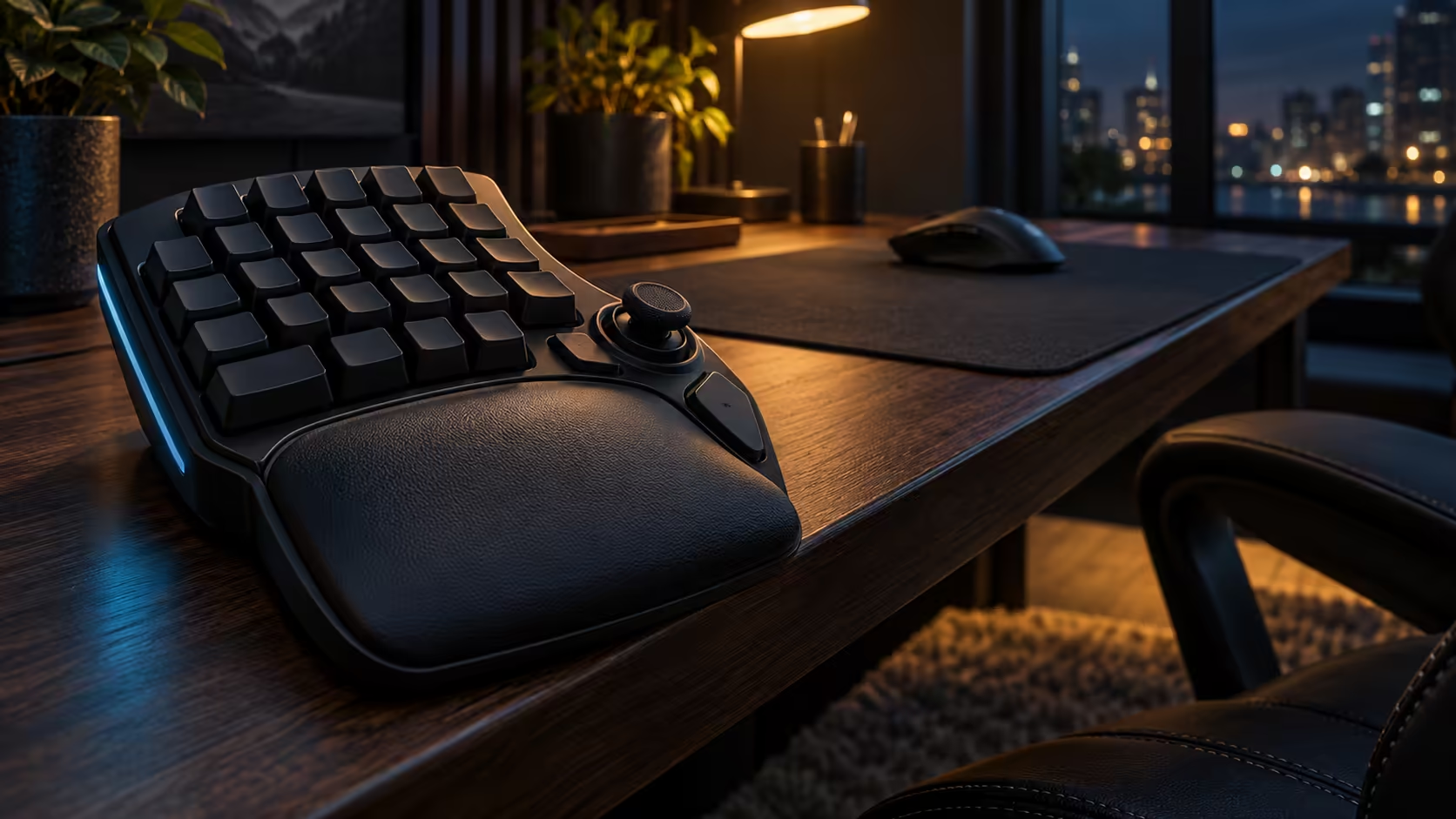
Before a South African buyer pays for an analog gaming keypad, a short checklist saves the most trouble. The questions are not about the switches alone. They cover what the price includes, how a claim would be handled, how much desk the keypad needs and how the dust will be managed. Working through them before the order goes in turns a quick purchase into a decision you can defend a month later. This guide sets out that checklist for the Razer Tartarus V2 Pro.
Quick Answer
Check the warranty, the desk room and the cleaning plan before you pay, since they shape the real cost of owning the keypad. The keypad covers 0.1mm to 4.0mm actuation, plus Rapid Trigger and 31 controls, and Evetech's figure is R4,799 with tax included. A Johannesburg desk in Highveld dust makes a cleaning plan worth settling early, and keeping your proof of purchase ready will help if you ever need to make a claim.
📝 Ask what the price includes
Start with the price. The R4,799 figure covers the keypad, its 31 programmable controls, its analog switches, Rapid Trigger, its TMR thumbstick and its adjustable wrist rest. Confirm that list against the product page on purchase day, because the box contents are the easiest thing to get wrong in a hurry.
Ask about the extras too. A microfibre cloth, a soft brush and a desk cover are the small items that keep the keypad clean. Add them to the total before you order, so the budget reflects the whole setup.
🔒 Ask how a claim would work
Before you pay, ask how a warranty claim would be handled. Find out what proof you need, which details the seller will ask for and how long the process usually takes in general terms. Claims run more smoothly when the seller is local and quotes in rand, which is one reason to buy at home. South Africa's Consumer Protection Act also gives you an implied warranty of quality on new goods for 6 months, on top of any maker's warranty. Get the answer by email, so you have it in writing if you ever need it.
Keep the receipt, the order confirmation and the product details in one folder, on paper and on your phone. A tidy file makes a claim quick, and it saves a frantic search later.
📏 Measure the desk before you pay
Your left hand works the keypad, so the desk must leave a clear strip beside the keyboard for it. Measure that strip in centimetres, from the keyboard's left edge to the desk's edge, and compare it with the keypad's footprint plus its wrist rest. Then check that the mouse on your right still has its usual sweep, because a keypad that pushes the keyboard across by 10cm also eats into the mouse's space.
A Johannesburg flat's desk often measures less than the photo suggested. If the measurement comes up short, plan a shelf or a different layout before you order, rather than after the keypad arrives.
💨 Plan the cleaning routine
Expect grit under the keycaps within days in a Highveld winter. A dusty keypad feels rough, and a rough keypad makes the depth settings feel inconsistent. Plan a dry brush every 7 days, a microfibre wipe for the thumbstick area and a cover at night before you buy.
Keep the cleaning kit next to the keypad, so the routine is easy to start. A kit that lives in a cupboard is a kit you will skip on the busiest evenings.
Check the terms before you commit
Read the terms of sale before you pay, and see how long cover runs on this model. Check any return conditions too, since the rules for opened items can differ from those for sealed ones. Knowing the terms in advance means there are no surprises if you change your mind. Once you have checked the list, decide. A keypad that passes the price, claim, desk and cleaning checks is a purchase you can make with confidence.
Frequently Asked Questions
What should the price cover before I pay?
It should cover the keypad with its 31 controls, analog switches, Rapid Trigger, TMR thumbstick and adjustable wrist rest. Evetech's price for the Tartarus V2 Pro is R4,799, VAT in.
How do I prepare for a warranty claim?
Keep the receipt, the order confirmation and the product details together, and ask the seller how a claim would run before you pay. Read the warranty terms that apply to the product.
How much desk space does the keypad need?
Enough clear space under your left hand for the keypad, with room left for the mouse. Measure the gap in centimetres before you order.
How often should I clean the keypad?
Every 7 days with a dry brush, plus a microfibre wipe for the thumbstick area and a cover at night. A routine of that kind keeps the feel consistent.
For the keypad and its alternatives, the keyboard category is the place to start, and the keyboard deals page is worth a look if you are weighing the spend.
Ready to check the list before you pay?
Browse our gaming keyboards and accessories, then confirm the full setup before you check out.