Microsoft's August security update is reaching Windows 11 version 24H2 and 25H2 PCs. The security fixes matter first; the visible File Explorer and settings changes may arrive at different times because several features use gradual rollout.
Quick Answer
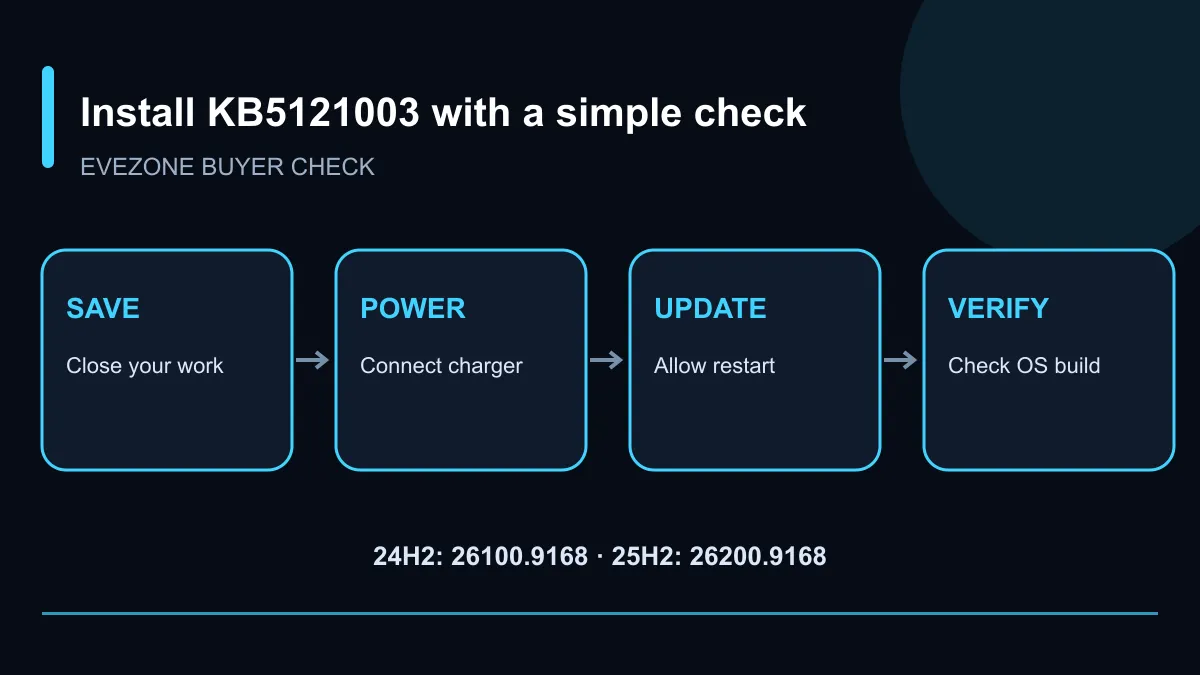
KB5121003 moves Windows 11 24H2 to OS build 26100.9168 and 25H2 to 26200.9168. Microsoft says eligible systems receive the security update automatically and currently lists no known issues. Save work, connect a portable PC to power, install through Windows Update and confirm the build after restarting.
🛡️ Install the security update first
Open Settings, choose Windows Update and check for updates. If KB5121003 is offered, let the download finish before restarting. A laptop should remain connected to power, and important open documents should be saved. Avoid forcing a shutdown while Windows is applying the package.
Microsoft bundles security improvements from the current release with changes from the July preview. The servicing stack is also updated, which helps Windows install later packages reliably. Users do not need to download a separate servicing-stack file when Windows Update handles the process.
The official support page says there are no known issues at present. That status can change as more machines install the update, so a business with specialist peripherals or critical software may prefer a controlled pilot on one representative PC before a wider deployment. Home users should still keep a current backup of files they cannot replace.
📁 Expect some features later
Not every updated PC will look identical immediately. Gradual rollout allows Microsoft to enable selected changes over time, even when two systems have the same security build. That is normal and is not a reason to repeatedly reinstall the package.
Reported changes include clearer file-size information in File Explorer, middle-click opening for folder tabs and search improvements for partial terms or typing mistakes. Update progress estimates should also become more accurate. Supported Copilot+ PCs can gain controls for removing an image-generation model, while other changes cover fingerprint hardware, Voice Access and touchpads.
Treat those items as staged features rather than a promise that every button appears on restart. The reliable check is the OS build. Press Windows key plus R, enter winver and compare the number with 26100.9168 for 24H2 or 26200.9168 for 25H2.
💻 Keep the PC ready for future patches
An update cannot repair failing storage, a flat battery or a machine with no free working space. Remove unneeded temporary files, check that the system drive is healthy and keep recovery information accessible. If an update fails, record the error code before clearing files or making broad settings changes.
People replacing an older machine can compare current laptop specials, browse laptop best sellers or review gaming PC deals. A new purchase should still receive its pending Windows and driver updates before important work begins.
Windows 11 24H2 Home and Pro editions reach the end of updates on 13 October 2026. Owners still using that release should plan the supported-version move rather than assuming monthly patches will continue indefinitely.
Frequently Asked Questions
Which Windows 11 versions receive KB5121003?
Microsoft lists Windows 11 versions 24H2 and 25H2 for this update.
Which OS builds should appear after installation?
The listed builds are 26100.9168 for 24H2 and 26200.9168 for 25H2.
Will every new feature appear immediately?
No. Microsoft uses gradual rollout for several usability changes, so two updated PCs can differ for a while.
Does the update install automatically?
Yes. Microsoft says Windows Update downloads and installs this security update automatically on eligible PCs.
Are known issues listed?
Microsoft's support page currently says it is not aware of any issues with this update.
What should happen before restarting?
Save open work, connect portable PCs to power and leave enough time for the update to complete.
Ready to update a Windows 11 PC? Save important work, connect reliable power, install KB5121003 and check the OS build after the restart.