
Microsoft is testing a cleaner File Explorer context menu in Windows 11. The redesign gives users more control over which commands appear, but it is currently an Insider experiment, not a general update that every PC should already have.
Quick Answer
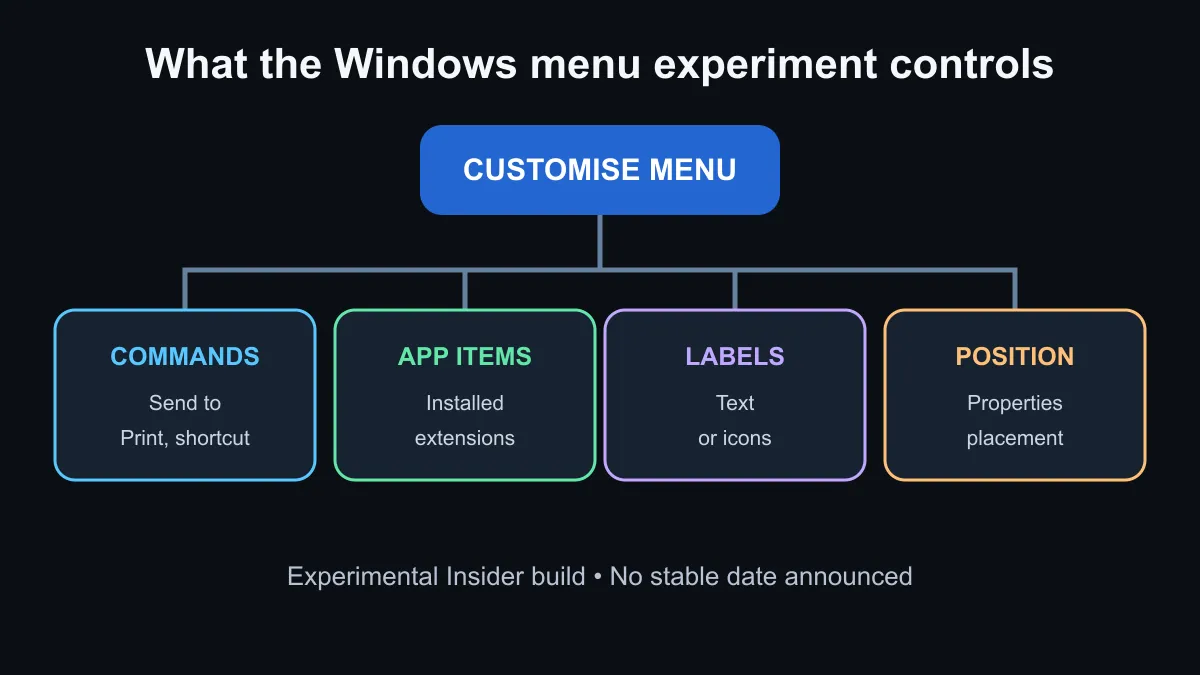
The experimental menu adds a Customise menu link, controls for built-in commands and app extensions, a choice between text labels and icons for common actions, and options for where Properties appears. Microsoft says the work is rolling out in an Experimental Windows Insider build, while a separate Beta build does not receive it. There is no public-release date. Most users should keep Windows stable and wait. If a current machine needs replacement for broader reasons, compare Windows laptops on hardware, warranty and workload instead of buying for this menu alone.
🖱️ What changes in the menu
The current Windows 11 menu can become long when apps add their own commands. Microsoft is testing a faster and simpler layout with a Customise menu entry at the bottom. The linked Settings page can hide built-in commands such as Send to, Create shortcut and Print. It can also manage extensions added by installed applications.
Users can choose whether Cut, Copy, Paste, Rename, Delete and Share appear as inline text or icons. Properties can move to a preferred position. Microsoft also says it is improving related tasks such as renaming files, navigating folders, viewing file sizes and seeing details. These are usability changes; they do not change the contents of a file or make the hardware faster.
🧭 Know which Windows channel has it
The redesigned menu is tied to an Experimental build announced on 17 August. Microsoft also announced a Beta build on the same day, but the menu experiment is not part of that Beta release. Features in experimental channels can change, roll out to only some testers or disappear before a public update.
Joining an Insider channel adds update risk and may introduce unrelated bugs. It is appropriate for a spare test machine or someone who actively evaluates Windows features. It is a poor reason to move a work, study or gaming PC away from a stable release. Back up important data before testing preview software and know how to return to the stable channel. The current operating-system section is the right place to compare supported Windows options for a new build.
🧹 Improve the existing menu safely
Users who already have too many entries can begin with the applications that added them. Update or remove software that is no longer needed, and check whether the app offers its own Explorer-integration setting. Avoid registry cleaners or copied scripts that remove unknown handlers, because those changes can break expected commands and are harder to reverse.
The proposed Microsoft controls should make this safer by putting supported toggles in Settings. Until they reach a stable release, keep the machine current through normal Windows Update and judge changes by the build notes. A pre-built PC should be chosen for processor, memory, storage, graphics and after-sales support; a preview context menu is not a durable buying feature.
There is no action deadline. The redesign is a useful direction for users who want less clutter, but waiting carries no penalty. Testers can provide feedback through the Insider programme, while everyone else can let the feature mature before deciding whether the new controls improve their workflow.
Frequently Asked Questions
Is the new context menu available to everyone?
No. It is rolling out in an Experimental Windows Insider build, not the public stable release.
Can users hide built-in commands?
The test includes toggles for commands such as Send to, Create shortcut and Print.
Can app-added menu items be managed?
Microsoft says the Settings page can manage extensions installed by applications.
Should I join Windows Insider just for this feature?
Most people should not. Preview builds can contain unrelated bugs and are better suited to a spare test device.
Keeping a Windows PC tidy? Remove unused app integrations now, then wait for supported menu controls to reach a stable update.