Windows 11 testers can finally move the taskbar away from the bottom edge again. The return comes with important limits and a clear preview label.
Quick Answer
Microsoft's 14 August Release Preview builds let Windows 11 24H2 and 25H2 testers place the taskbar at the top, bottom, left or right. The same build adds Start layouts, section controls and clearer Search sources. These changes are not a broad public release, and Microsoft can alter the rollout. Most people should spend R0 to test them: wait on a main machine, or use a spare Windows laptop that already qualifies for the Insider channel.
🖥️ The desktop becomes flexible again
Builds 26100.9267 and 26200.9267 add the four taskbar positions many desktop users missed. The small taskbar option only works at the top or bottom, so a vertical taskbar does not yet offer the same compact mode. That distinction matters on wide monitors where people often use a side edge to preserve vertical page space.
Start gets small and large layouts, controls for showing sections and a way to hide the profile button. The Recommended section is renamed Recent. Windows Search can label where a result came from, allow web and store suggestions to be switched, and automatically index frequently used folders.
🧪 Preview software needs the right PC
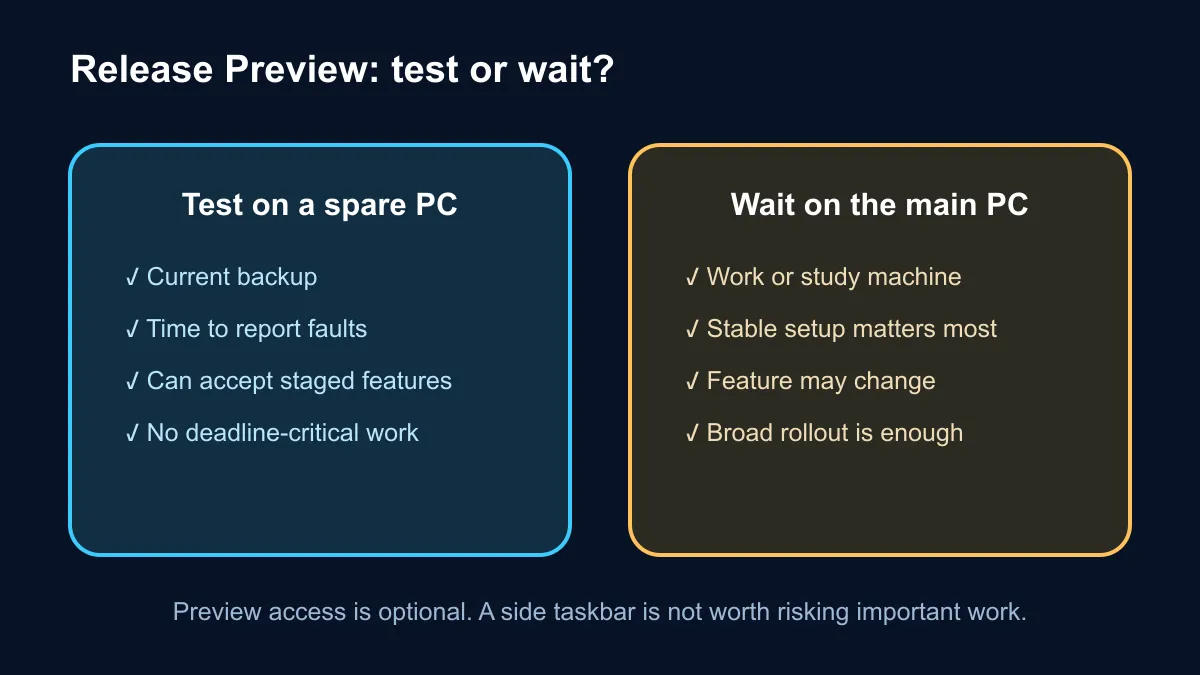
Release Preview is more conservative than early Insider channels, but it remains a test stage. A work machine, study laptop or primary gaming PC carries files, settings and deadlines that make even a small preview fault inconvenient. Waiting costs nothing and allows Microsoft to gather feedback before a wider rollout.
If testing is part of the job, use a spare system, keep a current backup and note the original taskbar and Start settings. The latest gaming PC options will normally ship on a stable Windows path; there is no need to enrol a new purchase merely to see one interface feature early.
The 26H1 preview takes a different build number and highlights File Explorer improvements, voice isolation, fingerprint support for more peripherals and reorganised power settings. Features may roll out gradually, so two PCs on the same named build can still show different controls.
🛠️ One removal matters to administrators
Microsoft says the WMIC command-line tool is removed from Windows 11 24H2 and 25H2 starting in August 2026. Windows Management Instrumentation remains, but older scripts that call WMIC directly may stop working. Home users may never notice. IT teams should search login scripts, support notes and device checks before the change reaches their managed fleet.
The preview also includes File Explorer performance work, VPN reliability fixes and new cryptography support. These maintenance changes may matter more than the visible taskbar for some systems. Hardware upgrades such as DDR5 memory cannot correct an operating-system preview bug, so separate performance needs from software testing.
The practical answer is simple: enjoy the return of choice, but do not confuse Release Preview with a guaranteed shipping date. Take screenshots of the settings you change, back up important files and leave the main PC on its normal update channel unless there is a clear testing reason.
Frequently Asked Questions
Can the taskbar move to the left in this preview?
Yes. The 24H2 and 25H2 Release Preview notes list left, right, top and bottom positions.
Why might the feature be missing on the same build?
Microsoft stages some features gradually. A matching build number does not guarantee that every controlled rollout has reached the device.
Does removing WMIC remove WMI?
No. Microsoft specifically says WMI remains; the older WMIC command-line interface is the removed component.
Should a main gaming PC join Release Preview for the side taskbar?
Most users should wait. A spare test machine is the safer place to try preview interface changes.
Curious about the new desktop controls? Keep the main PC stable, test on spare hardware and record every setting you change.