AMD Ryzen 7000 vs 8000 vs 9000… Which CPU Should You Choose? (SA Gamer Buyer’s Guide) 🔥
If you’re building or upgrading in South Africa, CPU choice is where your budget either feels amazing… or it haunts you. ⚡
Ryzen 7000, 8000, and 9000 can all look tempting, especially when store bundles and upgrade specials pop up. But which one actually fits your games, your software, and your motherboard options?
In this guide, we’ll break down the differences that matter for gaming at 1080p, 1440p, and 4K, explain the practical trade-offs, and help you choose confidently before you checkout.
Ryzen 7000: The “Proven Platform” Pick for Upgrade Paths 🚀
Ryzen 7000 is still one of the easiest recommendations for buyers because it established the AM5 ecosystem and brought strong gaming performance. For many gamers, the real win is platform value: you get modern DDR5 support and a motherboard lineup that’s already widely available in SA.
What this means in practice:
- If you’re upgrading from an older platform, Ryzen 7000 is often the sweet spot for cost-to-performance.
- If you plan to keep your build for several years, AM5 boards give you upgrade flexibility.
Before you buy, confirm your motherboard model supports the memory speed and BIOS features you want. For reliable AM5 shopping, start with Evetech’s AMD motherboard range:
Who Ryzen 7000 is best for
- Gamers who want strong frame rates and a well-supported ecosystem
- Builders who want stable DDR5 options without overthinking it
- Anyone planning a mid-cycle upgrade later
Ryzen 8000: A Practical Step for “Built-In Graphics” Needs ✨
Ryzen 8000 is often discussed by people who want flexibility. Depending on the exact model, the standout advantage is usually the option for integrated graphics. That can be useful if you:
- want to postpone a GPU purchase (for budget reasons)
- need a temporary setup while you wait for a deal
- do light editing and everyday tasks without an immediate discrete card
For buyers in South Africa, that “wait-and-upgrade later” approach can feel very realistic, especially when GPU pricing swings.
Quick decision rule
- If you already have a graphics card and you’re chasing maximum pure FPS, you may not need integrated graphics.
- If you’re starting fresh and want safety in case your GPU purchase timing slips, Ryzen 8000 can reduce risk.
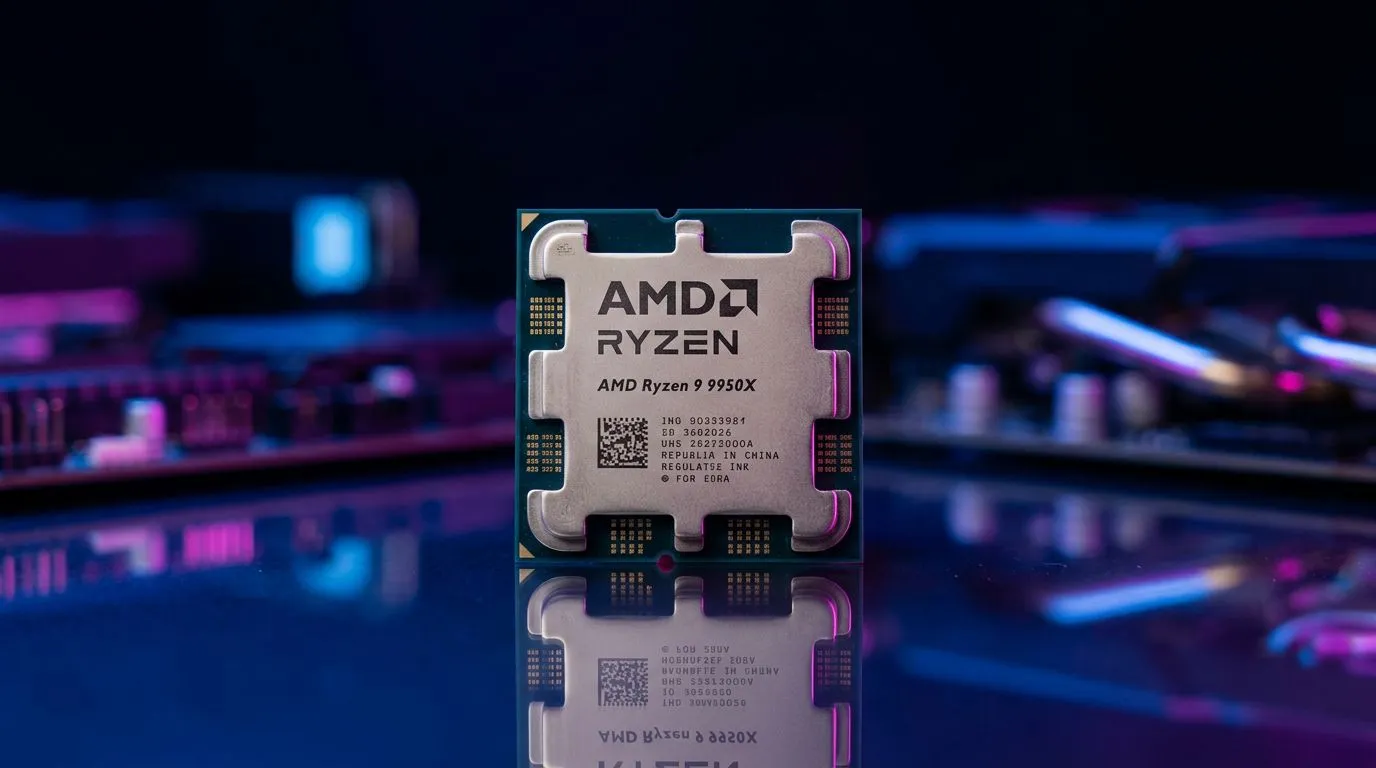
Ryzen 9000: The “Modern Performance” Option for New Builds ⚡
Ryzen 9000 targets buyers who want the latest architecture improvements and the best chance of squeezing more performance per watt. If you’re planning a new build and you don’t mind paying for the newest generation, this is usually where enthusiasm belongs.
But here’s the grounded part… your CPU choice matters most when:
- you play CPU-heavy games (multiplayer shooters, strategy, simulation)
- you run high-refresh monitors where consistency matters
- you’re pairing with a high-end GPU
If your plan is “high settings, high FPS,” then picking a strong CPU helps. Just remember: at 4K with ultra settings, GPU limits often dominate. So don’t overpay for a CPU if your GPU budget is getting squeezed.
Motherboard matters (more than people think)
Even the best CPU is only as good as its platform support. Before committing, match your motherboard to the build you actually want: number of M.2 slots, VRM quality, and BIOS maturity can all affect stability.
If you’re comparing broader motherboard ecosystems or you’re shopping cross-brand, you can also browse:
Choosing Between 7000, 8000, and 9000: The Simple Buyer Matrix 🔧
Use this quick matrix when you’re deciding. No stress, just clarity.
Choose Ryzen 7000 if…
- You want a strong performance baseline with a mature AM5 ecosystem
- You’re optimizing for value and upgrade flexibility
Choose Ryzen 8000 if…
- You need integrated graphics as a buffer for GPU timing or budget
- You want a safer “start today, upgrade later” approach
Choose Ryzen 9000 if…
- You’re building new and want the most modern CPU option
- Your games and monitor demand consistent high FPS
Productivity Pro Tip ⚡
On Windows, set up a quick performance testing routine using Xbox Game Bar captures or NVIDIA AMD overlay metrics. Run the same short benchmark scene after each change (CPU, BIOS update, RAM speed) so you can compare results accurately. It turns upgrade decisions from guesswork into proof, especially when you’re tuning DDR5 profiles.
Cost-Smart South Africa Shopping Tips (Without Cutting Corners) 🇿🇦
In SA, pricing is real. If you spot a deal, don’t just celebrate the CPU price. Check the total platform cost:
- motherboard price and chipset compatibility
- RAM kit capacity and speed support
- cooler requirement if you’re aiming for quieter operation
Also, if you’re building on a tighter budget, consider how “good enough” can be… for your actual games. Sometimes spending more on GPU helps more than jumping CPU generations.
For shoppers who want mixed-platform value hunting, you may find helpful options here:
Make the Call: A Confident Recommendation (By Your Situation) ✅
If you told me you’re:
- Upgrading with a discrete GPU already planned: start with Ryzen 7000 and spend the difference wisely.
- Starting a new build but GPU buying is uncertain: Ryzen 8000 is the “reassurance” pick.
- Building from scratch and chasing the latest performance: Ryzen 9000 is the modern choice.
Whichever you pick, the real win is matching CPU to your games, your monitor, and your motherboard support. That’s how you avoid the classic “I bought the fast chip… but it didn’t change my experience” problem.
Ready to Find Your Perfect Match?
The Mac vs Windows debate is complex, but for maximum power, choice, and value in South Africa, Windows is hard to beat. Explore our massive range of laptop specials and find the perfect machine to conquer your world.