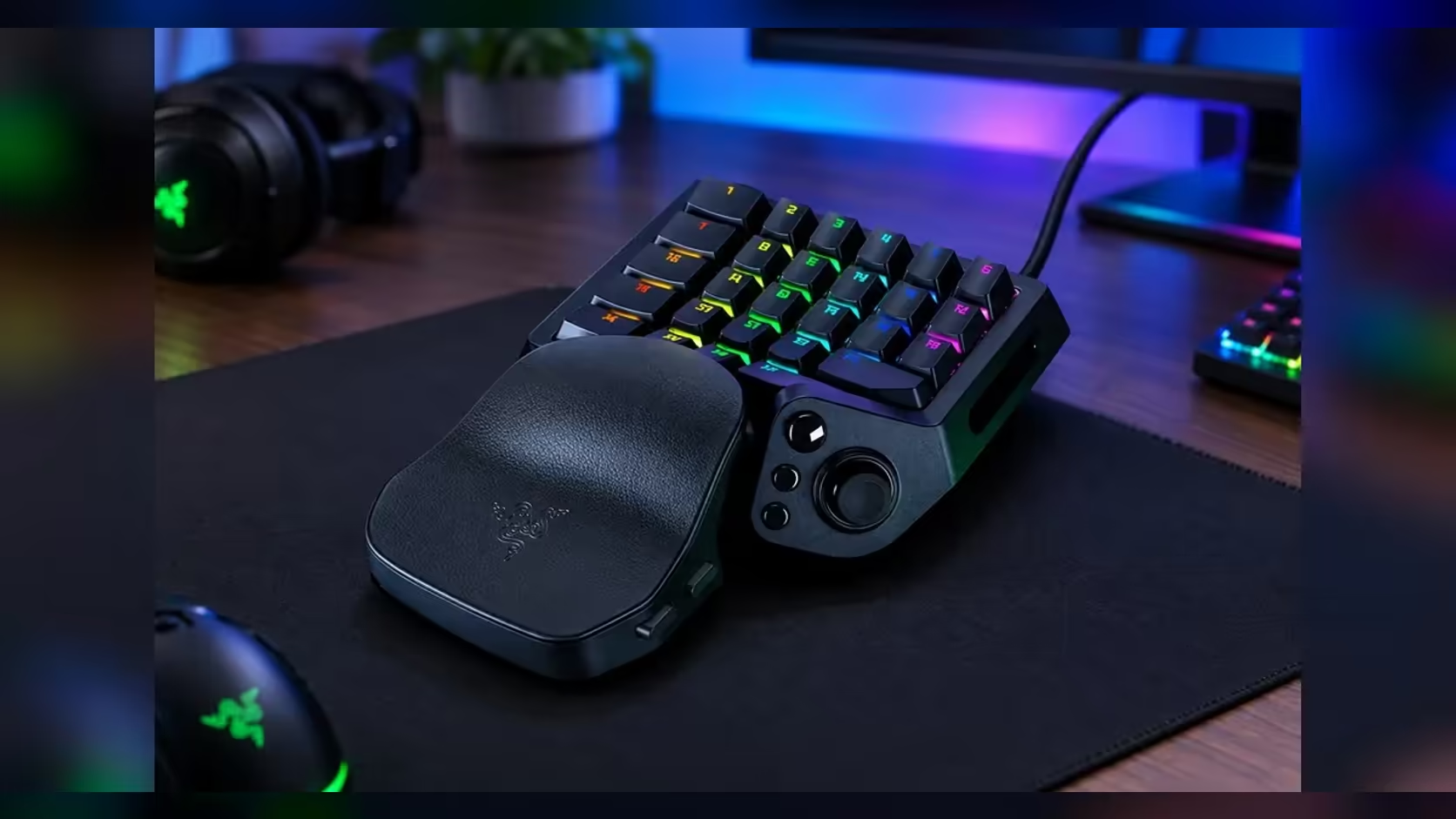
Two keys can look identical and still register a press in completely different ways. A digital switch fires at one fixed point in its travel. An analog optical switch reports how far the key has moved at every moment, so the keypad can decide where a press counts. That single difference shapes what a keypad can do with a light touch and what it can do with a firm one.
Quick Answer
Analog optical switches read how far a key travels, while digital switches fire at one fixed point. The Tartarus V2 Pro's Gen-2 analog optical switches run from 0.1mm to 4.0mm of actuation. At R4,799 that adjustability is the main difference you pay for.
📐 One fixed point or a continuous read
A digital switch commits to one depth. Suppose it fires at 2.0mm. A press that stops at 1.5mm does nothing, and a press that reaches 2.0mm registers once, whatever you meant by the press. Every key on that board works to the same rule, so a resting finger and a deliberate tap get the same answer.
An analog switch reports depth as the key moves, so the keypad can apply a trigger point anywhere across its range, such as 0.5mm, 1.0mm, 2.0mm or 3.0mm. Compare the two on a 4.0mm key. A trigger at 0.5mm fires after one eighth of the full travel, while a trigger at 2.0mm waits for half of it. The travel is the same, and the timing is entirely different.
That is the practical split. A digital board makes one depth decision for every finger. An analog board lets the keypad decide where each press counts, which is what you are paying for when the price sits in the R4,799 range.
💡 What the switch does inside
An optical switch uses a light path rather than two metal contacts meeting. A sensor reads the amount of light that reaches it, and as the stem of the key moves, the amount of light changes in a smooth way. The keypad converts that reading into a depth, and the depth into a press. Because the reading changes gradually, the keypad always knows where the key sits between its resting point and its full travel.
Digital switches work differently. The switch flips from open to closed at its trigger point, so the keypad only learns that a press happened, not how far the key had travelled when it happened. That is why the depth setting on a digital board is a property of the switch itself, and why most boards do not let you change it after purchase.
The depth range on the Tartarus V2 Pro, from 0.1mm to 4.0mm, is the practical result of that reading. A narrow range would limit how light or how firm a press can be, so the full span matters if you want the keypad to suit both fast taps and deliberate holds.
🎯 Where the difference shows in play
Try a simple drill: press one key ten times in a row, first at a 0.5mm trigger, then at a 2.0mm trigger. At 0.5mm the key fires 1.5mm earlier in its travel on every press. Over ten presses that is 15mm of movement you no longer need. For a repeated ability or a strafe, the saving is what you feel as a faster rhythm.
The trade-off is that shallow triggers catch more. A resting palm or a shaky finger can fire a 0.5mm key without any intent behind it. Deeper triggers guard against that, but they make every press longer. Analog switches let you pick a point for each key, so the compromise can be made key by key rather than across the whole board.
Put a number on the trade-off before you buy. Set one key to 0.5mm and another to 2.0mm for a single session, then count the accidental presses on each over 10 minutes of play. Compare that count with the presses you missed on the same key. The result tells you more about your own hands than any general comparison can. Repeat it on a second evening before you settle, since one session can mislead.
Test with the games you actually play. A MOBA with a row of fast abilities rewards shallow triggers on those keys, while a slow turn-based game gains nothing from the same change. The depth that suits one game can feel wrong in another, which is why a per-key setting is worth having.
🧭 Choosing between the two
Analog optical makes sense when you want to set depth for each key, and when you will use the range. Digital makes sense when you prefer one fixed depth and do not plan to tune anything. Neither is a better switch for everyone, and a player who never touches the settings may be happier on a simpler board.
If you are comparing designs, our keyboard switches range is the place to look at the types on offer. For the keypads themselves, the gaming keyboards range shows how analog and digital models sit side by side on price and features, so you can see the gap before you commit.
Frequently Asked Questions
Are analog optical switches always faster?
Not always. The advantage is the depth you can choose. A digital switch set to a well-judged point can feel just as quick, so the gain comes from tuning, not from the switch type alone.
Do I need to set a depth on every key?
No. Set the keys that matter for your game and leave the rest at a middle value such as 2.0mm. You can tune the others later without losing anything.
Is a digital switch a poor choice for a beginner?
Not necessarily. A single fixed depth is simpler to live with, and it suits a player who does not want to tune anything. Start with the simpler design if you are unsure, and move to analog once you know what you would change.
How do I compare two switch designs fairly?
Use the same game and the same ten-press drill on each. Compare depth, feel and how the keys respond after a long session, since those are the things you will live with every day.
Comparing switch designs?
Start with the keyboard switches range, then test your choice in one game for a week before you settle on a depth.