Quick Answer
ARGB sync graphics cards are worth the premium if your build has a tempered glass side panel and you value visual consistency across components. For a closed-panel case or a workstation where aesthetics are secondary, a non-RGB GPU at the same core specification saves R200 to R800 and delivers identical gaming performance.
What ARGB Sync Adds to a GPU 🌈
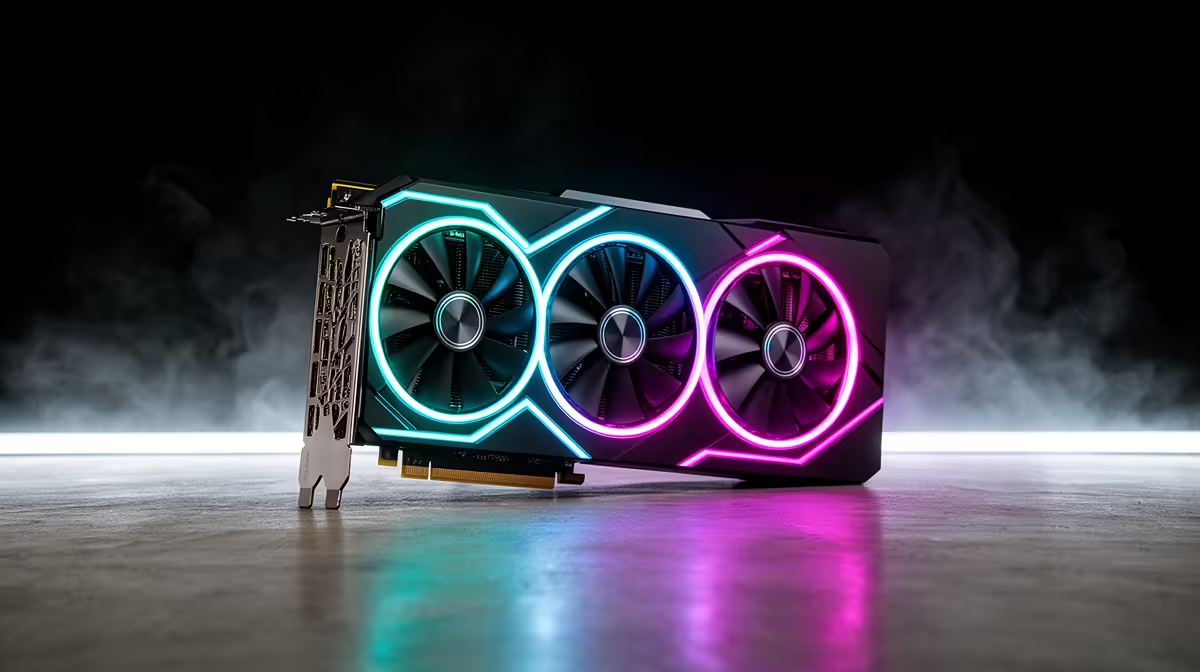
An ARGB sync GPU includes individually addressable RGB LEDs on the fan ring, backplate, or shroud edge, connected via a 3-pin 5V ARGB header either directly to the motherboard or managed by the GPU's own onboard controller. When connected to a motherboard ARGB header and managed through software like ASUS Aura Sync or MSI Mystic Light, the GPU's lighting synchronises in real time with RAM modules, case fans, and CPU cooler lighting. The visual result in a build with a tempered glass panel is a unified colour theme across all components rather than mismatched lighting. GPUs with ARGB lighting in South Africa typically carry a R200 to R800 premium over non-RGB models of the same core specification.
The Case for Non-RGB GPUs 🔧
Non-RGB GPU variants from most manufacturers are functionally identical to their RGB counterparts: same GPU die, same VRAM capacity, same cooling solution, same performance. Some non-RGB variants actually use slightly denser or less obstructed heatsink designs because the RGB LED strip and diffuser housing are removed from the shroud edges, marginally improving airflow. For a South African buyer whose build lives inside a solid-panel mid-tower or MATX case where the GPU is never visible, paying for ARGB lighting is purely wasteful. The money saved is more usefully directed at a faster NVMe drive, additional RAM, or a higher-refresh-rate monitor.
Making the Right Choice for Your Build Type 💰
If your build features a full-tower or mid-tower case with a tempered glass left panel, ARGB components including the GPU create a cohesive aesthetic that is genuinely satisfying and photograph well for setup showcases. If you are building a productivity or workstation PC with no tempered glass, skip RGB entirely and invest the difference in performance. A hybrid approach works well for South African builders on tighter budgets: non-RGB GPU plus ARGB case fans, which are cheaper to light than a GPU and provide the visual effect through the tempered glass without the GPU lighting premium.
Match Your RGB Ecosystem Brand Before Buying ⚡
RGB software ecosystems from ASUS, MSI, Gigabyte, and ASRock are not fully cross-compatible. A Gigabyte RGB Fusion GPU may not synchronise correctly with an ASUS Aura Sync motherboard without a third-party tool. Before buying an ARGB GPU, check that its RGB software works with your motherboard brand, or use OpenRGB as a universal controller that supports most major GPU and motherboard ARGB implementations.
FAQ
Does ARGB lighting on a GPU affect its temperature or performance?
No. The LEDs draw less than 1W total and have no measurable effect on GPU core temperature or clock speed. The heat from LED strips is negligible relative to the hundreds of watts the GPU die produces.
Can you disable ARGB lighting on a GPU if you change your mind?
Yes. Most ARGB GPUs allow turning off all lighting through the companion software or motherboard RGB sync utility, leaving the card fully dark if preferred. The RGB hardware is permanently present but not required to operate.
Are there ARGB GPU variants available at all price tiers in South Africa?
RGB options exist across most GPU tiers. Mid-range cards like the RTX 5070 and RX 9070 at R14,000 to R18,000 are available in both RGB and non-RGB variants. Even entry-level GPUs often have RGB and non-RGB versions, typically with a R200 to R400 price gap.
Building an ARGB-synced system or a clean no-frills rig?
Evetech stocks both ARGB and non-RGB GPU variants across all price tiers, with local warranty and advice. Browse the full graphics card range at Evetech to compare your options.