With Windows 10 having reached its end of support, the question for many SA homes and offices is no longer whether to move to Windows 11, but which desktop to buy. The good news is that Windows 11-ready desktop PCs are now the default rather than the exception: every current Intel and AMD desktop chip ships with the security features Windows 11 demands, so a new machine meets the bar straight out of the box.
Quick Answer
Any desktop built on a recent Intel or AMD platform is Windows 11-ready, because firmware TPM 2.0 (Intel PTT or AMD fTPM) and UEFI Secure Boot are built into the chipset. For SA home and office use, a capable Windows 11 desktop starts around R8,000 to R12,000 and scales up through compact mini PCs to full towers depending on your workload.
What Makes a Desktop Windows 11-Ready
Windows 11 has three requirements that trip up older machines: TPM 2.0, UEFI Secure Boot, and a processor drawn from Microsoft's approved list. TPM 2.0 is a security module that handles encryption keys and verifies the system has not been tampered with. Years ago that meant a separate chip, but modern processors provide it in firmware: Intel calls it Platform Trust Technology (PTT) and AMD calls it fTPM.
Secure Boot, which checks that only trusted software loads at startup, runs through UEFI firmware that every current motherboard uses. The CPU requirement is satisfied by roughly 8th-generation Intel Core, AMD Ryzen 2000 series and anything newer. A desktop bought new today clears all three, often with the features already switched on, or a single BIOS toggle away.
Mini PCs for Tidy Home and Office Desks
For browsing, email, documents, video calls and light multitasking, a mini PC is often the smartest buy. These compact boxes tuck behind a monitor or sit unobtrusively on a desk, draw little power, and run near silent. A current low-power mini PC paired with 16GB of RAM and a fast SSD comfortably handles a typical office or home admin workload, and the small footprint suits reception desks, study nooks and reception-style counters where a tower would be in the way.
If desk space and noise matter more than raw power, check Evetech's mini PC range to see what current compact options offer for the money.
Tower Desktops for Heavier Workloads
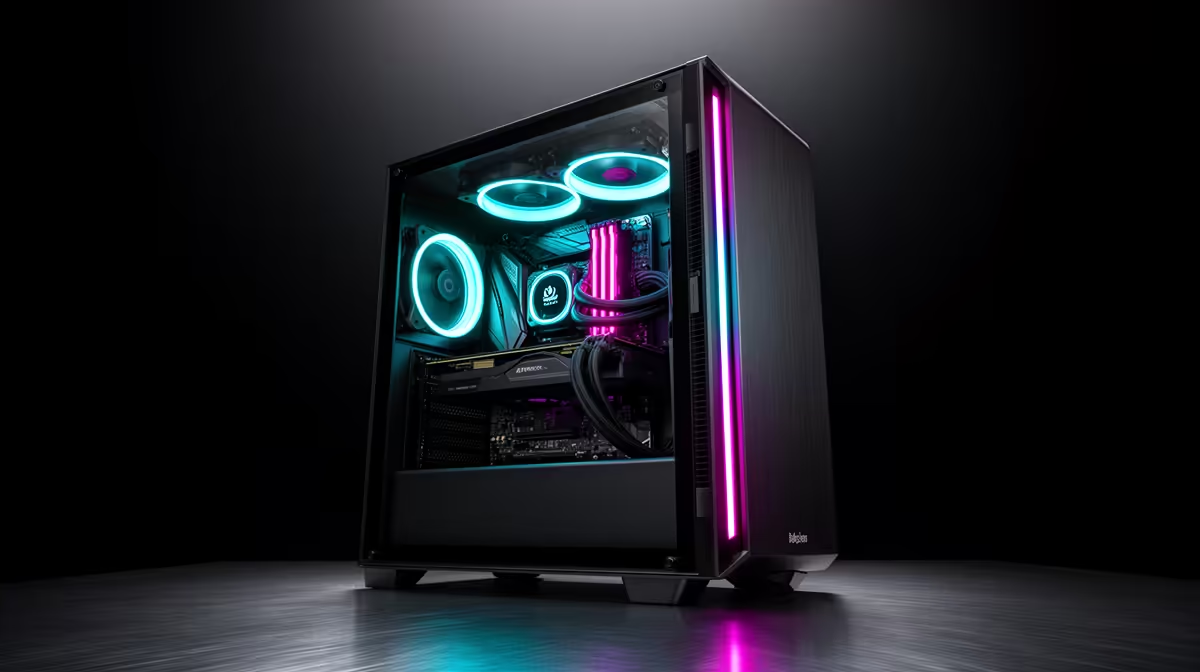
Where the work gets demanding, a full tower earns its space. Spreadsheets with thousands of rows, photo and video editing, CAD, software development, or running several heavy applications at once all benefit from more cores, more RAM and a roomy chassis that stays cool under sustained load.
A mid-range tower with a six or eight-core CPU, 16 to 32GB of RAM and an NVMe SSD is the sensible centre of the market for a productive office machine. Towers also leave headroom: it is far easier to add storage, RAM or a graphics card later than it is with a sealed mini PC, which matters if the machine has to last several years.
Upgradeability and longevity
One underrated reason to choose a tower for an office is the ability to add to it. Slots for extra RAM, a spare drive bay for a second SSD, and a full-length PCIe slot for a graphics card all give a mid-range tower a longer useful life. A mid-spec tower bought today at R12,000 to R18,000 can be extended with targeted upgrades over time rather than replaced outright, which matters in a business context where amortising hardware cost across four or five years is a real consideration.
Power Consumption and Running Costs
For a home or small office machine left on for much of the day, power draw matters more than most buyers consider at purchase time. A compact mini PC typically draws 15 to 35 watts under normal load, a fraction of the 60 to 150 watts a mid-range tower pulls during typical office work. Over a full working year at South African electricity rates, that gap adds up to a meaningful saving on the power bill. If the machine is used as a point-of-sale terminal, a digital signage display or an always-on home server, the low idle draw of a mini PC is a genuine advantage beyond just the desk space it saves.
Full towers, by contrast, are the right call when the workload justifies the power budget: rendering, compiling, handling a dozen browser tabs with multiple heavy apps, or driving two large monitors simultaneously. The higher power draw buys proportionally more compute, which is a good trade for the right job.
Matching the Desktop to the Job
The trick is honest sizing. For a front-desk or admin PC, a mini PC saves money and space. For a finance or design workstation, spend on cores, RAM and storage. For a home machine that doubles as a light gaming or media box, a tower with a discrete GPU is the flexible choice. Whichever way you lean, start from a Windows 11-ready base and you avoid the upgrade headaches that older stock carried. The desktop PC best-sellers list at Evetech is the quickest way to compare what is moving and well-priced right now.
How Much RAM and Storage to Start With
For a Windows 11 home or office desktop, 16GB of RAM is the comfortable baseline in 2026, with 8GB acceptable only for the lightest browsing-and-documents use. For storage, an SSD is the essential choice as the boot drive: solid-state storage makes far more difference to everyday responsiveness than almost any other single upgrade, and 256GB to 512GB is a sensible starting range.
Frequently Asked Questions
Do I need to buy a separate TPM chip for Windows 11?
No. Current Intel and AMD desktop processors include TPM 2.0 in firmware as Intel PTT or AMD fTPM, so a new desktop already has it. You may only need to confirm it is enabled in the BIOS.
Is a mini PC powerful enough for office work?
For browsing, email, documents, video calls and light multitasking, yes. A mini PC with a recent processor, 16GB of RAM and an SSD handles a normal office load well. Heavy editing, CAD or large datasets are better suited to a tower.
Can I still use an older desktop with Windows 11?
Only if it has TPM 2.0, UEFI Secure Boot and a supported CPU. Many pre-2018 machines fail the CPU list even with TPM present, which is why buying a current Windows 11-ready desktop avoids the guesswork.
What is the difference between fTPM and a discrete TPM?
Discrete TPM is a dedicated physical chip, while fTPM (and Intel PTT) run the same function in the processor firmware. For Windows 11 both satisfy the TPM 2.0 requirement, and firmware TPM is what nearly all modern desktops use.
Is an SSD worth it over a hard drive?
For the system drive, absolutely. An SSD makes Windows 11 boot and load applications dramatically faster than a mechanical hard drive, and it is the upgrade most people notice first in daily use.
Skip the compatibility worries and start from a machine that is ready out of the box. Compare compact and full-size options in the mini PC range at Evetech and match a Windows 11 desktop to your work.