



80+ Gold vs 80+ Platinum for Couch co-op gaming in SA
80+ Gold vs 80+ Platinum for couch co-op gaming is about PSU efficiency, heat, fan behaviour, quality, and wattage headroom, not direct FPS. SA buyers should compare the whole build.
Read moreBluetooth audio devices revolutionize wireless listening 🎧! 📱 Discover zero-lag gadgets, easy streaming, and crystal-clear sound in our expert guide.
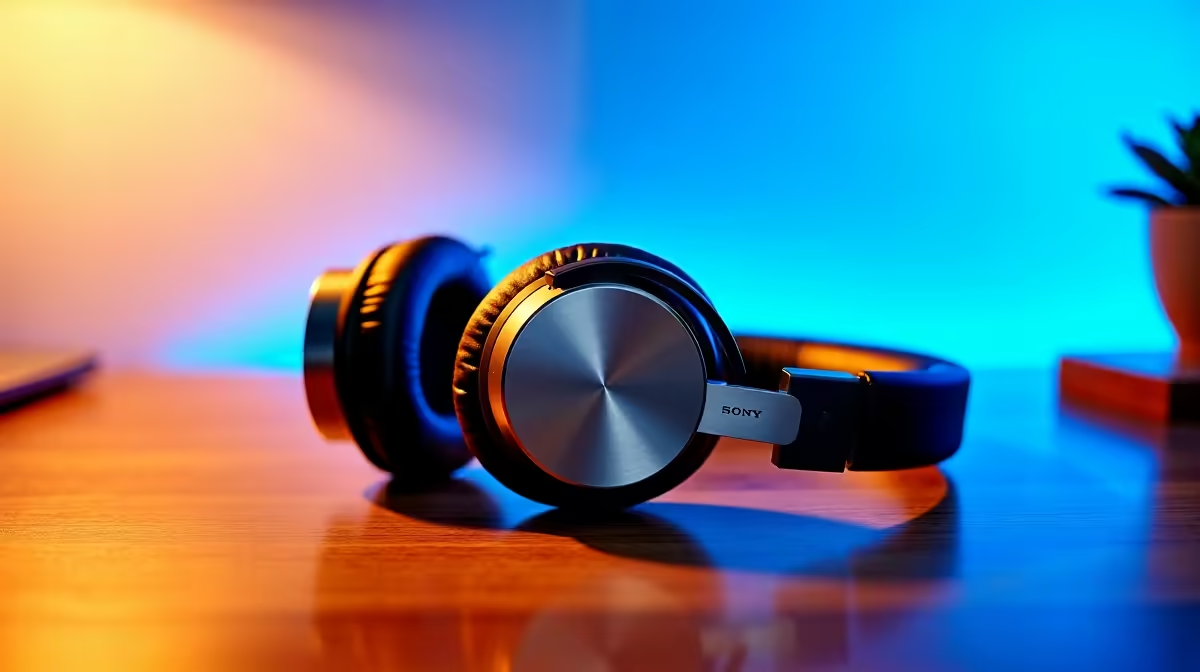
Tired of the cable spaghetti behind your desk? In South Africa, we love a clean setup, whether it’s for a gaming marathon during an unexpected outage or blasting some tunes at a weekend braai. The dream is simple: great sound without the mess. High-quality Bluetooth audio devices offer exactly that—a world of crisp, untethered sound. Let's dive into how you can achieve seamless streaming with a quick and painless setup.
It's no secret that wireless tech has taken over. From headphones to portable speakers, the convenience is undeniable. But modern Bluetooth audio devices are about more than just playing music from your phone. They are the core of a flexible entertainment system. Imagine connecting your laptop to a powerful soundbar for movie night, or even creating an instant home cinema by pairing a Bluetooth speaker with one of our high-quality projectors. This flexibility allows you to build an immersive experience anywhere in the house without drilling holes or tripping over wires. 🚀
Getting that perfect, lag-free audio stream isn't just about hitting 'connect'. The secret lies in something called a codec—the technology that compresses and sends audio from your source (like a PC or phone) to your speaker or headphones. For the best quality, both devices need to support the same advanced codec, like aptX or AAC.
Most modern gadgets handle this automatically, but it's good to know what's under the hood. A great audio setup enhances everything, from competitive gaming to watching the big match. You can create an incredible big-screen experience for your living room, often for less than R20,000, by pairing a great projector with a solid Bluetooth speaker.
On Android, you can enable 'Developer Options' to see which Bluetooth codec is active. On Windows 11, apps like 'Bluetooth Tweaker' can give you similar insights. This helps confirm you're getting the best possible audio quality.
Worried that setting up new Bluetooth audio devices is complicated? It's usually done in under a minute. Let's walk through it. ✨
First, make sure your Bluetooth audio device is in pairing mode. This usually involves holding down a power or Bluetooth button until a light flashes. Next, open the Bluetooth settings on your source device—your PC, laptop, or phone. Your new device should appear in the list of available connections. Just click its name, and you're paired!
This simple process unlocks so much potential. For example, pairing a quality speaker with one of the latest Viewsonic projectors transforms your space into a cinema or presentation hub instantly. The audio and video work together seamlessly, all without a single extra cable.
Upgrade to a Wire-Free World Ready to ditch the cables and embrace crystal-clear, seamless audio? Explore our full range of projectors and AV gear at Evetech to build the ultimate entertainment setup today.
Check top-rated Bluetooth 5.0 speakers, noise-canceling headphones, and portable gadgets for lag-free streaming and crystal-clear sound.
Enable Bluetooth pairing, select your device, and sync instantly—most modern Bluetooth speakers/headphones auto-connect hassle-free.
Yes! Bluetooth 5.0+ gadgets using aptX-LL or AAC codecs minimize audio-video delays for smooth playback.
Bluetooth-enabled Sony WH-1000XM5, JBL Live 750BT, and Sennheiser Momentum 4 offer stable 10m+ range.
With advanced codecs (aptX HD, LDAC), Bluetooth streams high-res audio on premium devices—ideal for audiophiles.
Faster speeds (2x), extended range (4x), and stable connections make Bluetooth 5.0 perfect for lag-free music/video playback.
Interference, outdated firmware, or distance? Follow our guide to fix Bluetooth audio drops and connectivity glitches.
80+ Gold vs 80+ Platinum for couch co-op gaming is about PSU efficiency, heat, fan behaviour, quality, and wattage headroom, not direct FPS. SA buyers should compare the whole build.
Read more
80+ Platinum or 80+ Titanium for competitive should be shortlisted around the job it must do. South African buyers should compare fit, performance, compatibility, and upgrade room, warranty path, and upgrade room before treating any pick as best.
Read more
The real world difference between IPS and OLED for AAA single-player gaming is immersion versus versatility. OLED lifts contrast and dark scenes, while IPS can suit bright rooms, mixed PC use, and SA buyers watching total setup cost.
Read more
HDMI 2.1 vs HDMI 2.0 for SA MMO needs a workload-first comparison. For SA buyers, judge real performance, platform fit, warranty path, power needs, and upgrade timing before choosing either side.
Read more
USB4 and Thunderbolt 4 differ for competitive esports through dock, display, and capture consistency. Use this real world difference between usb4 and thunderbolt 4 for competitive guide to keep SA tournament desks tidy without assuming better ping.
Read more
Magnetic switches vs Mechanical switches depends on Competitive esports needs, platform limits, and budget fit. Compare compatibility, latency, upgrade path, and real setup constraints before choosing for an SA build.
Read more
B850 motherboard FPS drops needs a methodical troubleshooting pass. Review drivers, thermals, power settings, background apps, cables and game settings before replacing parts in an SA gaming setup.

Gaming PC FPS drops in South Africa often come from drivers, thermals, background apps, power plans, or in-game settings. Check one change at a time and use the same scene before buying upgrades for your local setup.

Difference between PCIe 5.0 and PCIe 4.0 explained for PC builders starts with bandwidth, lanes, and support. SA builders should match the motherboard, GPU, NVMe drive, and budget before choosing a platform.

Windows 11 mechanical keyboard setups rarely cause display banding directly. Fix color banding by checking HDR, colour depth, GPU range, monitor profiles, and any new RGB utility conflicts.

Steam Big Art Mode enlarges library artwork in Big Picture Mode and on Steam Deck, while the same beta adds configurable screensavers. Both features are optional and currently require the Steam beta client.

Diablo 4 HDR settings work best after Windows and the display are calibrated, then the game's black point, brightness and white point are adjusted in that order. Use visible shadow detail and controlled highlights, not copied values from another screen.

The best HOTAS for Elite Dangerous is a separate stick-and-throttle set with enough analogue axes for pitch, roll, yaw and thrust, plus local support. Evetech's captured flight-simulation sample lists the complete Logitech X56 at R4,999.

Nintendo Switch 2 docked VRR arrives with system version 23.0.0 and also requires a dock update. The connected TV or monitor and the running software must support VRR before the output can follow changing frame rates.

NVIDIA lists 550W required system power for the RTX 5060 reference specification, based on a high-end test system. A quality 550W unit can be enough, but CPU draw, transient load, connectors and ageing decide real headroom.

The VAIO T combines a 13.3-inch display with a multi-flip mechanism for laptop, tablet and outward-facing viewing modes. Orders begin in Japan on 18 September; South African availability is unconfirmed.

OpenRGB's master branch now carries changes labelled for 1.0 final, including translation and platform work, but the official tags page still lists 1.0rc3.1 as the newest packaged release. Stable users should wait for the signed release channel.

The Cooler Master GPU Shield Adapter monitors current on individual 12+4-pin contacts, adds visual and audible warnings, and can reduce system power during a severe abnormality. Local availability is unconfirmed.