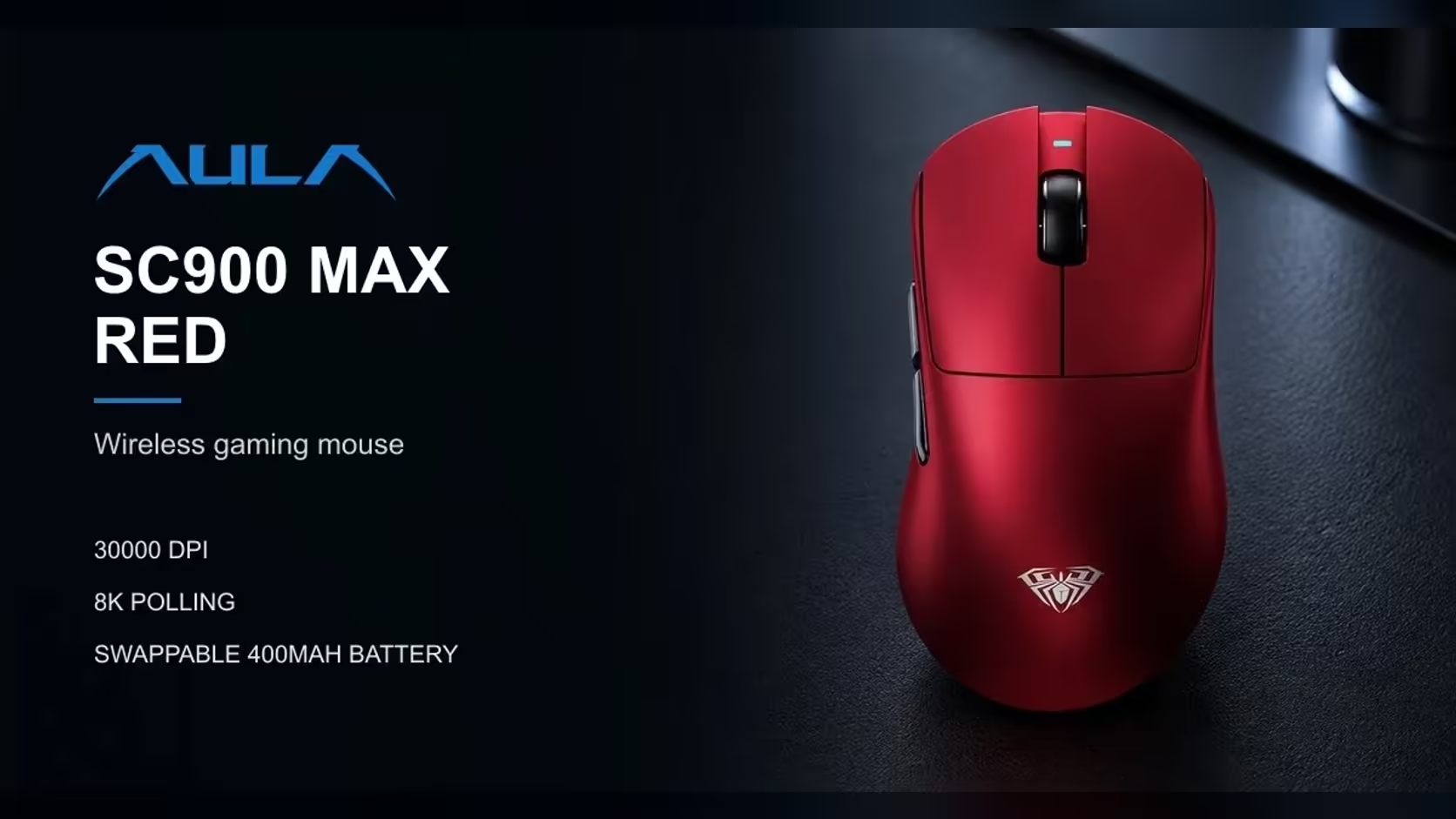
A tri-mode mouse gives you three ways to connect, and the temptation is to pick one and forget about it. On the AULA SC900 MAX that would waste half of what the mouse offers. The 2.4GHz versus Bluetooth mouse question has a clear answer here, because the two modes are built for different jobs: Bluetooth for convenience at a work desk, the 2.4GHz receiver for games where every report to the PC counts.
Quick Answer
Use the SC900 MAX on Bluetooth for office work and on its 2.4GHz receiver for ranked play. Bluetooth runs at 125Hz over BLE, while 2.4GHz and the USB-C cable reach up to 8000Hz, with the higher rates unlocked in AULA's software. A three-way switch underneath chooses between them. The SC900 MAX reaches buyers through Evetech at R749, with a 1 Year Local Warranty attached.
📡 What separates the two wireless modes
Polling rate
Polling rate is how often the mouse tells the computer where it is. On Bluetooth, the SC900 MAX reports at 125Hz, which is 125 times a second, or every 8ms. On the 2.4GHz receiver, it defaults to 1000Hz, every 1ms, and can be raised to 8000Hz, every 0.125ms.
That is the core difference. At 125Hz, cursor movement is perfectly fine for documents, browsing and email. In a fast game, though, the gap between reports is long enough that tracking can feel less smooth, especially on a high-refresh monitor that draws many frames between each update.
The link itself
The 2.4GHz receiver is a dedicated link between the mouse and one computer. Bluetooth is a shared standard that many devices use, designed above all for convenience and low power. The SC900 MAX connects over BLE, Bluetooth Low Energy, which is built to sip power rather than to push the fastest possible updates.
🎮 Why ranked games want the receiver
In competitive play, consistency matters. A dedicated 2.4GHz link at 1000Hz or higher gives frequent, steady position updates. Pair that with the SC900 MAX's 62g weight and DPI steps starting at 400 for low-sensitivity aim, and the mouse is set up for precise shooter play.
Bluetooth's 125Hz is not broken; it is simply not designed for that job. For ranked matches, keep the receiver plugged in and the base switch set to 2.4GHz.
When to use the cable instead
The USB-C cable also reaches up to 8000Hz. It is the obvious choice when the battery is low, since the cable charges the mouse while you play, and some players simply prefer a wired connection for tournaments or LAN events.
💼 What Bluetooth is good for
Bluetooth shines where the receiver is inconvenient:
- Work laptops with few USB ports, or only USB-C ports.
- Travel, where a tiny receiver is easy to lose.
- Tablets and machines you move between rooms.
- A Mac, since AULA lists macOS support alongside Windows.
For spreadsheets, writing and browsing, 125Hz feels no different from higher rates, and not having to plug anything in is a real advantage.
🔀 Switching modes day to day
The mode switch sits on the underside of the mouse, with three positions: 2.4GHz, off and Bluetooth. That makes the routine simple.
- At your gaming PC, flip the switch to 2.4GHz with the receiver plugged in.
- When you move to the laptop, flip it to Bluetooth.
- When you are done for the day, flip it to off.
Because the switch is physical, you always know which mode the mouse is in at a glance.
Setting 8000Hz
The 2.4GHz mode starts at 1000Hz. To go higher, open AULA's software and raise the polling rate, up to 8000Hz. The same setting applies over the cable. Bluetooth stays at 125Hz whatever you choose.
🔋 Battery trade-offs between modes
AULA does not publish battery life figures for each mode, so exact numbers are not available. As a general rule, higher polling rates mean the mouse transmits far more often, which tends to use more power. Running at 8000Hz is likely to shorten time between charges compared with 1000Hz, while BLE is designed for low energy use.
The SC900 MAX softens this with its swappable 400mAh battery: open the base cover, trade the flat cell for a fresh one, and you are back in the game, or simply plug in the USB-C cable and keep playing.
The off position
When the mouse is not in use, set the switch to off. It is the simplest way to avoid the battery draining in a bag or overnight.
🧳 Taking it between home and office
A mouse that switches modes this easily is a natural fit for hybrid work. Leave the receiver in the home gaming PC, and pair the mouse over Bluetooth with the work laptop you carry in. Because the receiver never leaves the desk, there is nothing tiny to lose in a laptop bag, and the mode switch underneath is the only thing you change when you get to the office. At 62g and 126mm long, it is also small and light enough to live in a laptop sleeve pocket.
✅ A simple setup that covers both worlds
- Ranked and competitive games: 2.4GHz receiver, 1000Hz or higher, low DPI.
- Casual games: 2.4GHz at the 1000Hz default is plenty.
- Office work and travel: Bluetooth.
- Low battery during play: plug in the USB-C cable or swap cells.
Weigh up connection options among Evetech's gaming mice, or browse the full wireless mouse range for more choice. The SC900 MAX comes in Black, White and Red.
Frequently Asked Questions
Why is Bluetooth a poor choice for ranked games?
It runs at 125Hz, so the mouse reports its position less often than on the 2.4GHz receiver. That can make fast tracking feel less smooth.
How do I change connection mode?
Use the three-position switch on the base: 2.4GHz, off or Bluetooth.
What is Bluetooth best used for on this mouse?
Office work, travel and devices where a receiver is inconvenient, including Macs, since AULA lists macOS support.
Does the receiver run at 8000Hz straight away?
No. It starts at 1000Hz. Raise it to as high as 8000Hz in AULA's software.
Do the modes use battery differently?
AULA publishes no per-mode figures, but higher polling rates generally use more power than lower ones.
Does the off setting save charge?
Yes. Switching the mouse off when not in use stops it drawing on the battery.
Can I play on the cable at full speed?
Yes. The USB-C connection reaches up to 8000Hz, the same as the receiver.
Ready to set up one mouse for work and play?
Browse Evetech's gaming mice and see how the SC900 MAX's three connection modes suit your desk.