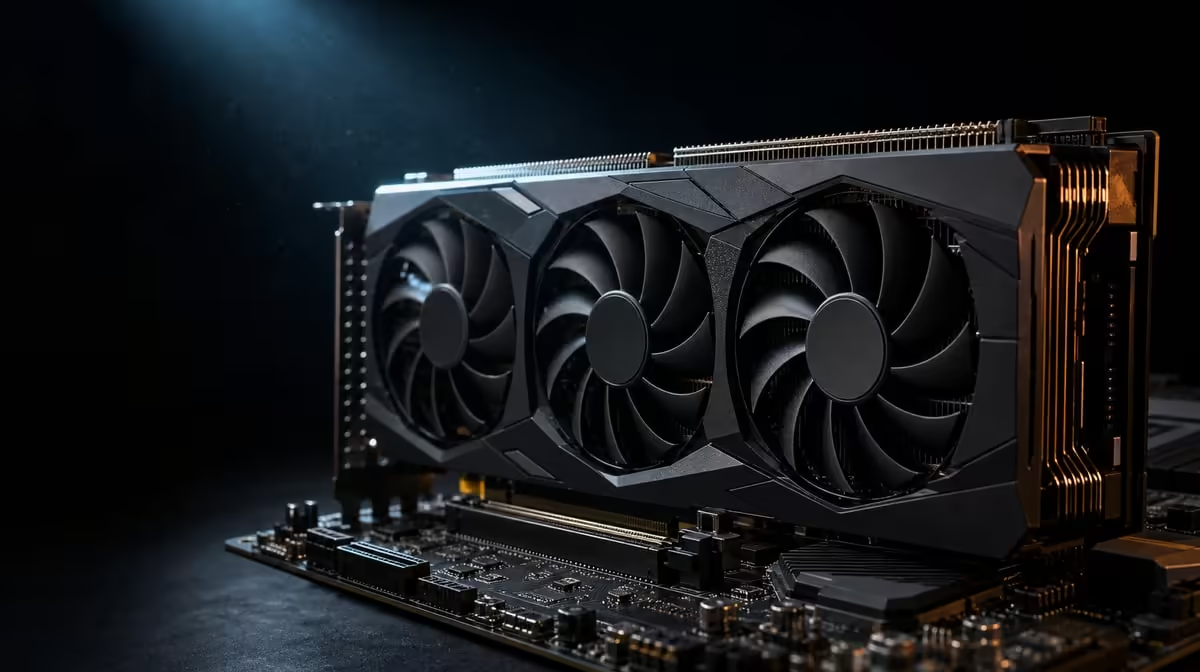
A faster host link helps only when movement across that link is holding work back. PCIe 5.0 can improve graphics performance in interface-sensitive cases, while many GPU tasks remain limited by rendering, software or data already resident in graphics memory.
Quick Answer
The R73,599 ASUS TUF RTX 5090 supports PCI Express 5.0. Whether that improves a particular game or creator task over PCIe 4.0 depends on active lane width, data transfers and workload behaviour; the label alone cannot predict the gain.
🛣️ Understand what moves over PCIe
PCI Express connects the graphics card to the host platform. The link carries commands and data between the GPU and the rest of the computer, while the card performs rendering and supported compute locally.
The RTX 5090's 32GB GDDR7 can hold a substantial working set. Once useful data is resident there, a task may depend more on GPU processing than on continuous host transfers.
Other jobs can move data repeatedly or exceed local capacity, making the interface more relevant. The application, project and memory behaviour determine which pattern applies.
Asset streaming, model transfers and host-mediated processing can create bursts rather than continuous saturation. A measurement should capture the timeline around the slow event, not average the link across a long idle period.
Resizable or other platform features can influence how data is accessed, but do not assume their state or benefit without checking the specific motherboard, software and workload. Keep the PCIe question narrow and evidenced.
Generation and lane width are separate. A PCIe 5.0 connection operating with fewer lanes is not described fully by the generation name. Record both when evaluating the active link.
PCIe 5.0 does not state the card's rendering throughput or 3352 AI TOPs. These are different resources and should occupy different rows in a comparison.
Browse Evetech's ASUS GPU listings with interface, memory and processing features separated.
🔎 Confirm the platform configuration
Read the motherboard manual before moving hardware. Identify the main graphics slot, its supported generations and any lane-sharing rules triggered by storage or other expansion cards.
Check firmware support and current configuration through approved guidance. A slot with the correct physical length can still have a different electrical arrangement from the primary connector.
After installation, inspect the negotiated generation and width while the GPU is active. Idle power-saving states may report lower behaviour, so capture the workload context.
Repeat the reading after a restart and after adding any expansion device. Lane allocation can depend on the installed configuration, making a saved "before" map useful for later upgrades.
Do not change several firmware options at once. Record the existing state, follow the motherboard guidance and restore unsuccessful diagnostic changes. Platform troubleshooting should remain reversible and understandable.
A PCIe 5.0 card may operate through an earlier compatible generation, but the exact motherboard and card combination should be checked. Compatibility does not mean every link has identical bandwidth.
Physical readiness remains separate. Confirm chassis clearance, documented power requirements and space for safe cable routing. A correct data link cannot solve an unsuitable installation.
Use Evetech's wider NVIDIA graphics-card range after the actual platform state is known.
🧪 Test an interface-sensitive workload
Select the game or creator job that motivated the question. Preserve resolution, settings, project file, application version and output requirements.
Measure frame-time behaviour or complete-job duration, not an isolated peak. Observe link activity alongside CPU, GPU, VRAM, system memory and storage use.
If the GPU remains fully occupied while host traffic is modest, extra PCIe capability may not be the main need. If data movement repeatedly stalls the job, the link deserves closer analysis.
For games, use more than one representative scene. Asset streaming, loading transitions and steady rendering can create different transfer patterns. A single built-in score may miss the place the player notices.
Record frame times around transitions and compare subsequent passes. The first route may include preparation or caching that does not repeat, so separate one-off behaviour from a persistent interface limit.
For creator work, time preparation, processing and output stages separately. A storage or CPU delay can look like poor GPU performance when only the total is considered.
Try a project that fits comfortably in VRAM and another credible case closer to the current capacity demand. If only the latter changes with link configuration, data movement or memory pressure becomes a more plausible explanation.
Change one platform variable per comparison and keep the same workload. Different processors or software settings can overwhelm the smaller effect being investigated.
Run several passes and use the median. Background updates, file caches and room-temperature changes can distort one result. Keep failed runs rather than deleting inconvenient evidence.
💰 Decide whether the platform change is worthwhile
If an existing PCIe 4.0 system runs the target comfortably, replacing the motherboard solely for the generation number may offer little practical value. Cost, downtime and other component changes belong in the decision.
For a new build, PCIe 5.0 can provide coherent platform capability when the motherboard's full feature set and price fit. That is a planning advantage, not proof of higher performance in every game.
Consider what the same budget could improve. A CPU upgrade may help high-frame gaming; system memory or storage may assist a creator workflow. Choose the component tied to the measured constraint.
Account for rebuild cost and downtime. A motherboard change may affect the processor, memory, operating setup or cable routing, making the practical price much larger than the board alone.
At R73,599, the RTX 5090 should be selected for complete workload capability, not treated as a PCIe test device. Its memory, AI processing, cooler and five display outputs can matter independently.
Create a go/no-go statement: the named job is limited by the current link, the proposed platform resolves it, and the improvement is worth the complete upgrade cost. If any part lacks evidence, continue testing.
Keep the before-and-after record. It can guide later storage or expansion changes that alter lane allocation and reveal whether the original improvement persisted.
If the measured difference is small, decide whether it matters in the user's week. Statistical change and noticeable value are not identical. The right conclusion can be that PCIe 5.0 works as planned but another upgrade deserves priority.
For a brand-new system, leave a clearly documented expansion plan. Identify which slots can be used without changing the main graphics link and which additions require a lane trade-off. That knowledge is a genuine future benefit.
Review Evetech's GPU best sellers once the interface case is measured, then check current availability.
Frequently Asked Questions
When can a faster PCIe interface help a graphics workload?
It can help when host-to-GPU data movement is a meaningful, measured constraint.
Why can PCIe 4.0 still be enough for some users?
Their games or applications may not exhaust the available link, leaving another stage to control performance.
Does a PCIe 5.0 label confirm the active connection speed?
No. The motherboard, slot, firmware, lane arrangement and current power state affect the negotiated link.
Can a card use an earlier-generation motherboard slot?
PCIe supports cross-generation compatibility in principle, but the exact board and card configuration should be confirmed.
What is the difference between generation and lane width?
Generation describes signalling capability per lane, while width states how many lanes form the active connection.
Why should performance be tested with a specific workload?
Games and creator tools move data differently, so interface sensitivity cannot be inferred reliably from a generic label.
Wondering whether PCIe 5.0 changes your workload?
Confirm the active lanes, preserve one real test and compare Evetech graphics cards only after host transfers show they matter.