


Humidity Damage to PC Components: Recovery Guide
Humidity Damage to PC Components: Recovery Guide. Everything you need to know with SA pricing, step-by-step instructions & expert recommendations.
Read moreClean gaming mouse with safe, step-by-step maintenance to keep lightweight mice responsive and germ-free. Learn sensor care, shell cleaning, and disinfecting tips. 🧼🎯
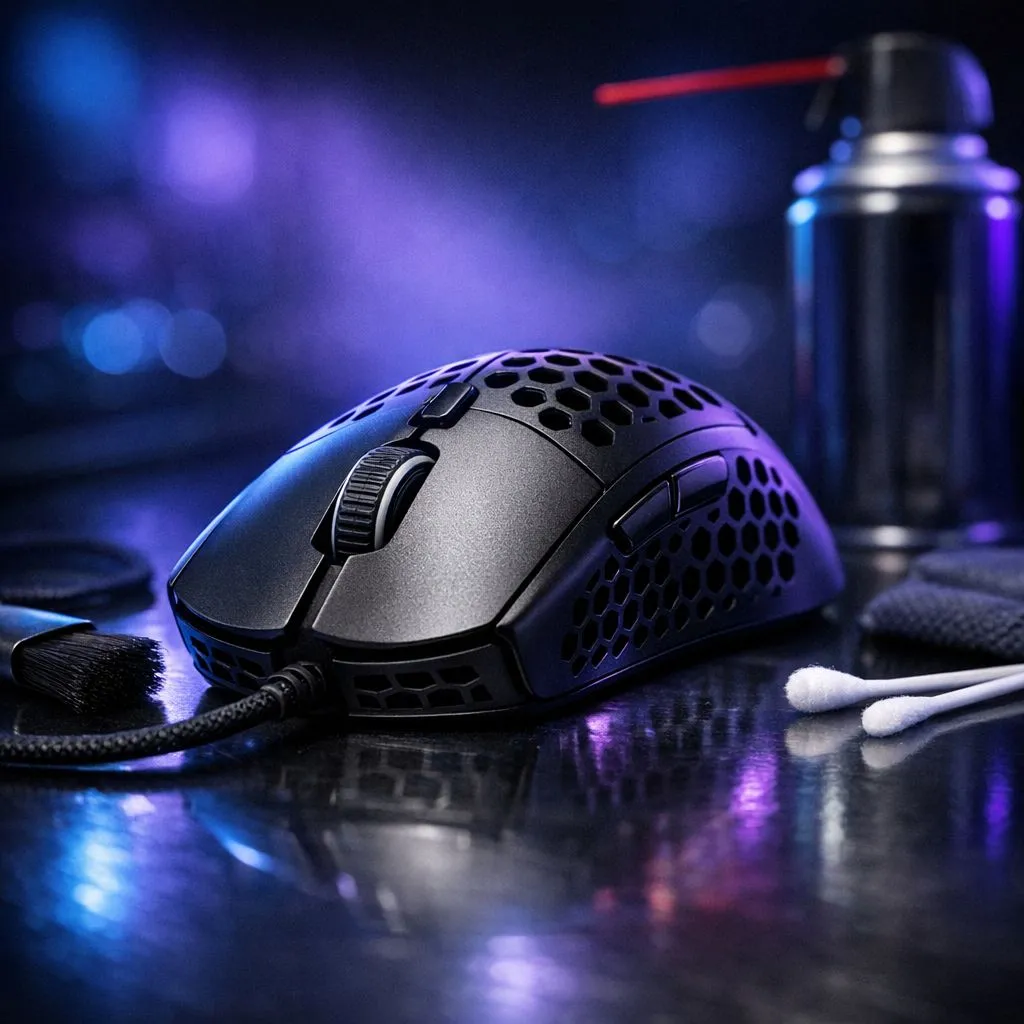
Every South African gamer knows the struggle of a long session during a heatwave. Between the humidity and the inevitable dust, your gear takes a beating. If you want to maintain your edge in competitive shooters, keeping a Clean Gaming Mouse: Maintain & Clean Lightweight Mice is not just about aesthetics... it is about performance. A sensor clogged with hair or buttons sticky with residue can be the difference between a headshot and a trip back to the spawn point.
When you invest in our extensive range of gaming mouse options, you are buying precision. However, that precision fades if the hardware is neglected. Sweat and oils from your hands can break down the coating of your mouse over time, while dust interferes with the optical sensor's ability to track accurately on your mat.
Lightweight mice, especially those with honeycomb shells, require a delicate touch. You cannot just dunk them in water. You will need a few basics: a soft-bristled toothbrush, compressed air, 70% isopropyl alcohol, and a lint-free microfiber cloth. Using these tools helps you Maintain & Clean Lightweight Mice without risking the internal PCB.
If you are using a high-performance wireless mouse, be extra careful around the charging port and the power switch. Moisture is the enemy of any battery-powered peripheral. Start by using the compressed air to blow out any debris trapped inside the honeycomb holes. Use the dry toothbrush to gently dislodge stubborn dirt from the crevices before finishing with a lightly dampened cloth.
Never spray cleaning liquid directly onto your mouse. Always apply a small amount of isopropyl alcohol to your microfiber cloth or a cotton bud first. This prevents liquid from seeping into the switches, which could cause double-clicking issues or permanent circuit failure.
The underside of your mouse is often the most neglected area. Dust buildup around the sensor lens causes "jitter," where your cursor skips across the screen. To keep a Clean Gaming Mouse, use a dry cotton bud to gently swirl around the sensor aperture.
While you are down there, check your PTFE feet. Dirt often collects around the edges of the skates, creating friction. If your glide feels muddy, it might be time to look at essential mouse accessories like replacement skates or grip tapes. Clean the area around the feet with alcohol to ensure a smooth, consistent slide across your surface.
Whether you prefer the reliability of a classic wired mouse or the freedom of wireless, the connection points need love too. For wired users, braided cables can trap an incredible amount of dust. Run a damp cloth along the length of the cable to keep it flexible and looking new. For wireless users, ensure the USB dongle and the charging cable contacts are free from oxidation.
If your current gear is looking a bit too far gone despite your best efforts, you can always find the best gaming mouse deals to refresh your setup without breaking the bank. Sometimes, starting fresh with a new sensor and a clean shell is the best way to optimise your K/D ratio. 🔧 ✨
Ready to Upgrade Your Precision? A clean mouse is a fast mouse, but even the best maintenance can't hide years of wear and tear. If it's time for a fresh start, we've got you covered. Explore our massive range of gaming mice and find the perfect tool to dominate your next match.
Wipe daily-touch areas weekly and deep-clean your lightweight mouse every 1–3 months; clean more often if you sweat or eat while gaming.
Use a microfiber cloth with 70% isopropyl alcohol, avoid soaking, and use compressed air for crevices—ideal for honeycomb shells.
Power off the mouse, use a soft dry brush or a cotton swab lightly dampened with isopropyl to remove dust from the sensor area.
Many ultralight mice are serviceable—follow the manufacturer guide, keep screws organized, and disconnect batteries on wireless models.
Apply 70% isopropyl to a microfiber cloth and wipe surfaces; avoid pouring liquid and ensure the mouse is fully dry before use.
Use compressed air to remove debris, then a minimally damp cotton swab with isopropyl around switches; avoid liquid getting inside.
Yes. Removing grime and dust improves sensor tracking and button response, keeping your lightweight mouse performing at its best.
Humidity Damage to PC Components: Recovery Guide. Everything you need to know with SA pricing, step-by-step instructions & expert recommendations.
Read more
Gamer Spending Trends April : Complete Setups. Clear setup instructions with SA-specific considerations, troubleshooting tips & recommended components.
Read more
Setting Up DDR5 32GB Kit. Tested & verified settings for best FPS and visual quality on SA hardware budgets.
Read more
Tech Setup Guide for SPU Res Students. Clear setup instructions with SA-specific considerations, troubleshooting tips & recommended components.
Read more
Monster Hunter Wilds Ultrawide Support: 21:9 and. Clear setup instructions with SA-specific considerations, troubleshooting tips & recommended components.
Read more
Apple iPad Durability Guide: Cases, Screen. Practical breakdown of costs, regulations & whether it makes financial sense for SA buyers.
Read more
AMD RX 9050 XT: Rumoured Specs, Price & Release. SA-focused analysis with local pricing data, real-world insights & actionable buying advice.

Can RTX 4080 Super Run AI Workloads for SA Developers Detailed answer with SA data, expert analysis & practical recommendations for local buyers.

Can RTX 4090 Run AI Workloads for SA Developers Detailed answer with SA data, expert analysis & practical recommendations for local buyers.

Top Settings for Intel Arc B580 at Ultrawide 1440p picks evaluated on performance, value & SA availability with current Rand pricing from Evetech.

RTX 4060 CS2 Low Settings at 1080p: FPS Results. Real-world benchmark data, FPS numbers & performance analysis. What SA gamers can actually expect.

Visual Artifacts: Possible GPU Issue Issue #1. Diagnosis steps, proven fixes & when to seek professional help. SA-specific support info included.

Can the RTX 4090 Handle 1440p 144Hz Gaming. Performance testing verdict with real data & practical recommendations for SA buyers.

Top ASUS GPU Under R15000 picks evaluated on performance, value & SA availability with current Rand pricing from Evetech.

GTA 6 Max Settings on RTX 5070. Tested & verified settings for best FPS and visual quality on SA hardware budgets.

Cyberpunk 2077 Max Settings on RTX 5080. Tested & verified settings for best FPS and visual quality on SA hardware budgets.

Starfield Max Settings on RTX 5070 Ti. Tested & verified settings for best FPS and visual quality on SA hardware budgets.

Top RTX 5090 Under R5000 picks evaluated on performance, value & SA availability with current Rand pricing from Evetech.