The console box rarely includes every controller, storage option and headset your household will want. Planning console peripheral costs in South Africa reveals the usable first-year setup before the base price wins the comparison.
Quick Answer
The console box may get one player started, but a real household setup can need another controller, more storage, a headset, charging gear, a suitable display and a better network connection. Build the accessory basket before choosing the console. Mark each item as required now, likely within a year or optional, then check compatibility with the exact console generation and games.
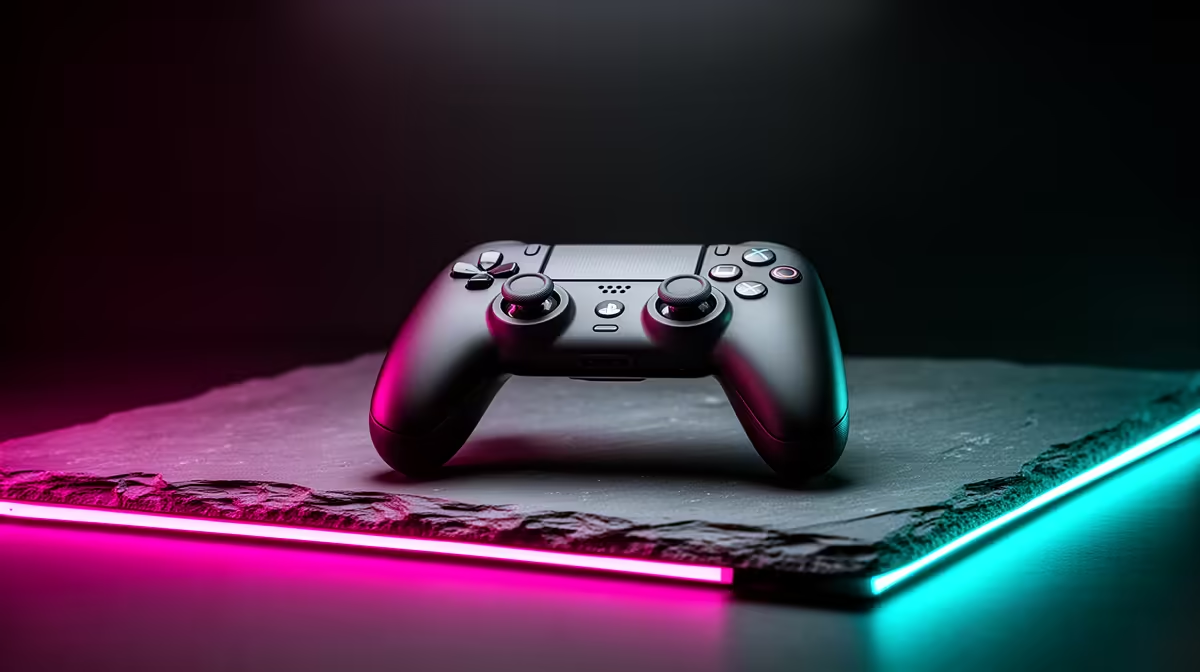
Start with Evetech's gaming controller range and identify the platform, connection and features you need. The peripheral best-seller selection helps you widen the basket to audio and desk gear. This article does not quote prices; use named current listings when you total your setup.
Put the second player on paper
Many households discover the controller gap when a local multiplayer game is already installed. Check what ships with the exact console and whether your games allow two or more local players. Add enough compatible controllers for the people who will play at the same time.
Do not buy from shape alone. Confirm the platform generation, wired or wireless operation, headset jack, charging method and game support. A controller that works on PC may not work on your console, and support can differ between older and current models.
Think about the players' hands and mobility. Size, button force, stick layout and accessibility features matter during long sessions. If possible, let the main users hold the controller before buying.
Storage fills according to your library
Record the installed size of the games you expect to keep, then add room for updates, captures, saved data and temporary installation files. Use current platform information because game sizes change.
Check which storage products can run current-generation games and which can only archive or play older titles. A cheaper external drive may be useful without replacing the need for an approved high-speed expansion. Model names and capacities are not enough; read the console's compatibility guidance.
Plan around household internet as well. Deleting and downloading a large game again may be inconvenient on a slower or capped connection. A family that rotates between two games has a different storage need from one that keeps a large multiplayer library installed.
Do not fill storage to the last available unit. Systems need working space for updates and management. Review unused captures and games before buying more capacity.
Headsets solve more than sound
A headset may be needed for voice chat, private late-night play or hearing positional detail without filling the lounge. Check connection method, platform chat support, microphone quality, controls and comfort.
Wireless models need charging and can have platform-specific compatibility. A 3.5mm headset connected to a controller may be simpler, but the controller's audio output and chat mix still matter. USB shape alone does not guarantee console support.
For younger players, set communication and privacy controls before the first match. Explain muting, reporting and who may send messages. Hardware does not replace account safety.
Comfort deserves a trial. Clamp force, ear-pad heat, weight and glasses fit can matter more than a long feature list. A headset that hurts after thirty minutes will not deliver its supposed value.
Charging creates its own small system
Check whether controllers use replaceable cells, a built-in battery, a removable battery pack or a cable. Add the required charger, dock, suitable batteries or spare cable. Follow the controller maker's charging guidance.
Place docks on a stable surface with ventilation. Stop using swollen, damaged or overheating batteries. Do not leave a frayed lead across a walkway or use a loose stack of mains adaptors behind the television.
Decide who returns controllers to charge after play. A second controller with an empty battery does not solve the multiplayer problem. A simple labelled home for each device can prevent damage and missing cables.
Check the display before buying another one
Your existing television may already meet the family's needs. Confirm its native resolution, refresh support, input delay in game mode, HDR behaviour and available HDMI ports. Test the intended console input, because features can differ between ports.
If you need a display, include its stand or wall mount, correct cable, safe power and seating distance. A high-refresh feature has no value when the game, console mode or input path cannot use it. A large screen can also be uncomfortable at a shallow desk.
Sound may come from the television, monitor, soundbar or headset. Monitors do not all include useful speakers. Add audio to the basket when the display cannot handle it.
Network extras can be the cheapest fix
Online play benefits from a stable connection. If the console sits near the router, a correctly installed Ethernet cable can remove Wi-Fi variability. If cable is impractical, test signal strength and congestion at the console location before buying an extender or mesh node.
Do not assume more advertised speed fixes packet loss or jitter. Measure during the hours the family plays. Check whether the router gives the console a stable band and whether background downloads collide with matches.
A network upgrade shared by the whole home should be evaluated separately from a console-only accessory. Count it in the project budget, but note that other users gain value too.
Small physical items still matter
Check whether the box includes the required display cable and whether its length reaches without tension. Add a safe surge-protection or power arrangement suited to the equipment and local installation. Never daisy-chain multiplugs or run coiled extension leads under heavy load.
A vertical stand, wall mount, travel case, replacement faceplate or decorative lighting is optional until your space proves otherwise. Separate protection and ergonomics from appearance. This keeps visual extras from consuming the amount reserved for storage or another controller.
For disc models, plan secure shelf space. For young children, keep discs, ports and ventilation clear of rough handling. For a portable console or controller, a fitted case may prevent damage when it leaves the house.
Make a first-year accessory map
Create three columns. "Day one" contains items without which the intended games or players cannot use the setup. "Within a year" holds predictable storage, controller or audio needs. "Optional" holds improvements you will consider after using the console.
Attach a named current product to every line. Check compatibility and warranty route, then total the basket on the same date as the console. Do not enter a generic category minimum or an old sale price.
Revisit the map after one month. Actual storage use, controller conflicts and headset comfort will tell you which planned item should move up or disappear. Buying every accessory at checkout can leave you with features nobody uses.
Compare platforms with the same completeness
When comparing a console with a PC, include equivalent display, audio, inputs, storage and network needs on both sides. A PC basket with keyboard, mouse and monitor should not be compared with a console box assumed to borrow the household television forever.
Likewise, do not force symmetry where use differs. A lounge console may need a second controller, while a solo desk PC may need a better headset. Price the intended experience, not a matching number of boxes.
FAQ
Which extra is easiest to forget?
The second controller and suitable charging setup often appear when local multiplayer begins. Storage and audio follow according to the household's games.
Do I need more storage on day one?
Check the games you will install, their current sizes and your download situation. Some households can wait and measure real use first.
Are official accessories the only safe choice?
No, but every alternative must state support for the exact console and feature. Verify compatibility, safety and warranty instead of relying on connector shape.
Build the day-one, first-year and optional accessory baskets with named compatible products, then compare consoles using the complete setup total.