



PCIe 5.0 vs PCIe 4.0 for Video editing in 4k in SA
PCIe 5.0 vs PCIe 4.0 for video editing in 4k is mainly about fit, features, compatibility, cost, and upgrade path, not one automatic winner. SA buyers should match the choice to the setup.
Read moreA mouse and pad combo for CS2 under R2K pairs a lightweight, mid-range sensor mouse with a larger cloth pad, since consistent glide matters more than a flagship sensor here. Evetech stocks combos in this range built around that pairing for competitive aim.
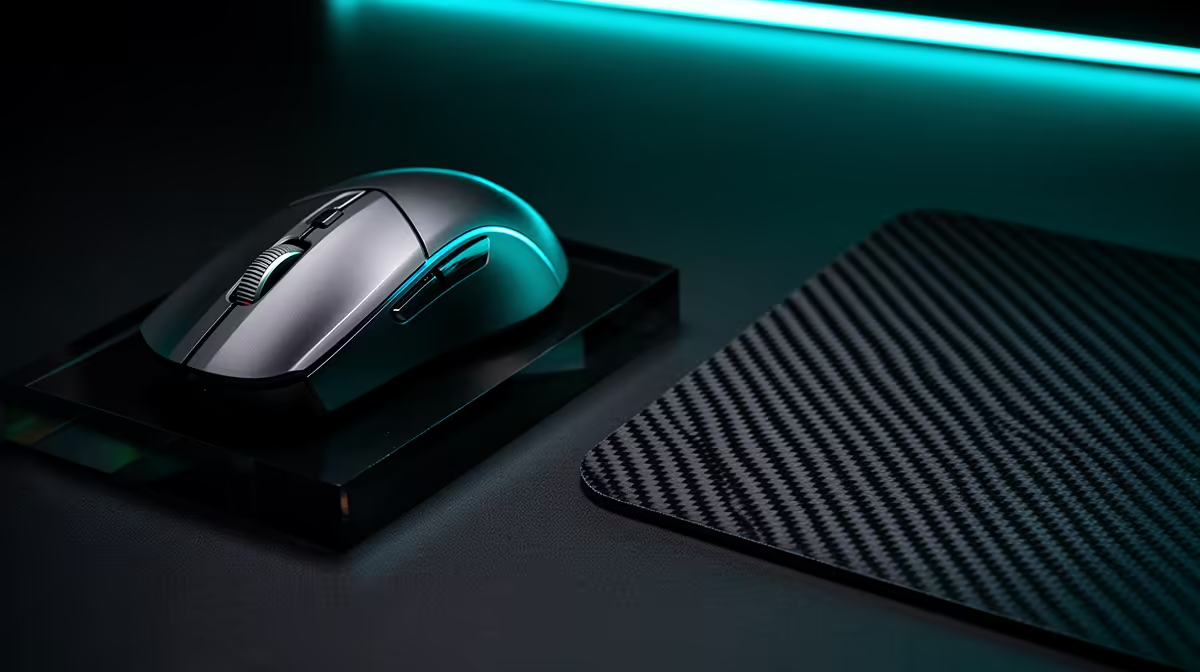
For CS2 under R2,000, buy a mouse shape you can control through a full match and a cloth pad large enough for your sensitivity. A flagship sensor cannot rescue a shape that cramps your grip or a small pad that ends the swipe.
Split the cap after testing your current setup. The pad may be the larger gain when its surface is worn, tiny or inconsistent.
Record in-game sensitivity, mouse DPI and the width of a comfortable 180-degree turn. This tells you how much usable pad width the setup needs.
Low-sensitivity aim uses longer arm movement. A large pad gives room for the swipe and reset. High sensitivity needs less area but can make tiny hand movement more visible.
Measure the desk around the keyboard, monitor stand and cable path. A pad that hangs over an edge will never deliver the flat surface you bought.
Note hand length and width, grip style and which parts of the palm touch the shell. A light mouse can feel poor when the hump, sides or button height fight your hand.
Test a full match where possible. Watch for finger drag, wrist tension, accidental side-button presses and grip adjustment after quick turns.
Weight matters when it helps you start and stop the mouse without strain. There is no universal CS2 gram target.
A current gaming sensor should track cleanly at your chosen DPI without obvious spin-outs, angle snapping or smoothing you cannot disable. Beyond that floor, shape, click feel and surface can matter more than extreme DPI numbers.
Polling rate should remain stable on your PC. Very high modes can use more CPU time or reduce battery life on wireless models. Test the actual frame-time result before choosing the largest label.
Use the mouse at a sensible native DPI and set final sensitivity in game. Avoid changing several input settings at once.
A cloth pad can offer more stopping control than a hard surface and remains a common fit for tactical shooters. Surface speed still varies between products.
Look for a flat base, stitched or clean durable edge, and enough thickness to cope with minor desk texture. A pad that slides under a fast turn breaks consistency.
Humidity, skin oils and dust can change glide. Follow the maker's cleaning guidance and let the pad dry flat. Replace it when worn zones pull differently from the centre.
A good wired mouse gives a direct, charge-free path. Use a flexible cable and route it with enough slack for the widest swipe.
Modern low-latency wireless can suit competitive play when the exact model tests well. Keep the receiver close, away from noisy USB devices, and watch battery state.
Do not spend most of the R2K cap on wireless if the remaining pad is too small. The whole aim surface is the product.
Browse gaming mouse deals and shortlist two shapes within the cap. Open dimensions, weight, connection and button details.
Use mouse best sellers for another set of candidates. Popularity cannot tell you whether the shell fits, so compare measurements with a mouse you know.
Reserve enough for the pad size. Price mouse and pad together, including delivery. A product near R2,000 on its own has already broken the combo brief.
Turn off operating-system pointer acceleration where your chosen setup requires raw consistent input. Use CS2's current input guidance and keep one DPI.
Run the same aim drill for several sessions. Record accuracy, overshoot, undershoot and whether the mouse reaches the pad edge.
Then play real matches. A training score can improve while the shape becomes uncomfortable after an hour. Keep the settings stable long enough to separate adaptation from a genuine fit problem.
A mouse bungee can help a wired cable when it catches on the desk, but good routing may solve the same problem. Replacement skates should match the exact shell and pad goal.
Grip tape can help a slippery shape. Add it after the shell passes the basic hand-fit test.
Skip decorative lighting when it forces a smaller pad or worse shape. CS2 rewards a repeatable stop and reset.
Primary clicks should feel consistent across the point where your fingers land. A very light switch can trigger during a tense hold, while a heavy one can tire the hand through repeated taps.
Test burst firing, tap firing and fast weapon changes. Reach each side control with a relaxed thumb while the other fingers keep their normal hold.
The scroll wheel needs clear steps for any bound action. Avoid copying a professional player's binds before you know the wheel and buttons suit your own control.
Mouse feet should sit flat without a peeling edge. Remove protective film where the maker includes it, then give new skates time to settle.
A very soft pad can let a heavy grip press the mouse base into the surface. A thin pad can transmit every desk flaw. Match thickness and firmness to the desk and hand pressure.
Turn the pad through 180 degrees during a test. If glide changes because one area is worn or dirty, clean or replace it before blaming the sensor.
Keep DPI, game sensitivity and crosshair settings fixed. For each session, note hand comfort, pad-edge hits, cable snags and repeated over-flicks.
Use the same short aim routine, then play a full competitive match. Track only two outcomes so the sheet stays useful.
If the shape causes pain, stop the trial. If scores wobble while comfort is good, allow adaptation before changing sensitivity.
Roll a cloth pad with the playing surface out where the maker permits, or carry it flat. Keep the mouse cable and receiver protected.
Save the DPI and button profile locally when the software supports it. A tournament or shared PC may not allow your full utility.
Bring the known pair rather than borrowing a different surface. The value of the under-R2K combo is repeatability across desks.
No. You need clean tracking at your settings. Shape, stable clicks and a consistent pad can matter more beyond that floor.
Large enough for your full turn and reset without touching an edge. Measure the swipe and available desk before buying.
It can be when the exact model has sound latency and the combo still includes a suitable pad. A well-routed cable remains a strong value choice.
Measure your CS2 swipe and hand, shortlist two fitting mice, and reserve enough of the R2,000 ceiling for a flat pad that covers every turn.
No. You need clean tracking at your settings. Shape, stable clicks and a consistent pad can matter more beyond that floor.
Large enough for your full turn and reset without touching an edge. Measure the swipe and available desk before buying.
It can be when the exact model has sound latency and the combo still includes a suitable pad. A well-routed cable remains a strong value choice. {{PRODUCTS: { facets: { query: "mouse" }, limit: 12, title: "CS2 Mouse and Pad Combos", style: "4" } }}
PCIe 5.0 vs PCIe 4.0 for video editing in 4k is mainly about fit, features, compatibility, cost, and upgrade path, not one automatic winner. SA buyers should match the choice to the setup.
Read more
Wi-Fi 7 vs Wi-Fi 6e for competitive esports comes down to router support, latency goals, device compatibility, and coverage. SA buyers should match the choice to the real network setup.
Read more
ATX 3.1 vs ATX 3.0 for mMO and live-service games buyers - what changes is mostly about compatibility, budget, upgrade path, and setup fit. SA buyers should check device support and real needs before expecting a clear win from either option.
Read more
LGA 1851 vs LGA 1700 can affect Twitch and YouTube streaming when gaming and encoding share CPU resources. For SA creators, the real-world difference depends on encoder choice, memory support, motherboard cost, thermals, and upgrade plans.
Read more
X870E vs X670E for aaa single-player gaming is mainly about fit, features, compatibility, cost, and upgrade path, not one automatic winner. SA buyers should match the choice to the setup.
Read more
Hall Effect switches vs Mechanical switches for mMO and live-service games is mostly about compatibility, budget, upgrade path, and setup fit. SA buyers should check device support and real needs before expecting a clear win from either option.
Read more
A fake 113GB GTA VI ISO reportedly used empty padding around a small malware payload. SA gamers should delete unofficial builds, keep Windows security active and wait for official channels.

Wi-Fi 6E vs Wi-Fi 6 matters for 4K video editing when files move across a network. The real-world difference between Wi-Fi 6E and Wi-Fi 6 for video editing in 4K depends on NAS access, cloud uploads, router range, and SA creator workflows.

The difference between PCIe 5.0 and PCIe 4.0 for SA gamers is mostly bandwidth headroom. Compare GPU slot needs, NVMe speed, motherboard support, and upgrade timing before paying extra for a newer platform.

Gaming PC stuck pixel checks in South Africa should confirm the monitor fault first. Use colour tests, screenshot comparison, cable swaps, display menu checks, and clear photos before deciding on support.

Shokz OpenFit Air 2 earbuds weigh 7.2g each and use a redesigned dual-driver open-ear layout. SA buyers should choose them for comfort and awareness, not maximum isolation.

AMD's current driver now lists a Radeon RX 9050 4GB, while product coverage details a narrowed memory system. SA buyers should weigh the low VRAM ceiling against current local Radeon options.

Samsung Display has demonstrated a 16-inch 2.5K OLED laptop panel running at 300Hz. SA buyers should wait for a named notebook, full panel specifications and a local price before planning an upgrade.

Microsoft says some Windows 11 game crashes after recent updates are linked to RGB-related drivers. Affected SA gamers should confirm the update and driver before using the published registry workaround.

Minisforum's M2 Pro pairs Core Ultra X7, Arc B390 graphics and 32GB onboard memory in 1.8 litres. SA buyers should weigh its fixed memory and $1,439 launch offer against local mini PCs.

Smart monitors can add apps and convenience, but they also add privacy settings and unwanted-software risk. SA buyers should audit the operating system before paying for extras.

Lenovo says Legion Go failures linked to BIOS N3CN42WW are not user error. Affected SA owners should stop retrying the update, preserve proof and open a support case.

The ROG Gjallar gaming soundbar is now listed in the US at $599.99. SA buyers should compare its 2.1.2 audio, wireless bass and built-in chat controls with simpler local options.