



80+ Gold vs 80+ Platinum for Couch co-op gaming in SA
80+ Gold vs 80+ Platinum for couch co-op gaming is about PSU efficiency, heat, fan behaviour, quality, and wattage headroom, not direct FPS. SA buyers should compare the whole build.
Read moreA tidy two-screen desk in South Africa can justify a curved monitor when the curve improves the main view and the second screen still sits neatly. Check 100Hz or higher refresh, input access, stand footprint and cable routing before choosing it.
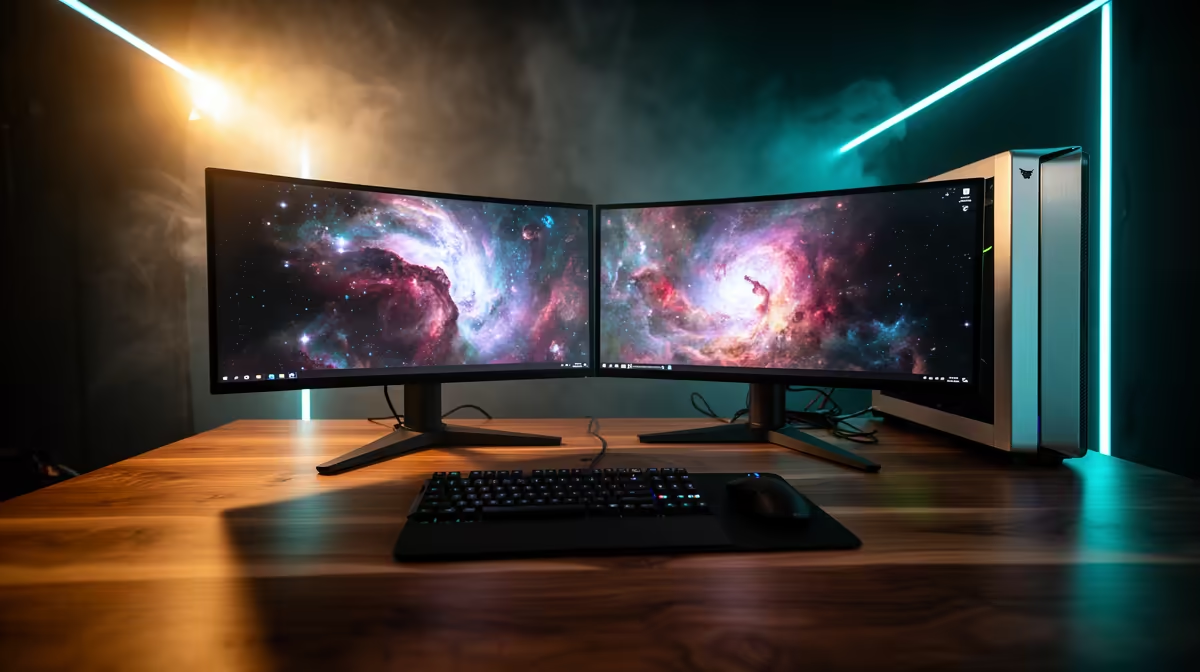
Dell SE2726H 144Hz at R1,797 suits a tidy two-screen desk where you want smooth everyday motion without overspending on the main gaming monitor. A curved screen can feel more wrapped around you, but for two displays the bigger win is usually matching size, refresh rate, and stand footprint so the screens line up neatly.
For a clean dual-screen layout, the Dell SE2726H 144Hz at R1,797 is the sensible starting point. Its 144Hz refresh rate is fast enough for casual gaming and daily browser, document, and video use, while the price leaves room for a second matching display, arm, or better cable routing.
If gaming smoothness matters more, the ViewSonic VX2779A 240Hz at R2,350 is the stronger pick. The 240Hz spec gives more headroom for fast shooters and high-frame-rate play, and it still keeps the desk plan realistic if you want one primary gaming panel plus a simpler second screen.
On a student desk, home office table, or compact gaming room setup, the MSI MAG 274F 200Hz at R3,006 makes sense as the main screen because 200Hz is quick enough for competitive play while the second display can handle chat, notes, or a browser. The AOC 27in QHD 200Hz at R3,200 is better if you want sharper workspace space from the QHD spec.
The Dahua LM25 200Hz at R1,850 is the value option when you want high refresh without stretching the budget. Its 200Hz spec makes it more gaming-focused than a basic office display, which helps if the desk setup needs to serve both work and evening play.
Ready to choose the right gaming monitor? For the gaming monitor shortlist decision, Dell SE2726H 144Hz at R1,797 gives you its listed spec to measure against the brief.
For a two-screen desk, check 100Hz or higher refresh, input reach, warranty cover and whether the stand leaves space beside it.
Desk layout matters most here, followed by refresh for gaming and image clarity for study, browsing or creator tasks.
Let the main curved screen carry the primary task, then keep the second display positioned neatly without blocking cables or controls.
Prioritise 100Hz or higher refresh when the curved screen is the gaming display; otherwise, tidy placement and clear viewing may lead.
A gaming desk can handle a two-screen layout if both stands fit cleanly and the cables can route without clutter.
Panel quality beats extras when the main curved display must stay sharp, consistent and comfortable beside a second screen.
80+ Gold vs 80+ Platinum for couch co-op gaming is about PSU efficiency, heat, fan behaviour, quality, and wattage headroom, not direct FPS. SA buyers should compare the whole build.
Read more
80+ Platinum or 80+ Titanium for competitive should be shortlisted around the job it must do. South African buyers should compare fit, performance, compatibility, and upgrade room, warranty path, and upgrade room before treating any pick as best.
Read more
The real world difference between IPS and OLED for AAA single-player gaming is immersion versus versatility. OLED lifts contrast and dark scenes, while IPS can suit bright rooms, mixed PC use, and SA buyers watching total setup cost.
Read more
HDMI 2.1 vs HDMI 2.0 for SA MMO needs a workload-first comparison. For SA buyers, judge real performance, platform fit, warranty path, power needs, and upgrade timing before choosing either side.
Read more
USB4 and Thunderbolt 4 differ for competitive esports through dock, display, and capture consistency. Use this real world difference between usb4 and thunderbolt 4 for competitive guide to keep SA tournament desks tidy without assuming better ping.
Read more
Magnetic switches vs Mechanical switches depends on Competitive esports needs, platform limits, and budget fit. Compare compatibility, latency, upgrade path, and real setup constraints before choosing for an SA build.
Read more
B850 motherboard FPS drops needs a methodical troubleshooting pass. Review drivers, thermals, power settings, background apps, cables and game settings before replacing parts in an SA gaming setup.

Gaming PC FPS drops in South Africa often come from drivers, thermals, background apps, power plans, or in-game settings. Check one change at a time and use the same scene before buying upgrades for your local setup.

Difference between PCIe 5.0 and PCIe 4.0 explained for PC builders starts with bandwidth, lanes, and support. SA builders should match the motherboard, GPU, NVMe drive, and budget before choosing a platform.
Windows 11 mechanical keyboard setups rarely cause display banding directly. Fix color banding by checking HDR, colour depth, GPU range, monitor profiles, and any new RGB utility conflicts.

Steam Big Art Mode enlarges library artwork in Big Picture Mode and on Steam Deck, while the same beta adds configurable screensavers. Both features are optional and currently require the Steam beta client.

Diablo 4 HDR settings work best after Windows and the display are calibrated, then the game's black point, brightness and white point are adjusted in that order. Use visible shadow detail and controlled highlights, not copied values from another screen.

The best HOTAS for Elite Dangerous is a separate stick-and-throttle set with enough analogue axes for pitch, roll, yaw and thrust, plus local support. Evetech's captured flight-simulation sample lists the complete Logitech X56 at R4,999.

Nintendo Switch 2 docked VRR arrives with system version 23.0.0 and also requires a dock update. The connected TV or monitor and the running software must support VRR before the output can follow changing frame rates.

NVIDIA lists 550W required system power for the RTX 5060 reference specification, based on a high-end test system. A quality 550W unit can be enough, but CPU draw, transient load, connectors and ageing decide real headroom.

The VAIO T combines a 13.3-inch display with a multi-flip mechanism for laptop, tablet and outward-facing viewing modes. Orders begin in Japan on 18 September; South African availability is unconfirmed.

OpenRGB's master branch now carries changes labelled for 1.0 final, including translation and platform work, but the official tags page still lists 1.0rc3.1 as the newest packaged release. Stable users should wait for the signed release channel.

The Cooler Master GPU Shield Adapter monitors current on individual 12+4-pin contacts, adds visual and audible warnings, and can reduce system power during a severe abnormality. Local availability is unconfirmed.