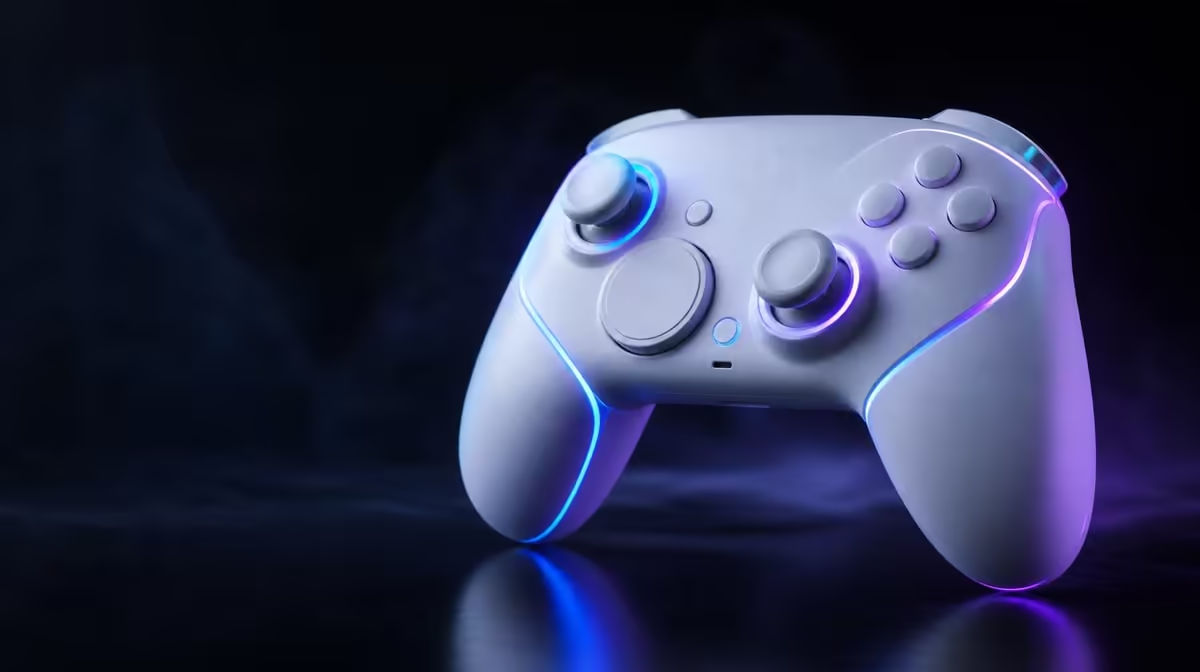
Lighting can identify a setup or express taste, but it cannot make a stick more precise. Cyclone 2 customisable RGB should be treated as a visual layer beside the R999 controller's tri-mode system and magnetic inputs. Keeping those roles separate produces clearer profiles and more honest value.
Quick Answer
Customisable RGB lets Cyclone 2 owners select supported lighting effects for preference or profile identification. The controller costs R999 with its dock included. RGB does not reduce latency, change TMR precision or extend trigger travel, so configure it after compatibility and default input pass.
🌈 Decide what the light should communicate
An RGB choice can match a preferred look or mark a device profile. Define that purpose before changing effects.
If lighting identifies platforms, use a simple recorded convention. A colour might indicate a PC profile and another an Android profile, while the profile name remains the definitive reference.
Begin with the smallest useful system. Assign cues only to profiles that are used often enough to remember. A different effect for every game can become harder to interpret than one calm colour for each main device.
Write the convention beside the profile names. This matters after settings have not been used for a while, when colour alone may no longer communicate its meaning. The note should include the host, game, controller route and any mapping change.
Room conditions also affect the visual decision. A bright pattern may look appealing in daylight but become distracting near a screen at night. Review it from the ordinary playing position rather than only while holding the controller close.
Personal preference remains a valid purpose. RGB does not need a productivity story when the buyer simply enjoys the look. The honest distinction is that appearance value should not be presented as an input-performance gain.
Do not treat complexity as value. A restrained effect that communicates clearly can be more useful than an elaborate pattern with no meaning.
Buyers can compare visual customisation inside complete products through the Evetech controller category.
🎯 Keep performance claims separate
Mag-Res TMR sticks determine magnetic directional sensing. Hall analog triggers determine graduated magnetic press input. RGB changes neither.
Connection latency depends on the controller route, host, game and display. Lighting cannot shorten that chain.
Test default input before setting colour. If a stick, trigger or mapping behaves poorly, fix that control layer without changing the visual profile.
For the Mag-Res TMR sticks, check neutral, fine movement and full travel. For the Hall analog triggers, check light, medium and full presses in a supported game. These tests establish what the magnetic controls do before lighting makes the finished profile feel complete.
Tri-mode response needs its own comparison. Use the same local game scene and display mode on each important host. RGB cannot show that one route has been recognised correctly or that another route feels more stable; confirm those details in software.
Avoid changing response curves, button assignments and lighting in the same save. If the next session feels wrong, several simultaneous changes make the cause difficult to trace. Save the functional baseline first, then add the visual layer as a separate revision.
This sequence also protects good settings. A colour experiment should never require rebuilding a tested stick or trigger profile from memory. Keep a clear named version that can be restored before trying another effect.
Save one change per revision. A profile that adjusts response, mapping and lighting together is difficult to diagnose.
🗂️ Use RGB across named profiles
Create platform and game profiles only after each host recognises default input. Name them clearly, then add an RGB cue where useful.
Test a round trip between the two most important devices. The correct profile and colour should return without overwriting the first host's settings.
Use a repeatable order during the round trip. Connect to the first device, verify a basic input, note the visual cue, move to the second device and then return. The exercise tests whether the profile system is understandable, not whether colour itself controls the connection.
If two profiles need similar colours, distinguish them through names rather than forcing a complicated effect. Clear text in the controller software or a small written setup note is less ambiguous than trying to remember a subtle brightness difference.
Shared-room use may need a different scheme. Separate colours can help family members identify preferred layouts, provided every person knows that the cue is only a reminder. The game and host must still recognise the intended mapping.
Review profiles after an ordinary week of play. Remove cues that were forgotten, merge profiles that do the same job and keep the combinations that reduce confusion. A smaller, maintained set usually delivers more value than a large archive.
Review the cue during ordinary play. A bright effect may be enjoyable, distracting or irrelevant depending on the room. Keep it because it serves preference or recognition.
Browse Evetech gaming accessories once profiles and controls are stable.
🔋 Charging remains independent
The R999 package comes with a Smart Start-Stop dock. The controller can be charged on that base regardless of whether RGB is central to the profile.
Seat it correctly, keep contact areas clean and avoid direct heat. Do not use lighting state to invent battery health or capacity claims.
Observe the dock's own charging indication according to the controller routine rather than treating decorative RGB as a battery meter. Stable physical contact and correct seating are what allow Smart Start-Stop management to work.
Place the base on a firm, level surface with enough cable slack that the lead cannot rotate it. The resting position should give the controller a clear lift path and avoid pressure on the TMR sticks.
If charging becomes intermittent, check alignment, cable tension and visible debris. Disconnect power before a gentle dry clean of exposed areas. Lighting changes are unrelated to these physical checks and should stay unchanged while the fault is isolated.
The smart dock manages the charging routine; it cannot promise battery lifespan, add capacity or remove the influence of heat and age. This is another reason to keep visual and functional claims in separate columns.
At R999, buyers receive RGB, magnetic controls, multiplatform tri-mode support and the dock. Value should be allocated to each job honestly.
After the lighting scheme has a clear purpose, browse Evetech's accessory favourites for the wider setup.
Before purchase, rank those jobs. Compatibility and predictable input normally belong above appearance, while an enthusiast building a coordinated desk may assign more value to the visual layer. The correct weighting depends on use, but the role of each feature should remain accurate.
Check the current Evetech listing when ready to buy. The R999 package is the local reference for this comparison, while current availability belongs to the live page.
Frequently Asked Questions
What can customisable RGB change?
It can change supported lighting effects for personal preference or profile identification.
Does lighting improve TMR precision?
No. Stick precision and response belong to the magnetic input, mechanics, software and game.
Can RGB reduce connection delay?
No. It is a visual feature and does not shorten the controller-to-host path.
Does the dock work with RGB disabled?
Charging and lighting are separate functions. The included dock manages the correctly seated controller.
How much is the RGB package?
The GameSir Cyclone 2 Phantom White is R999 with its smart charging dock included.
Ready to make RGB identify a profile without overstating it?
Compare Evetech gaming controllers and choose lighting that supports preference while magnetic controls and compatibility carry performance.