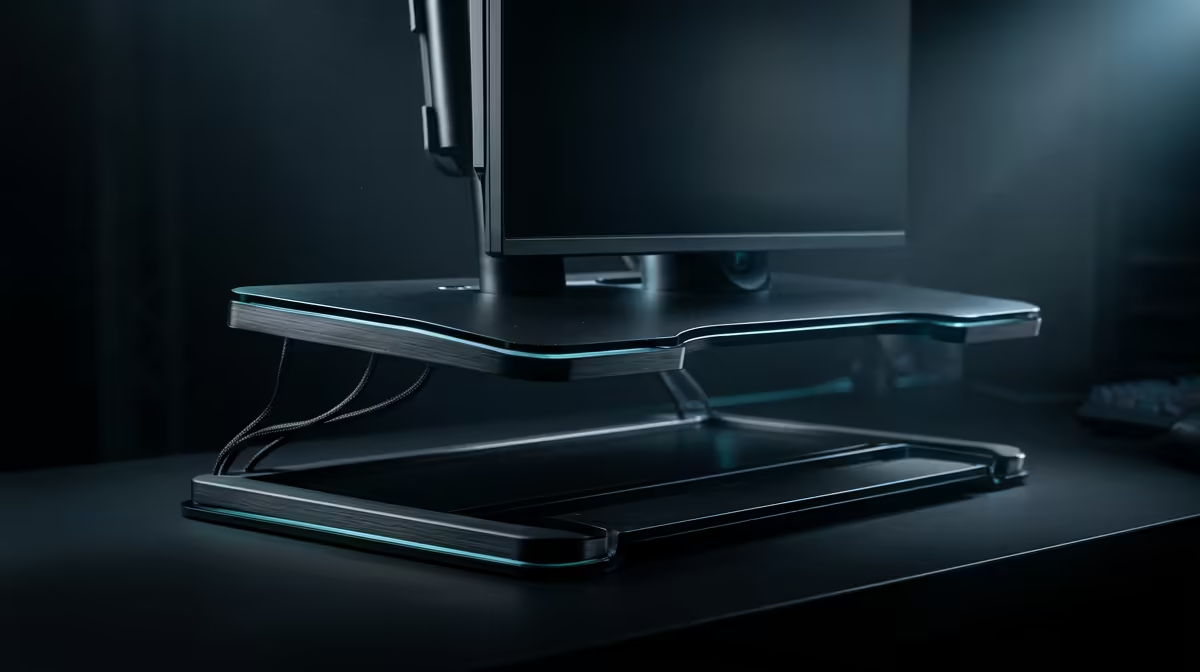
Most home-office aches do not come from the chair or the laptop on their own; they come from the gaps between them. A screen that sits too low, a keyboard at the wrong height, a hard floor underfoot, and a tangle of cables that pulls everything out of line. Desk ergonomics accessories close those gaps for a fraction of what a new chair or desk costs, and they are easy to source locally.
Quick Answer
The four accessories that fix the most common posture problems are a laptop or monitor riser to lift the screen to eye level, a keyboard tray to bring the keyboard to elbow height, an anti-fatigue mat for standing sessions, and cable management to keep the desk tidy. Together these generally cost anywhere from a few hundred to well over a thousand Rand and complete a setup without replacing the desk.
Why the small stuff carries the load
Good posture is mostly about three heights: screen at eye level, elbows roughly square at the keyboard, and feet supported. Static muscle load, the constant low-level effort of holding a slightly wrong position, is what produces neck, shoulder, and wrist fatigue over a long day. The accessories below each target one of those heights, which is why a modest spend often does more for comfort than an expensive chair fitted to a badly arranged desk.
If the desk itself is the weak link, it is worth pairing these accessories with a properly sized work surface. The gaming and standing desks at Evetech cover the height-adjustable options that anchor a well-organised workspace.
The four accessories that matter
Laptop and monitor risers
A laptop screen at desk height forces your neck to tilt down for hours. A riser lifts it so the display top reaches close to eye level, letting your neck rest in a neutral position. With a laptop you will usually add an external keyboard once the screen is raised, since the built-in keyboard rises with it. Monitor risers do the same job for desktop screens and free up the space beneath for storage.
Keyboard trays
A keyboard tray mounts under the desk and brings the keyboard and mouse to a height where your forearms remain horizontal and your wrists stay flat and neutral. This is the accessory that most directly reduces wrist strain, and it pairs naturally with a raised screen, because lifting the monitor often leaves the desk surface too high for comfortable typing.
Anti-fatigue mats
If you switch between sitting and standing during your workday, a hard floor is hard on your feet, knees, and lower back. An anti-fatigue mat has a cushioned surface that encourages small posture shifts and reduces the strain of standing still. It is a low-cost addition that makes standing sessions sustainable rather than something you abandon after a week.
Cable management
Loose cables are not just untidy. They drag monitors and laptops out of position, snag when you adjust your setup, and make the desk harder to clean. Under-desk cable trays, clips, and sleeves route the wiring out of the way so your screen and keyboard stay exactly where you placed them. It is the finishing touch that keeps an ergonomic layout from drifting back into chaos.
Choosing the right riser
Not every riser is the same. A fixed riser is the cheapest option: it comes in one height and you use it as is. Adjustable risers let you dial in the exact lift your screen needs, which matters when your desk and chair height do not conform to a standard. For a laptop, look for a riser with ventilation gaps, since raising a closed-base laptop without airflow causes it to run hotter over a long day. Aluminium risers dissipate heat better than solid plastic ones and tend to feel more stable under a heavy external monitor.
Pairing accessories with a sit-stand desk
If you have a height-adjustable desk, accessories still earn their place. A cable management tray becomes essential because the cables must move with the surface, so routing them neatly before the first time you raise the desk prevents a tangle later. An anti-fatigue mat is the natural partner for the standing position, and a keyboard tray can still make sense if the standing height puts the desk surface slightly above your ideal elbow angle. The riser becomes less critical once the desk itself adjusts, but a monitor arm can replace it with more precise positioning and the benefit of freeing the surface underneath.
Monitor arms as a riser alternative
A monitor arm is worth considering alongside a traditional riser if you work with a standalone monitor rather than a laptop. Where a riser lifts the screen to a fixed height, a monitor arm clamps to the desk edge and gives you full range on height, tilt, and depth. That precision matters because the correct monitor height varies by your chair and seating posture, and a monitor arm lets you dial in the exact position rather than choosing the closest fixed riser height. It also frees the entire desk surface beneath the screen, which a riser does not.
The trade-off is cost and installation: a quality single-arm mount costs more than a riser and requires a desk edge thick enough to clamp or a grommet hole. For a dual-monitor setup, an arm per screen or a dual-arm beam can entirely replace both risers and tidy the cabling at the same time.
The 20-20-20 rule and screen distance
Ergonomic accessories address posture, but eye strain over a long day is a separate problem. The standard recommendation is the 20-20-20 rule: every 20 minutes, look at something at least 6 metres away for 20 seconds to relax the focusing muscles in your eyes. A screen riser placed at the correct height also means your eyes converge naturally rather than tracking slightly down all day, which reduces the muscle effort your eyes sustain across a full session. Desk depth matters here too: a monitor should sit at roughly arm's length from your face, typically 50 to 70 centimetres, and a deep enough desk surface makes that distance easy to maintain without pushing peripherals out of reach.
Building it up without overspending
Begin with the riser, since screen height affects your neck for every minute you work. Add a keyboard solution next so your wrists follow the screen, then layer in the mat and cable management as budget allows. Buying piece by piece spreads the cost and lets you feel each change before the next. To see which supporting items local buyers reach for, the best-selling desk accessories at Evetech is a good reference for completing a well-organised workspace.
Frequently Asked Questions
What is the single most impactful ergonomic accessory?
A screen riser, in most cases. Lifting the display to eye level corrects neck posture that you hold for the entire working day, which is where a lot of office fatigue originates.
Do I need a keyboard tray if I use a riser?
Often yes. Raising the screen can leave the desk surface too high for comfortable typing, so a keyboard tray brings the keyboard back down to elbow height and keeps your wrists straight.
Are anti-fatigue mats only for standing desks?
They are most useful with standing or sit-stand setups, where they cushion a hard floor during standing periods. If you never stand to work, they add little benefit.
Does cable management really affect ergonomics?
Indirectly but meaningfully. Tidy cables stop your screen and peripherals from being tugged out of their set positions, so the careful alignment you arranged stays in place over time.
Can these accessories replace a proper chair?
No. They complement a supportive chair rather than substitute for one. The accessories handle desk and screen heights; the chair handles back, hips, and seated posture.