



PCIe 5.0 vs PCIe 4.0 for Strategy and Sim Games in SA
PCIe 5.0 and PCIe 4.0 differ most in lane support, compatibility, and upgrade value for strategy and sim games. SA buyers should match the choice to their actual hardware and games.
Read moreDual BIOS performance mode vs quiet mode: real-world performance, SA pricing, power draw and which one delivers better value for your build. The clear answer — without the fluff.
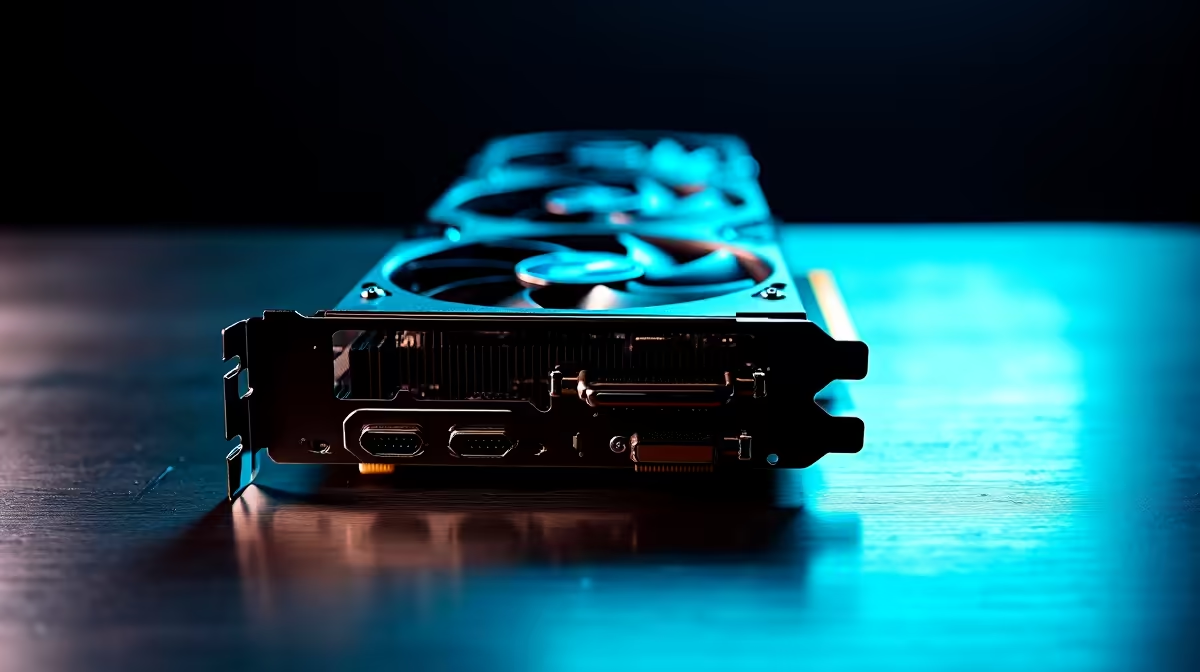
Summer gaming in South Africa brings serious heat... both in your lobbies and inside your PC case. If you recently dropped a few thousand ZAR on a premium GPU, you might have noticed a tiny switch on the edge of the board. Understanding dual BIOS performance mode vs quiet mode is essential. Let us explore which GPU tuning approach suits your workflow best... whether you are grinding ranks or rendering 4K video.
Many modern cards feature a physical toggle that swaps between two firmware profiles. This dual BIOS setup changes fan curves and clock speeds at a hardware level. It is a fantastic safety net if a firmware update fails... but its primary use is tailoring your acoustic and thermal experience. If you are looking to upgrade, you will find this feature on many premium models when you browse the latest graphics cards online.
When you flip to the "OC" or performance profile, your GPU prioritises cooling and clock speeds over acoustics. The fans spin up aggressively to keep temperatures low... allowing the silicon to sustain higher boost clocks for longer. This is perfect for competitive gamers who need every single frame in CS2 or Apex Legends. If you are building a rig from scratch, checking out our best gaming PC deals ensures you get a system with adequate airflow to support these aggressive fan curves.
Even in performance mode, your GPU needs fresh air to breathe. Ensure your intake fans are pulling enough cool air into the chassis. Good case airflow can actually lower overall GPU fan speeds and noise, giving you the best of both worlds.
Quiet mode... often labelled as "Silent" or "Q-mode"... takes a different approach. It relaxes the fan curve, allowing the GPU to run slightly warmer in exchange for near-silent operation. The clock speeds might drop by a negligible 20MHz to 50MHz, meaning you barely lose any frame rate. This mode is a lifesaver for streamers, podcasters, and content creators who need a quiet room. You can find excellent silent-optimised coolers across the NVIDIA GeForce GTX and RTX ranges.
So, dual BIOS performance mode vs quiet mode: which GPU tuning approach suits your workflow? If you wear a headset and want maximum cooling during intense Johannesburg summers, stick to performance. If you edit audio or prefer playing single-player RPGs on open speakers, quiet mode is your best friend.
Upgrading your setup does not have to break the bank. You can regularly find massive ZAR savings on dual-BIOS models by keeping an eye on our graphics card deals. Plus, if you are hunting for wider system upgrades, our general weekly specials page is packed with components to optimise your entire build.
Ready to Upgrade Your Graphics Power? Whether you crave absolute silence or maximum frame rates, having the right hardware is vital. Explore our massive range of graphics card deals and find the perfect GPU to conquer your favourite games in South Africa.
Dual BIOS performance mode vs quiet mode is available at Evetech.co.za with local SA warranty, Rand pricing and nationwide delivery. Stock and pricing is updated in real time on the product page.
It depends on your workload and budget. We break down the key performance differences, SA pricing gap and the scenarios where each one is the smarter buy.
Real-world gaming performance varies by title and settings. The article covers head-to-head FPS benchmarks and the resolutions where the gap actually shows up.
We compare current Rand pricing from trusted SA retailers and show which option delivers more performance per Rand for your build tier.
Each option has clear wins and compromises covered in the article — from power draw and thermals to platform cost, upgrade path and feature set.
PCIe 5.0 and PCIe 4.0 differ most in lane support, compatibility, and upgrade value for strategy and sim games. SA buyers should match the choice to their actual hardware and games.
Read more
AM5 vs AM4 for video editing in 4K Difference explained is mostly about compatibility, budget, upgrade path, and setup fit. SA buyers should check device support and real needs before expecting a clear win from either option.
Read more
OLED vs QD-OLED for strategy and sim games buyers - what changes is mostly about compatibility, budget, upgrade path, and setup fit. SA buyers should check device support and real needs before expecting a clear win from either option.
Read more
DisplayPort 2.1 and 1.4 differences matter when SA PC builders match GPUs, monitors, and refresh targets. Use this difference between displayport 2 1 and displayport 1 4 explained pc builders guide to avoid mismatched parts.
Read more
Ray tracing vs Path tracing depends on Strategy and sim games needs, platform limits, and budget fit. Compare compatibility, latency, upgrade path, and real setup constraints before choosing for an SA build.
Read more
wireless mouse guide for Gqeberha gamers should be shortlisted around the job it must do. South African buyers should compare sensor, shape, weight, and wireless latency, warranty path, and upgrade room before treating any pick as best.
Read more
From 1 October 2026, WhatsApp Business Platform service replies in South Africa are expected to cost about $0.0076, or 12 cents, per delivered message.

DDR5-8000 RAM Kits pros and cons depend on the build, budget, and workload. Weigh gaming needs, platform fit, power, cooling, warranty support, and South African pricing context before shortlisting it.

Wi-Fi 6E vs Wi-Fi 6 depends on AAA single-player gaming needs, platform limits, and budget fit. Compare compatibility, latency, upgrade path, and real setup constraints before choosing for an SA build.

Ryzen 9 9950X3D dead pixel checks should isolate the panel first. Run colour fills, inspect the monitor menu, test another cable or input, and capture proof before linking it to the SA CPU upgrade.

YouTube will count public views from the first frame across video formats from 24 August, while earnings and eligibility remain tied to engaged viewing.

Canonical expects Ubuntu on WSL users to outnumber native Ubuntu desktop users before the end of 2026. The software is open source and runs inside supported Windows PCs.

Telkom's daily bundles pair WhatsApp access with 10 all-network voice minutes. The R15 option includes 300MB, while the R17 option uses a fair-use threshold.

A 10,000-hour test found similar image retention across older and newer OLED TVs, while newer panels were brighter and more efficient. Local OLED monitors started at R9,999.

650W for RTX 5090 needs a full-build check, not a simple yes. Review GPU guidance, CPU draw, transient load, connectors, PSU quality, and upgrade plans before deciding.
PCIe 5.0 and PCIe 4.0 differ most in lane support, compatibility, and upgrade value for strategy and sim games. SA buyers should match the choice to their actual hardware and games.

How to fix FPS drops Windows 11 RX 9070 XT starts with GPU drivers, overlays, power plans, and frame pacing checks. For SA gaming PCs, verify chipset updates, HAGS, refresh rate, thermals, and per-game graphics settings.
AM5 vs AM4 for video editing in 4K Difference explained is mostly about compatibility, budget, upgrade path, and setup fit. SA buyers should check device support and real needs before expecting a clear win from either option.