




IPS vs VA for Strategy and Sim Games in SA
IPS vs VA for strategy and sim games should be judged by fit, not a single winner. Compare compatibility, latency, capacity, upgrade path, cost planning, and South African setup needs.
Read moreDeciding on FreeSync vs G-Sync South Africa? This guide breaks down everything you need to know about adaptive sync technology. 🎮 We compare performance, price, and compatibility to help you eliminate screen tearing and choose the perfect gaming monitor for your rig. Find your edge! ✨

You’ve spent thousands of Rands on a beastly rig, ready to dominate in Apex or explore the vistas of Starfield. You load up, everything looks amazing… until the action starts. Suddenly, the image looks like a torn photograph. That jarring visual glitch, screen tearing, can ruin any gaming moment.
This is where the great FreeSync vs G-Sync South Africa debate begins. Both promise silky-smooth, tear-free gameplay, but they work differently. Let’s dive in and find the right one for your setup.
Before picking a side, you need to know what you’re fighting. Screen tearing happens when your graphics card (GPU) sends out frames faster or slower than your monitor can display them. Your screen tries to show two or more frames at once, resulting in that horrible horizontal split. It’s a common headache across the entire spectrum of PC monitors.
This is where Adaptive Sync technology comes in. It synchronises your monitor’s refresh rate dynamically to match your GPU's frame rate. The result? A perfectly smooth, fluid experience, just as the developers intended. ✨
AMD FreeSync is an open-source technology built into the DisplayPort standard. Because AMD doesn’t charge manufacturers a licensing fee to use it, FreeSync monitors are often more affordable and widely available. This makes them an incredibly popular choice for South African gamers looking for maximum value.
Not all FreeSync is created equal. It comes in three flavours:
The accessibility and variety make it easy to find great monitor deals that include this excellent technology.
NVIDIA��s G-Sync is a proprietary technology. For a long time, it required a special hardware module—a dedicated chip—to be installed inside the monitor. This module handles the sync process, leading to extremely consistent and reliable performance. NVIDIA maintains very strict quality control over these displays.
Like FreeSync, G-Sync also has tiers:
If you have an NVIDIA 10-series GPU or newer and a FreeSync monitor, you might be in luck! Connect via DisplayPort, open the NVIDIA Control Panel, go to "Set up G-SYNC," and check the box for "Enable G-SYNC, G-SYNC Compatible." If your monitor isn't officially certified, you can still try enabling it for your specific display—it often works perfectly!
So, which one wins the FreeSync vs G-Sync showdown in a South African context? It boils down to your GPU, your budget, and your performance expectations.
For most gamers, the choice starts with budget. FreeSync monitors generally offer better value, giving you smooth gameplay without the "NVIDIA tax." However, if you're building a top-tier rig and demand the absolute most consistent, rigorously tested performance, a true G-Sync monitor with the dedicated module is hard to beat. The gap has narrowed significantly, but G-Sync's hardware approach still provides an edge in quality control across all gaming monitors.
This is the most important factor.
Thanks to NVIDIA opening up their drivers, GeForce users can now enjoy the benefits of adaptive sync on a massive range of FreeSync displays, which is fantastic news for everyone. This technology truly shines on immersive screens, and you can find both FreeSync and G-Sync options among the best curved monitors available.
Let’s make it simple. Answering the FreeSync vs G-Sync South Africa question for your setup is easy if you follow this logic:
The technology is even making its way into more specialised displays, like ultra-responsive portable monitors for gaming on the go. 🚀
Once you've picked your screen, don't forget to grab the right cables and stands. The right monitor accessories can make a huge difference to your comfort and setup.
Ready for Tear-Free Gaming? The FreeSync vs G-Sync South Africa debate is intense, but the perfect monitor for your rig is waiting. Getting the right screen is crucial for an immersive experience. Explore our massive range of gaming monitors and find the perfect display to dominate the game.
G-Sync often offers a more premium, consistent experience due to stricter hardware certification, but FreeSync provides excellent performance at a more affordable price point.
Yes! Many FreeSync monitors are "G-Sync Compatible," meaning you can enable variable refresh rate with your NVIDIA GeForce GPU, offering great value for SA gamers.
For a smooth, tear-free experience, yes. Adaptive sync technologies are crucial for eliminating screen tearing and stuttering, especially in fast-paced games.
The main difference is hardware. G-Sync requires a dedicated NVIDIA module inside the monitor, while FreeSync is an open standard built into the DisplayPort specification.
Yes, FreeSync Premium guarantees at least a 120Hz refresh rate at FHD resolution and includes Low Framerate Compensation (LFC), which is a significant upgrade for serious gamers.
Many affordable monitors in South Africa feature AMD FreeSync, offering excellent value. Check Evetech for the latest deals on high-refresh-rate FreeSync displays.
No, G-Sync is designed to reduce input lag compared to V-Sync by matching the monitor's refresh rate to the GPU's frame rate, resulting in a more responsive feel.
You can check NVIDIA's official list of G-Sync Compatible displays. In the NVIDIA Control Panel, look for the "Set up G-SYNC" option to see if it can be enabled.
IPS vs VA for strategy and sim games should be judged by fit, not a single winner. Compare compatibility, latency, capacity, upgrade path, cost planning, and South African setup needs.
Read more
Gen 5 NVMe SSD guide for Bloemfontein gamers should be shortlisted around the job it must do. South African buyers should compare capacity, speed, thermals, and motherboard support, warranty path, and upgrade room before treating any pick as best.
Read more
Skip the RTX 5070 if your first-time builder budget needs better balance. Better SA picks can free room for the right CPU, PSU, case, monitor, storage, and cooling while still giving a strong first gaming PC experience this year in South Africa.
Read more
RTX 5080: weighing the pros and cons for SA should be shortlisted around the job it must do. South African buyers should compare GPU tier, VRAM, cooling, and PSU headroom, warranty path, and upgrade room before treating any pick as best.
Read more
Core i5-13400F gives South African PC builders a capable mid-range CPU choice with clear limits. Check its gaming fit, discrete GPU requirement, LGA1700 platform costs, and upgrade path before locking in your parts list.
Read more
Pros and cons of the Wi-Fi 7 routers for SA should be shortlisted around the job it must do. South African buyers should compare WiFi standard, coverage, latency, and device support, warranty path, and upgrade room before treating any pick as best.
Read more
Steam content servers unreachable needs a download-path check, not an immediate reinstall of every game. Restart the client, inspect download settings and compare another connection when practical. Clearing the download cache is separate from deleting installed games.

Keychron G6 HE has built-in and swappable battery versions with different weights. The product brief lists 42g and 46g respectively, each with a 3g tolerance. Choose by grip and battery preference before treating one headline weight as universal.

Corsair HS80 v2 MAX supports 2.4GHz wireless and Bluetooth. Its maximum battery figures use RGB-off conditions and differ by connection. Check microphone routing, comfort and the exact device support before assuming every wireless mode behaves alike.

Windows taskbar notification badges can be shown or hidden in Taskbar behaviours. This changes the small app indicators, not the underlying messages. Choose a calmer desktop while keeping a deliberate routine for checking important conversations and app updates.
Windows taskbar notification badges can be shown or hidden in Taskbar behaviours. This changes the small app indicators, not the underlying messages. Choose a calmer desktop while keeping a deliberate routine for checking important conversations and app updates.

Windows USB device in use can mean a program still has the drive open. Finish transfers and close files before retrying ejection. Better performance caching requires safe removal; a replacement drive is not the first fix for an open-file warning.

Windows Nearby Sharing not working starts with feature, Bluetooth and visibility checks on both PCs. My devices only depends on matching Microsoft accounts. Test a small harmless file before buying networking hardware or changing your home router.

Windows hardware reserved RAM is different from memory used by applications. Compare installed memory with firmware detection and the usable amount before buying modules. Reservations and reporting limits vary by system; no universal setting restores every byte.
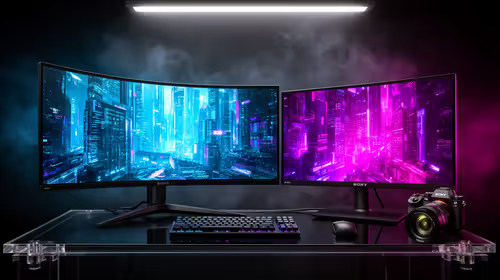
32:9 Super-ultrawide Or Dual-monitor Setup should be judged by your current setup, workload, and upgrade path. SA buyers should compare compatibility, likely gains, support, and timing before changing hardware.
IPS vs VA for strategy and sim games should be judged by fit, not a single winner. Compare compatibility, latency, capacity, upgrade path, cost planning, and South African setup needs.
RTX 5090 for Horizon Forbidden West at 1440p should be judged by settings, CPU balance, drivers, and display goals. Use this as cautious SA build planning, not a fixed frame-rate promise or live benchmark claim.
Gen 5 NVMe SSD guide for Bloemfontein gamers should be shortlisted around the job it must do. South African buyers should compare capacity, speed, thermals, and motherboard support, warranty path, and upgrade room before treating any pick as best.