




IPS vs VA for Strategy and Sim Games in SA
IPS vs VA for strategy and sim games should be judged by fit, not a single winner. Compare compatibility, latency, capacity, upgrade path, cost planning, and South African setup needs.
Read morePros and cons of the Wi-Fi 7 routers for SA should be shortlisted around the job it must do. South African buyers should compare WiFi standard, coverage, latency, and device support, warranty path, and upgrade room before treating any pick as best.
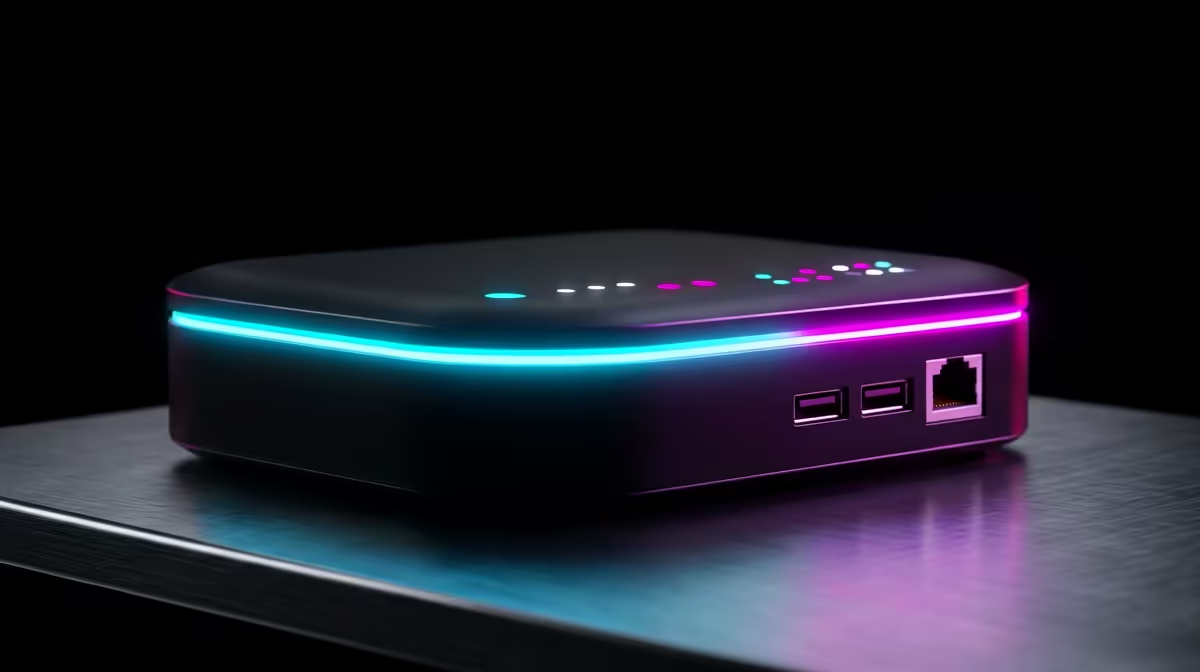
Yes, a Wi-Fi 7 router is worth it for SA buyers when its main advantage solves a daily problem, not just a spec-sheet wish. Budget around R4,000-R12,000, check 6 GHz support, 2.5 GbE ports, and MLO features, and compare the named option against your current PC before ordering. The biggest gotcha is mismatch: Openserve, Vumatel, Frogfoot, and Rain 5G setups can matter as much as the headline feature.
For the Pros and cons of the Wi-Fi 7 routers for SA buying signals angle, make the decision concrete before checkout. Start with the part of the setup you notice every day: frame pacing, fan noise, desk space, battery life, or cable clutter. If this purchase does not improve one of those points, the rand value is weaker.
The strongest pro is visible daily improvement. With a Wi-Fi 7 router, that could mean cleaner motion, a smaller desk footprint, better responsiveness, quieter thermals, or easier portable play. Treat TP-Link Archer BE-series Wi-Fi 7 router as a concrete comparison point, then check live Evetech stock, warranty wording, and the parts already in your setup.
For gaming-focused choices, keep the target honest: lower latency matters more than FPS; target stable sub-30 ms local game pings. For office or study use, judge the upgrade by comfort, reliability, and how easy it is to support locally. A buyer in Cape Town, Durban, Pretoria, or Joburg should also think about courier handling, return logistics, and whether replacement accessories are easy to source.
The main downside is paying for a feature your setup cannot use. A Wi-Fi 7 router can disappoint if the case, screen, cable, firmware, desk space, or game library is not ready. Price the full basket, because a R2,000 accessory, cable, bracket, dock, cooler, or PSU change can alter the value quickly.
Also avoid buying only by the newest label. Check the exact ports, dimensions, included cable, warranty path, and any software requirement. For SA buyers, the safer shortlist is the model that fits the current room, desk, and support path with the fewest surprises.
Use a short checklist: current hardware, target resolution or use case, physical fit, warranty, and upgrade timing. If the item affects performance, match it to the monitor and graphics card. If it affects comfort, test the size, controls, weight, or desk clearance on paper before paying.
A realistic price band for this category is R4,000-R12,000. If the deal forces you to cut a core part such as GPU, RAM, SSD, or PSU quality, the cheaper complete system may be the better buy.
Yes, if the feature solves a real daily issue and the full setup supports it. The value is strongest when 6 GHz support, 2.5 GbE ports, and MLO features is useful in your games, office work, or desk layout.
Use R4,000-R12,000 as a broad category band, then check live Evetech pricing before checkout. Accessories, cables, cooling, mounting parts, or storage can add extra cost.
The biggest gotcha is Openserve, Vumatel, Frogfoot, and Rain 5G setups. Confirm fit, warranty, and support before choosing, especially for premium gear that may need specific cables, docks, brackets, or firmware.
Before buying a Wi-Fi 7 router, confirm 6 GHz support, 2.5 GbE ports, and MLO features, the exact SKU, live stock, and every accessory needed to use it properly on day one.
IPS vs VA for strategy and sim games should be judged by fit, not a single winner. Compare compatibility, latency, capacity, upgrade path, cost planning, and South African setup needs.
Read more
Gen 5 NVMe SSD guide for Bloemfontein gamers should be shortlisted around the job it must do. South African buyers should compare capacity, speed, thermals, and motherboard support, warranty path, and upgrade room before treating any pick as best.
Read more
Skip the RTX 5070 if your first-time builder budget needs better balance. Better SA picks can free room for the right CPU, PSU, case, monitor, storage, and cooling while still giving a strong first gaming PC experience this year in South Africa.
Read more
RTX 5080: weighing the pros and cons for SA should be shortlisted around the job it must do. South African buyers should compare GPU tier, VRAM, cooling, and PSU headroom, warranty path, and upgrade room before treating any pick as best.
Read more
Core i5-13400F gives South African PC builders a capable mid-range CPU choice with clear limits. Check its gaming fit, discrete GPU requirement, LGA1700 platform costs, and upgrade path before locking in your parts list.
Read more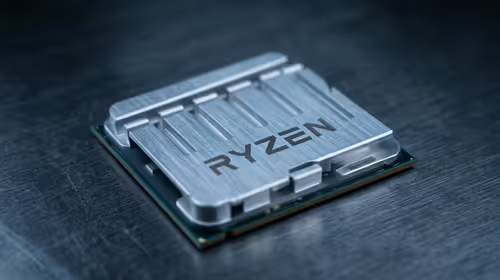
Ryzen 5 9600 pros and cons help SA buyers weigh fit before checkout. Compare performance needs, power, cooling, platform cost, warranty, and upgrade timing without relying on one headline spec.
Read more
Steam content servers unreachable needs a download-path check, not an immediate reinstall of every game. Restart the client, inspect download settings and compare another connection when practical. Clearing the download cache is separate from deleting installed games.

Keychron G6 HE has built-in and swappable battery versions with different weights. The product brief lists 42g and 46g respectively, each with a 3g tolerance. Choose by grip and battery preference before treating one headline weight as universal.

Corsair HS80 v2 MAX supports 2.4GHz wireless and Bluetooth. Its maximum battery figures use RGB-off conditions and differ by connection. Check microphone routing, comfort and the exact device support before assuming every wireless mode behaves alike.

Windows taskbar notification badges can be shown or hidden in Taskbar behaviours. This changes the small app indicators, not the underlying messages. Choose a calmer desktop while keeping a deliberate routine for checking important conversations and app updates.
Windows taskbar notification badges can be shown or hidden in Taskbar behaviours. This changes the small app indicators, not the underlying messages. Choose a calmer desktop while keeping a deliberate routine for checking important conversations and app updates.

Windows USB device in use can mean a program still has the drive open. Finish transfers and close files before retrying ejection. Better performance caching requires safe removal; a replacement drive is not the first fix for an open-file warning.

Windows Nearby Sharing not working starts with feature, Bluetooth and visibility checks on both PCs. My devices only depends on matching Microsoft accounts. Test a small harmless file before buying networking hardware or changing your home router.

Windows hardware reserved RAM is different from memory used by applications. Compare installed memory with firmware detection and the usable amount before buying modules. Reservations and reporting limits vary by system; no universal setting restores every byte.
Steam content servers unreachable needs a download-path check, not an immediate reinstall of every game. Restart the client, inspect download settings and compare another connection when practical. Clearing the download cache is separate from deleting installed games.

VS Code download for Windows 11 should begin at the official Visual Studio Code site. Match x64 or Arm64 to the PC, then choose User Setup for one account or System Setup for managed all-user installation. Check local device policy before running setup.
7-Zip download for Windows 11 is available from 7-zip.org. Choose x64 or Arm64 for the actual PC and use the official installer links. The archiver is free; installing it does not make every downloaded archive safe to open.
Windows ClickLock lets you drag without continuously holding the mouse button. Inspect it when selection seems latched after a press, then test a disposable file or text selection. Keep the feature if it makes pointing easier for you.