A full-size keyboard and a gaming keypad do different jobs, and the real question is where your fingers spend their time. A keypad is not a replacement for a desk board. It takes the in-game actions your left hand presses most, so the keyboard can stay free for chat, typing and shortcuts. The right choice depends on how many actions your game needs and how much desk space you can give up.
Quick Answer
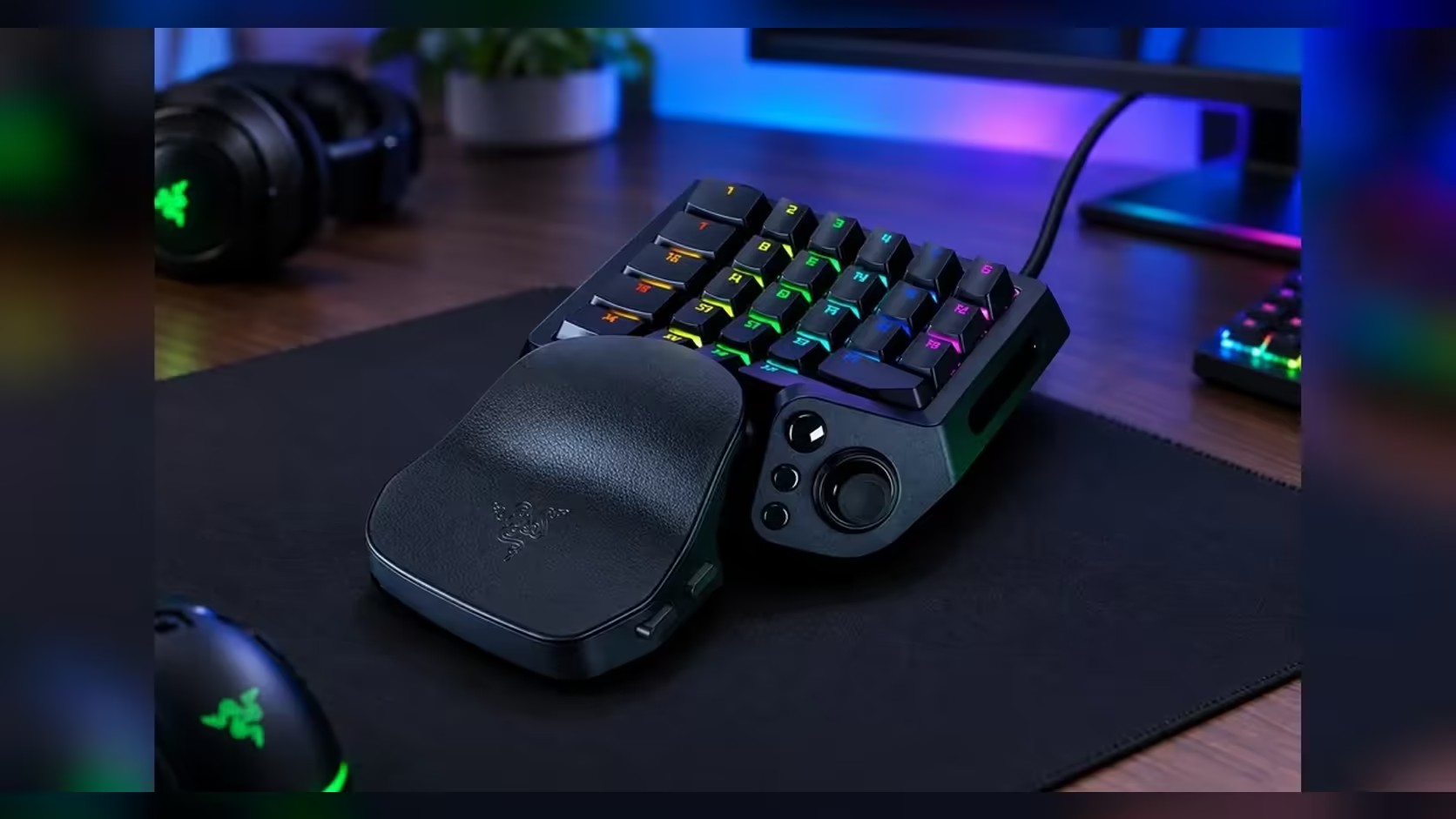
A full-size keyboard is the better main board for typing, chat and shortcuts, and a keypad takes the in-game actions you press most often. Many players keep the keyboard on the desk and add a keypad for abilities. The Tartarus V2 Pro, at R4,799, is built for that second role, with 31 programmable controls under the left hand.
🧭 Count your actions before you count keys
Write a list of every action your main game needs on a regular basis. Movement, abilities, item keys and voice or utility binds all count. If the list comes to 12 keys, a keypad with 31 programmable controls has room to spare. If it comes to 40, no keypad will hold every action, and you should plan on keeping the keyboard for the overflow.
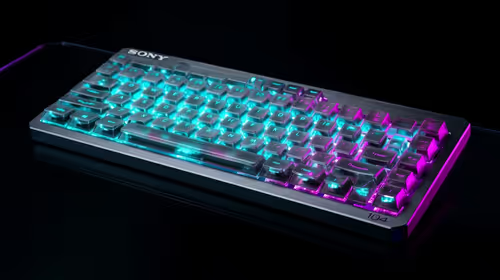
A standard full-size keyboard has around 104 keys on a common layout. Most of those keys sit on the letter block, the number row and the function row, and the gaming work is usually done by a small group of keys near the left hand. That group is what a keypad replaces, and it is where the 31 controls on the Tartarus V2 Pro live. Counting the list first tells you whether that group is the bottleneck. Our gaming keyboards range shows full boards and keypads side by side, so you can see the difference in size before you commit.
📏 Desk space decides more than price
Measure the strip of desk to the left of your keyboard before you buy anything. Leave room for the keypad, then check that you still have at least 10cm of clear desk in front of the wrist rest. Your mouse also needs open space on the right, and 20cm of clear surface is a sensible minimum for a comfortable sweep.
Many players are surprised by how little room the left side offers once a monitor stand and a microphone arm are in place. Move cables, speakers and mugs out of the strip before you plan the keypad. A keypad that fits on paper but forces your elbow off the desk will tire you within an hour of play. If budget is the first question, start with our cheapest gaming keyboards and work upwards from there.
🎮 Two games, two very different demands
An MMO raid asks for a long ability list. Say you run 18 abilities, a potion key, a mount key and four movement binds, which is 24 actions. A full-size board cannot give each of those a comfortable home without your left hand stretching across the number row, and that stretch is where mistakes creep in during a long pull. Moving the 18 abilities to a keypad frees the board for chat and the handful of keys you really type with.
A competitive shooter is the opposite. Most players in a shooter lean on 6 to 10 core binds, such as movement, reload, grenade, crouch and a couple of utility keys. A full-size keyboard covers those comfortably, and a keypad adds little unless you have a specific reason to spread them out. Compare the two honestly: if your game is a shooter, the keypad is a luxury, and if it is an MMO, the keypad is a working tool.
🎯 Split the work between your hands
Give the keyboard the typing and the keypad the in-game work. Use the keypad for the 8 to 12 actions you need in a fight, and leave everything else on the board. The thumbstick on the Tartarus V2 Pro is a full-sized TMR stick with three dedicated buttons beside it, so your thumb has its own control set rather than a shared job.
The wrist rest is fully adjustable, and it decides how far your hand reaches. Move it in small steps, then play a 5-minute session at each position. Stop at the spot where your thumb reaches the stick and your wrist sits flat without lifting. A position that feels right for one minute can feel wrong at minute twenty, so test the longer session before you commit.
⌨️ Where a full-size keyboard still wins
A keypad cannot take over chat and typing, and it should not try. A 20-word chat message runs to well over a hundred keystrokes, and the board is the faster tool for every one of them. Writing messages, pressing Ctrl+Shift+Esc to open Task Manager, and entering a long password all need a full board. The number row and the function row on a standard keyboard also handle work that has nothing to do with gaming.
Think about the workday as well. If you write reports or code in the same chair, the keyboard earns its place through hours of typing that a keypad will never cover. The keypad sits beside that board as a second tool, and it works best when the board stays exactly where your hands expect it.
Frequently Asked Questions
Can a gaming keypad replace a keyboard?
Not for typing, chat or shortcuts. A keypad built for in-game actions is a second tool, and most players keep a full board for everything outside the game.
How many controls does a keypad need to be worth it?
Count the actions you press during a typical session. Past roughly 12 binds beside the keyboard, a keypad earns its desk space. The Tartarus V2 Pro's 31 controls cover that range with room to spare.
Is 31 controls too many for a shooter?
Probably. Shooters with a few core binds leave most of the controls empty. The extra keys matter more in MMOs and games with large ability sets, where each action needs its own key.
Does the thumbstick replace a mouse?
No. The mouse still handles aim and precise clicks. The thumbstick is a thumb control for movement or menus, and it sits beside the keypad so your thumb can work without leaving the desk.
Still weighing a keypad against a full board?
Count your actions first, then pick the layout that fits the desk you actually have.