



80+ Gold vs 80+ Platinum for Couch co-op gaming in SA
80+ Gold vs 80+ Platinum for couch co-op gaming is about PSU efficiency, heat, fan behaviour, quality, and wattage headroom, not direct FPS. SA buyers should compare the whole build.
Read moreKeyboard and mouse combos in South Africa go wrong when the set feels uncomfortable, connects poorly or cannot keep up with daily use. Compare real options such as GAMDIAS Hermes P2A R130, Logitech G305 R525 and Promate Baton R280, then check live stock before publishing.
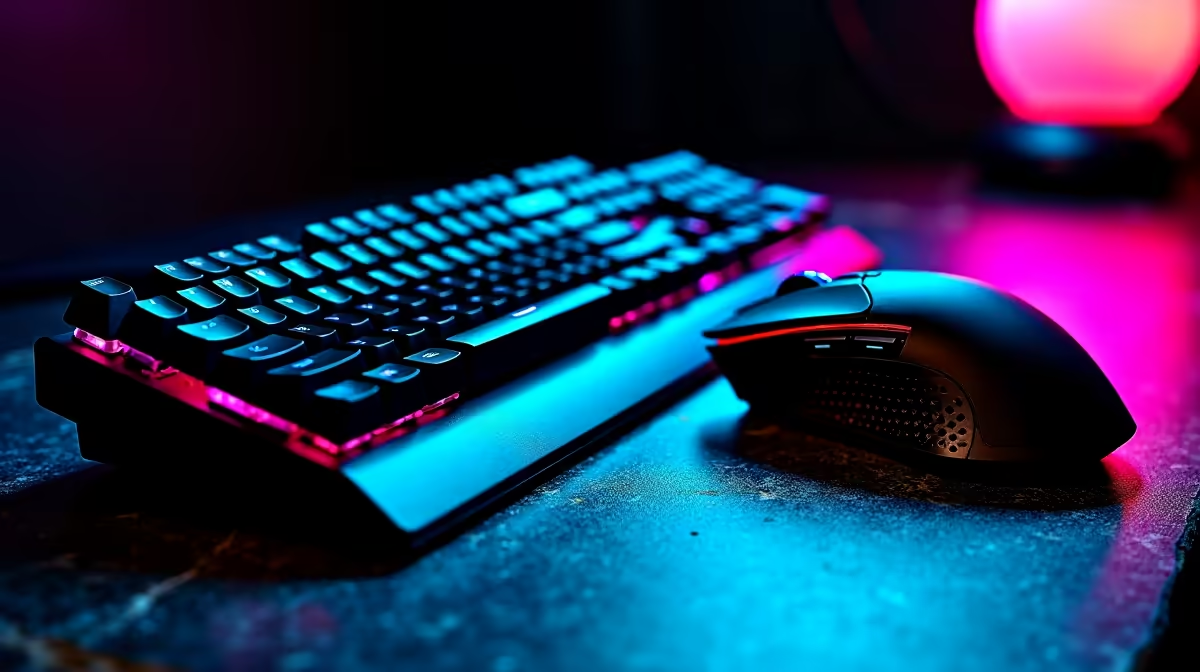
Corsair K70 CORE at R1,300 suits a gaming room where the keyboard side of a combo is starting to feel like the weak link. A gaming keyboard matters most when missed inputs, worn keys, or a cramped bundled board make everyday play and typing feel inconsistent.
GAMDIAS Hermes P2A R130 is the lowest-price named option here, so it suits a basic desk where the original combo keyboard has failed, but the mouse is still usable. The useful spec in this context is the R130 entry price, which keeps the fix focused on replacing only the problem part.
Logitech G413 SE R1,160 is a stronger fit when the desk setup is used for both work and after-hours play. Its key spec from this list is the R1,160 price point, placing it between the budget GAMDIAS Hermes P2A R130 and the Corsair K70 CORE R1,300.
On a student desk, the usual issue is not always the whole combo. It is often the keyboard taking the most abuse from assignments, chat, and gaming sessions. Corsair K70 CORE R1,300 is the cleaner recommendation when the keyboard must feel like the main input device rather than a cheap bundled extra.
Logitech MX Keys S R1,759 suits a quieter study and productivity desk where the priority is a more premium keyboard choice rather than the cheapest replacement. Its R1,759 price also makes it the most expensive named option in this set, so it should be chosen for a desk that needs that higher-end keyboard feel.
Ready to choose the right gaming keyboard? Use GAMDIAS Hermes P2A at R130 as the gaming keyboard shortlist benchmark, then check whether its listed spec matches the space, workload, and upgrade path.
Yes, a mechanical keyboard can help when the main problem is poor typing feel rather than computer performance.
Start with GAMDIAS Hermes P2A R130, Logitech G305 R525 and Promate Baton R280, then verify current availability before deciding.
Match the connection, size and control feel to the device and desk where the combo will actually be used.
Choose the budget option for light tasks only if the keys, mouse shape and connection still feel acceptable.
Most problems come from uncomfortable typing, unreliable pointer movement, awkward placement or buying for price alone.
Upgrade the computer instead when the issue is slow software, poor responsiveness or a system that cannot handle the workload.
80+ Gold vs 80+ Platinum for couch co-op gaming is about PSU efficiency, heat, fan behaviour, quality, and wattage headroom, not direct FPS. SA buyers should compare the whole build.
Read more
80+ Platinum or 80+ Titanium for competitive should be shortlisted around the job it must do. South African buyers should compare fit, performance, compatibility, and upgrade room, warranty path, and upgrade room before treating any pick as best.
Read more
The real world difference between IPS and OLED for AAA single-player gaming is immersion versus versatility. OLED lifts contrast and dark scenes, while IPS can suit bright rooms, mixed PC use, and SA buyers watching total setup cost.
Read more
HDMI 2.1 vs HDMI 2.0 for SA MMO needs a workload-first comparison. For SA buyers, judge real performance, platform fit, warranty path, power needs, and upgrade timing before choosing either side.
Read more
USB4 and Thunderbolt 4 differ for competitive esports through dock, display, and capture consistency. Use this real world difference between usb4 and thunderbolt 4 for competitive guide to keep SA tournament desks tidy without assuming better ping.
Read more
Magnetic switches vs Mechanical switches depends on Competitive esports needs, platform limits, and budget fit. Compare compatibility, latency, upgrade path, and real setup constraints before choosing for an SA build.
Read more
B850 motherboard FPS drops needs a methodical troubleshooting pass. Review drivers, thermals, power settings, background apps, cables and game settings before replacing parts in an SA gaming setup.

Gaming PC FPS drops in South Africa often come from drivers, thermals, background apps, power plans, or in-game settings. Check one change at a time and use the same scene before buying upgrades for your local setup.

Difference between PCIe 5.0 and PCIe 4.0 explained for PC builders starts with bandwidth, lanes, and support. SA builders should match the motherboard, GPU, NVMe drive, and budget before choosing a platform.
Windows 11 mechanical keyboard setups rarely cause display banding directly. Fix color banding by checking HDR, colour depth, GPU range, monitor profiles, and any new RGB utility conflicts.

Steam Big Art Mode enlarges library artwork in Big Picture Mode and on Steam Deck, while the same beta adds configurable screensavers. Both features are optional and currently require the Steam beta client.

Diablo 4 HDR settings work best after Windows and the display are calibrated, then the game's black point, brightness and white point are adjusted in that order. Use visible shadow detail and controlled highlights, not copied values from another screen.

The best HOTAS for Elite Dangerous is a separate stick-and-throttle set with enough analogue axes for pitch, roll, yaw and thrust, plus local support. Evetech's captured flight-simulation sample lists the complete Logitech X56 at R4,999.

Nintendo Switch 2 docked VRR arrives with system version 23.0.0 and also requires a dock update. The connected TV or monitor and the running software must support VRR before the output can follow changing frame rates.

NVIDIA lists 550W required system power for the RTX 5060 reference specification, based on a high-end test system. A quality 550W unit can be enough, but CPU draw, transient load, connectors and ageing decide real headroom.

The VAIO T combines a 13.3-inch display with a multi-flip mechanism for laptop, tablet and outward-facing viewing modes. Orders begin in Japan on 18 September; South African availability is unconfirmed.

OpenRGB's master branch now carries changes labelled for 1.0 final, including translation and platform work, but the official tags page still lists 1.0rc3.1 as the newest packaged release. Stable users should wait for the signed release channel.

The Cooler Master GPU Shield Adapter monitors current on individual 12+4-pin contacts, adds visual and audible warnings, and can reduce system power during a severe abnormality. Local availability is unconfirmed.