Quick Answer
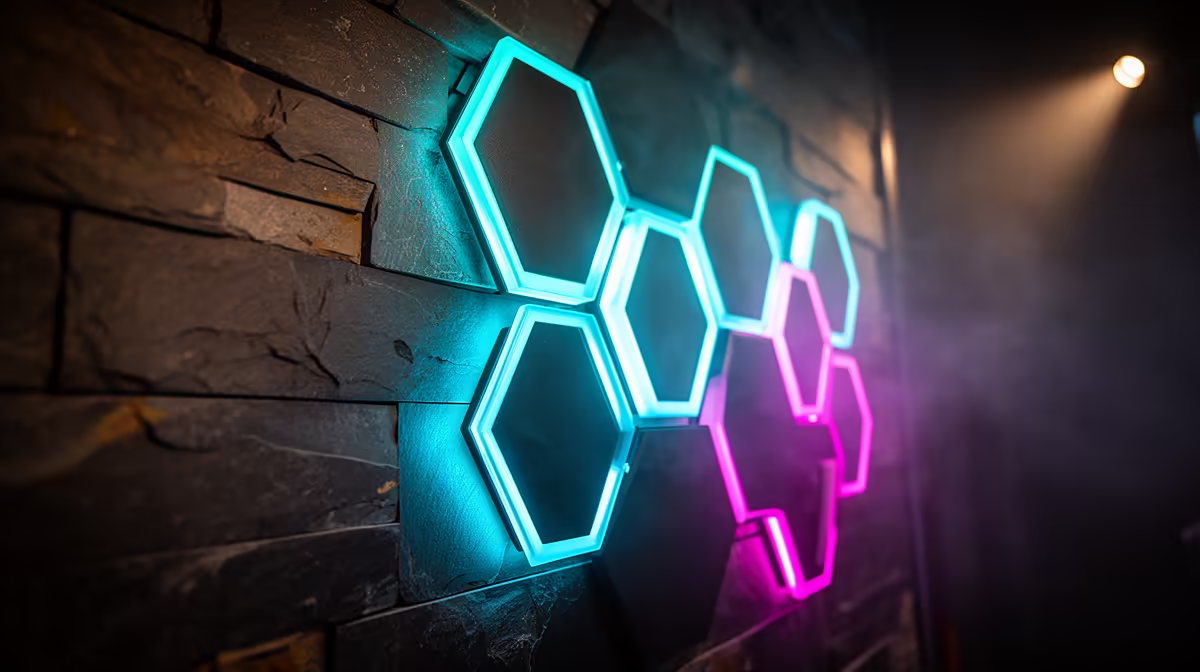
For a full custom gaming wall setup with Cololight hexagon panels, most users need between 9 and 15 panels. Nine panels fill roughly 80 cm x 70 cm of wall space, which reads as a full backdrop behind a single ultrawide monitor. Fifteen panels cover approximately 1.2 m x 1 m and serve as a complete gaming wall centrepiece for a dual-monitor or dedicated streaming setup.
Panel Count by Setup Type 🖥️
Three panels create a desk accent or single monitor side piece, adding colour but not enough for a genuine gaming wall effect. Five to seven panels is the sweet spot for most SA bedroom gaming setups. A seven-panel Cololight cluster occupies roughly 65 cm x 55 cm, fitting comfortably on the wall above or behind a standard gaming desk. Nine to twelve panels constitute a proper gaming wall suitable for a dedicated gaming room or a dual-monitor setup where the backdrop needs to span the full desk width. Fifteen panels and above is streaming studio territory, where the wall installation is the primary background visible in camera frame and needs to fill a substantial portion of the wall behind the content creator.
Planning Your Layout Before Buying 🔧
Before committing to a panel count, map your intended layout on paper. Cololight panels are hexagonal with a flat-edge-to-flat-edge width of approximately 16 to 18 cm depending on the product generation. Draw your wall to scale and arrange hexagon tiles in your preferred pattern: honeycomb (tight packing), diamond (rotated 30 degrees), or scattered (separated clusters). Identify where the controller panel will sit within the arrangement, as it contains the power input and must be accessible for the USB cable run. Most Cololight layouts work best with the controller positioned at the bottom-centre of the cluster where the USB cable can drop straight down to the desk without traversing the full wall width.
Expansion Strategy: Start Small, Build Up ✨
The most cost-effective approach is to purchase a five or seven panel starter kit, install it, live with it for a week, then decide how many additional panels the wall needs. Expansion packs for Cololight systems are sold in sets of three and attach directly to the existing cluster without any controller replacement.
Layout Planning Tip ⚡
Cut hexagon shapes from paper or cardboard to scale and stick them to your wall with painter's tape before buying. This costs nothing and shows you exactly how many panels are needed, where the controller should sit, and whether the planned layout fits your wall space without awkward gaps at the edges. Moving paper hexagons around takes two minutes; repositioning mounted panels with adhesive already applied takes considerably longer.
FAQ
Can Cololight panels be arranged in any shape, or are there layout restrictions?
Cololight panels can be arranged in any connected hexagonal layout, meaning each panel must share at least one edge with another panel in the cluster. Fully disconnected floating panels are not possible because the link cables between panels are designed for adjacent connection only.
How much does it cost to build a 12-panel Cololight gaming wall in SA?
A starter kit plus two expansion packs (totalling twelve panels) typically runs R1,200 to R1,800 depending on the kit generation and current Evetech pricing. This is the complete installation cost with no additional hardware required.
Do more Cololight panels reduce brightness per panel due to power sharing?
In most Cololight systems, each panel has its own LED driver and draws power proportionally from the shared supply. Brightness per panel is consistent up to the maximum supported panel count; above that the system reduces brightness automatically to stay within the power budget.
Planning your Cololight gaming wall installation?
Evetech stocks Cololight hexagon panel starter kits and expansion packs so you can build your gaming wall in stages without replacing any hardware.