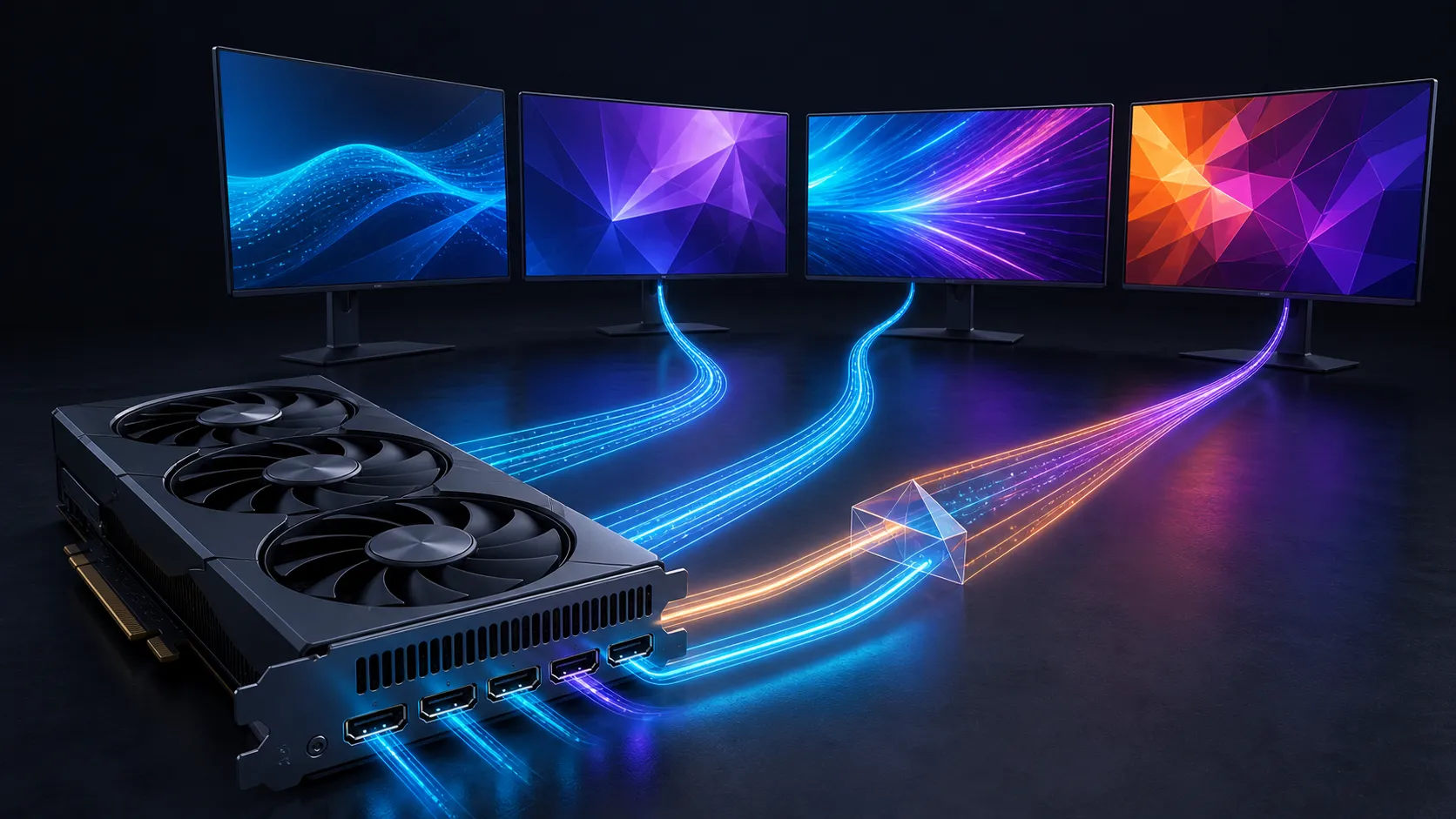
The answer to how many monitors can a GPU run is not printed by the number of sockets alone. A card has a maximum active-display count, while every port or shared link has a separate bandwidth budget. Adapters, docks and DisplayPort MST hubs can redistribute connections, but they cannot create extra display engines inside the GPU.
Quick Answer
Most modern consumer cards handle several screens, but the exact model specification is the authority. NVIDIA lists up to four displays for the RTX 5070 Ti, for example. Build the SA budget from three exact panel specifications and current listings because resolution, refresh rate, size, inputs and stand requirements change the total sharply.
🔢 Count active displays before counting ports
Start with the GPU maker's maximum multi-monitor figure. The RTX 5070 Ti reference specification exposes three DisplayPort outputs and one HDMI output and supports up to four active displays. Four sockets and four active screens happen to align there, but that is not a universal rule.
A partner card may expose a different connector mix. Some GPUs include more physical sockets than can operate together so buyers have cable choices. Others have fewer sockets but can carry multiple streams through DisplayPort MST. The active-display limit remains the ceiling unless a separate USB display adapter renders through its own device and software.
When comparing graphics cards, record the exact card model, its maximum display count and every physical output. Do not transfer a reference-card diagram to a partner model without checking.
📐 Calculate what each link must carry
Resolution and refresh rate are the obvious inputs. Bit depth, HDR, chroma format and timing overhead also affect the data rate. One 1920 x 1080 screen at 60 Hz is light. A 3840 x 2160 panel at 240 Hz with 10-bit HDR is a very different link.
NVIDIA illustrates the difference with official RTX 5070 Ti combinations: four independent 4K 165 Hz screens, or two independent 4K 360 Hz or 8K 100 Hz screens using DSC. Other combinations may be possible within available bandwidth. This language matters because there is no single monitor count detached from the requested modes.
Select gaming monitors by the useful native mode, then check that the GPU output, cable and monitor input all support it. A newer connector on one end cannot upgrade an older input on the other.
A quick uncompressed comparison
Pixel rate offers a useful first comparison: horizontal pixels multiplied by vertical pixels multiplied by refresh rate. It is not the complete transport calculation because blanking, encoding and colour still matter, but it shows why three 4K 144 Hz screens demand much more than three 1080p 60 Hz office panels.
🗜️ Understand DSC and MST as different tools
Display Stream Compression reduces the data sent across a display link. VESA designed it so a typical viewer should not notice image degradation under ordinary viewing conditions. DSC helps a high-resolution, high-refresh stream fit, but the GPU, adapters and monitor must all support that compressed mode.
Multi-Stream Transport carries more than one independent display stream over a DisplayPort connection. A compatible MST hub or daisy chain can turn one socket into several display connections, while sharing the upstream link bandwidth. MST changes cable topology, not the GPU's maximum active-screen count.
These tools can appear together, but do not assume a dock supports every combination its connector name suggests. Read the dock specification for upstream mode, lane allocation, DSC and the exact number of outputs at each resolution.
🧰 Build and verify the setup one screen at a time
Connect the primary screen directly and set its native resolution, refresh and colour mode. Attach another panel, confirm the pair, and only then connect the final display. Windows Advanced display should show the active mode for each screen. The graphics control panel confirms whether every monitor is enabled.
If the final screen stays blank, reduce only its refresh rate and retest. Then swap its cable and port. Remove adapters before blaming the card. A cable that works at a lower mode is not proof that it can carry the higher mode reliably.
Use monitor accessories for a defined mount or connection problem. Avoid long chains of converters. Each converter must understand the selected timing, HDR metadata and compression mode, and a weak link can make the operating system hide the desired refresh option.
Rendering load is a second limit
A GPU can light several screens yet struggle to render one game across them. Three 1440p panels total about 11.1 million pixels per frame, more than a single 4K panel's 8.3 million. Three 4K panels approach 24.9 million. For gaming, test combined render resolution separately from display connectivity.
Office desktops, dashboards and chat windows are much lighter than a stretched 3D scene. Set each side screen to the refresh it needs rather than assuming all displays require the main panel's maximum rate.
🧭 Work through a realistic example
Consider a desk with one 4K 144 Hz gaming panel and two 2560 x 1440 75 Hz work screens. Put the 4K panel on a direct output that supports its full mode. Connect each side display directly where possible, then verify that Windows reports all three native timings. This layout stays within the four-display example of a modern card without pretending every screen has the same transport demand.
Now compare a simulator using three 4K 144 Hz panels. Connectivity might be possible on a suitable card with DSC, but the game must render almost 25 million pixels for every frame. Lowering visual settings or using a resolution-scaling feature can address rendering load; it does not change the cable bandwidth used by the selected output timing. Keeping those two constraints separate prevents expensive troubleshooting in the wrong layer.
Frequently Asked Questions
Does four GPU ports always mean four monitors?
No. The card's active-display engine limit is separate from its socket count. Confirm both figures in the exact model specification.
How many monitors can an RTX 5070 Ti run?
NVIDIA specifies up to four active displays. Its reference layout has three DisplayPort 2.1b outputs and one HDMI 2.1b output.
Can DisplayPort MST exceed a GPU's monitor limit?
No. MST splits one DisplayPort link into several streams, but every screen still consumes an active-display resource and shared bandwidth.
Does DSC lower monitor image quality?
VESA designed DSC to avoid noticeable degradation for a typical viewer. The compression helps a demanding stream fit within the available link.
Can a dock run more monitors than the GPU specification?
A native GPU dock cannot override the GPU limit. A separate USB display technology may add outputs through another render path with different performance.
Ready to design the monitor map before ordering cables?
Write down every panel's resolution, refresh and input, confirm the card's active-display ceiling, then choose direct links or accessories around the proven bandwidth need.