



PCIe 5.0 vs PCIe 4.0 for Strategy and Sim Games in SA
PCIe 5.0 and PCIe 4.0 differ most in lane support, compatibility, and upgrade value for strategy and sim games. SA buyers should match the choice to their actual hardware and games.
Read moreThe Raspberry Pi 5 comes in 2GB, 4GB, 8GB and 16GB variants, with the 16GB model added for memory-heavy desktop and server workloads. In South Africa the 16GB Pi 5 retails around R13,889, so the RAM tier has a real cost impact. 💸
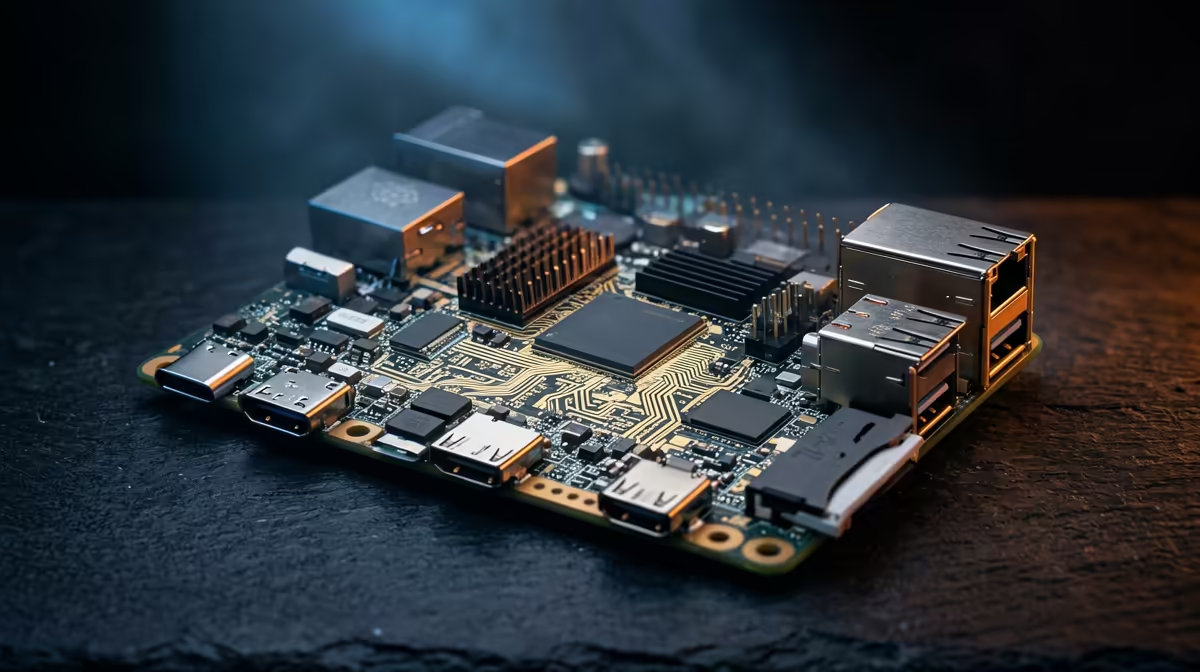
The amount of memory you pick on a Raspberry Pi 5 changes both what the board can do and what it costs, and with recent RAM price increases that gap has grown wider than it used to be. The Pi 5 ships in 2GB, 4GB, 8GB and 16GB versions, with the 16GB model added specifically for memory-hungry desktop and server work. Matching the tier to your actual workload, rather than buying the biggest by reflex, is the difference between good value and money left on the table.
For light projects like a Pi-hole, retro emulation, or a single container, 2GB or 4GB is plenty. For desktop use, multitasking, or running several services, choose 8GB. The 16GB model only earns its premium for heavy desktop work, local containers at scale, or memory-intensive server roles, and it carries a noticeably higher price after the recent RAM rises.
Memory on the Pi 5 is fixed and soldered, so the tier you buy is the tier you keep for the life of the board. That makes the choice worth thinking through. A 2GB board comfortably runs a headless single-purpose job: network ad-blocking, a small home-automation hub, a lightweight sensor logger, or a retro games console. Step up to 4GB and you have room for a basic desktop, a couple of containers, or a small web service without swapping to the SD card. These lower tiers are where the Pi's value is strongest, because the board does the job without paying for memory it never touches.
For anyone using the Pi 5 as an actual desktop, with a browser, a code editor, and a few tabs open, 8GB is the comfortable floor. It is also the right tier for a home server running several containers at once, a media stack, or development work where you compile and test locally. The 8GB model has become the popular middle choice because it covers the widest range of uses without forcing the compromises the 2GB and 4GB boards eventually hit under load.
The 16GB Pi 5 exists for genuinely memory-heavy work that the 8GB board cannot hold. That means running many containers simultaneously, hosting larger self-managed services, working with sizeable datasets, or using the Pi as a more serious desktop where memory pressure would otherwise slow everything down. In South Africa the 16GB Pi 5 has sold around the R13,889 mark, so the tier carries a real cost penalty over the smaller boards. Recent RAM price increases have pushed the higher tiers up sharply, with the largest variants seeing the steepest rises, which makes the value case for 16GB narrower than it looks. Buy it because your workload demands it, not as future-proofing for projects you may never start.
The price gaps between tiers used to be modest, but memory pricing has widened them. Each step up now adds a meaningful amount, and the jump to 16GB is the largest. Internationally, the 16GB Pi 5 climbed past $200 through multiple price increases in 2025 and 2026, driven by LPDDR4 supply constraints that also affected the 8GB model. The 1GB Pi 5 was added at $45 to maintain an accessible entry point, but the upper tiers are clearly more expensive than at launch. That changes the maths: where buying one tier above your need was once cheap insurance, it now costs enough that you should size to your real workload. If you are uncertain, 8GB is the safest middle ground, giving headroom without paying the full 16GB premium. You can compare the Pi 5 against compact x86 alternatives in the mini PC range if your project might outgrow a single-board computer.
A Pi-hole or DNS filter barely touches memory, so 2GB is ample and anything more is wasted. A home-assistant hub with a handful of integrations sits happily on 4GB. A self-hosted media server or a small stack of containers wants 8GB to avoid swapping. A desktop replacement with browsing, light coding, and office work is comfortable on 8GB and luxurious on 16GB. Heavier server consolidation, large container counts, or data work is where 16GB stops being overkill and starts being necessary. The pattern is consistent: the more services running concurrently and the heavier each one is, the higher the tier you need.
Because the memory is part of the processor package and soldered to the board, there is no slot and no upgrade path. This is the single most important reason to choose carefully up front. With a desktop PC you can add RAM later, but a Pi 5 locks you in at purchase. If your project might grow, it is worth erring one tier up while accepting the higher cost, rather than buying a new board entirely when you run out. The PC best sellers give a sense of where a small desktop becomes the better buy if your needs are clearly heading past what any Pi tier offers.
No. The memory is soldered to the board as part of the processor package, so there is no slot and no upgrade path. You must choose the right tier at purchase.
It works for light desktop use with a few tabs, but you will feel the limit with a busy browser or several apps open. For a comfortable desktop experience, 8GB is the better choice.
The 16GB model has sold around the R13,889 mark locally, and recent RAM price increases have widened the gap to the smaller tiers. It is the most expensive variant by a clear margin.
8GB suits most home servers running several containers or a media stack. Step up to 16GB only if you run many services at once, host larger applications, or work with sizeable datasets.
Memory pricing has risen across the industry, and the increase scales with capacity, so the 8GB and especially the 16GB models have seen the steepest jumps. The 1GB and 2GB base options are far less affected.
On a Pi running as a headless server with one or two services, you will not feel the difference. Open a browser with several tabs on the desktop, or run three or four containers at once, and 8GB starts pulling ahead: less swapping, faster response, fewer out-of-memory events under load. If the Pi is always-on and never touched as a desktop, 4GB is enough for most setups.
Sizing up a single-board project or weighing a compact PC instead? Explore the mini PC and SBC options at https://www.evetech.co.za/PC-Components/mini-pcs-194 and pick the board that fits your workload and budget.
No. The memory is soldered to the board as part of the processor package, so there is no slot and no upgrade path. You must choose the right tier at purchase.
It works for light desktop use with a few tabs, but you will feel the limit with a busy browser or several apps open. For a comfortable desktop experience, 8GB is the better choice.
The 16GB model has sold around the R13,889 mark locally, and recent RAM price increases have widened the gap to the smaller tiers. It is the most expensive variant by a clear margin.
8GB suits most home servers running several containers or a media stack. Step up to 16GB only if you run many services at once, host larger applications, or work with sizeable datasets.
Memory pricing has risen across the industry, and the increase scales with capacity, so the 8GB and especially the 16GB models have seen the steepest jumps. The 1GB and 2GB base options are far less affected.
On a Pi running as a headless server with one or two services, you will not feel the difference. Open a browser with several tabs on the desktop, or run three or four containers at once, and 8GB starts pulling ahead: less swapping, faster response, fewer out-of-memory events under load. If the Pi is always-on and never touched as a desktop, 4GB is enough for most setups.
PCIe 5.0 and PCIe 4.0 differ most in lane support, compatibility, and upgrade value for strategy and sim games. SA buyers should match the choice to their actual hardware and games.
Read more
AM5 vs AM4 for video editing in 4K Difference explained is mostly about compatibility, budget, upgrade path, and setup fit. SA buyers should check device support and real needs before expecting a clear win from either option.
Read more
OLED vs QD-OLED for strategy and sim games buyers - what changes is mostly about compatibility, budget, upgrade path, and setup fit. SA buyers should check device support and real needs before expecting a clear win from either option.
Read more
DisplayPort 2.1 and 1.4 differences matter when SA PC builders match GPUs, monitors, and refresh targets. Use this difference between displayport 2 1 and displayport 1 4 explained pc builders guide to avoid mismatched parts.
Read more
Ray tracing vs Path tracing depends on Strategy and sim games needs, platform limits, and budget fit. Compare compatibility, latency, upgrade path, and real setup constraints before choosing for an SA build.
Read more
wireless mouse guide for Gqeberha gamers should be shortlisted around the job it must do. South African buyers should compare sensor, shape, weight, and wireless latency, warranty path, and upgrade room before treating any pick as best.
Read more
From 1 October 2026, WhatsApp Business Platform service replies in South Africa are expected to cost about $0.0076, or 12 cents, per delivered message.

DDR5-8000 RAM Kits pros and cons depend on the build, budget, and workload. Weigh gaming needs, platform fit, power, cooling, warranty support, and South African pricing context before shortlisting it.

Wi-Fi 6E vs Wi-Fi 6 depends on AAA single-player gaming needs, platform limits, and budget fit. Compare compatibility, latency, upgrade path, and real setup constraints before choosing for an SA build.

Ryzen 9 9950X3D dead pixel checks should isolate the panel first. Run colour fills, inspect the monitor menu, test another cable or input, and capture proof before linking it to the SA CPU upgrade.

YouTube will count public views from the first frame across video formats from 24 August, while earnings and eligibility remain tied to engaged viewing.

Canonical expects Ubuntu on WSL users to outnumber native Ubuntu desktop users before the end of 2026. The software is open source and runs inside supported Windows PCs.

Telkom's daily bundles pair WhatsApp access with 10 all-network voice minutes. The R15 option includes 300MB, while the R17 option uses a fair-use threshold.

A 10,000-hour test found similar image retention across older and newer OLED TVs, while newer panels were brighter and more efficient. Local OLED monitors started at R9,999.

650W for RTX 5090 needs a full-build check, not a simple yes. Review GPU guidance, CPU draw, transient load, connectors, PSU quality, and upgrade plans before deciding.
PCIe 5.0 and PCIe 4.0 differ most in lane support, compatibility, and upgrade value for strategy and sim games. SA buyers should match the choice to their actual hardware and games.

How to fix FPS drops Windows 11 RX 9070 XT starts with GPU drivers, overlays, power plans, and frame pacing checks. For SA gaming PCs, verify chipset updates, HAGS, refresh rate, thermals, and per-game graphics settings.
AM5 vs AM4 for video editing in 4K Difference explained is mostly about compatibility, budget, upgrade path, and setup fit. SA buyers should check device support and real needs before expecting a clear win from either option.