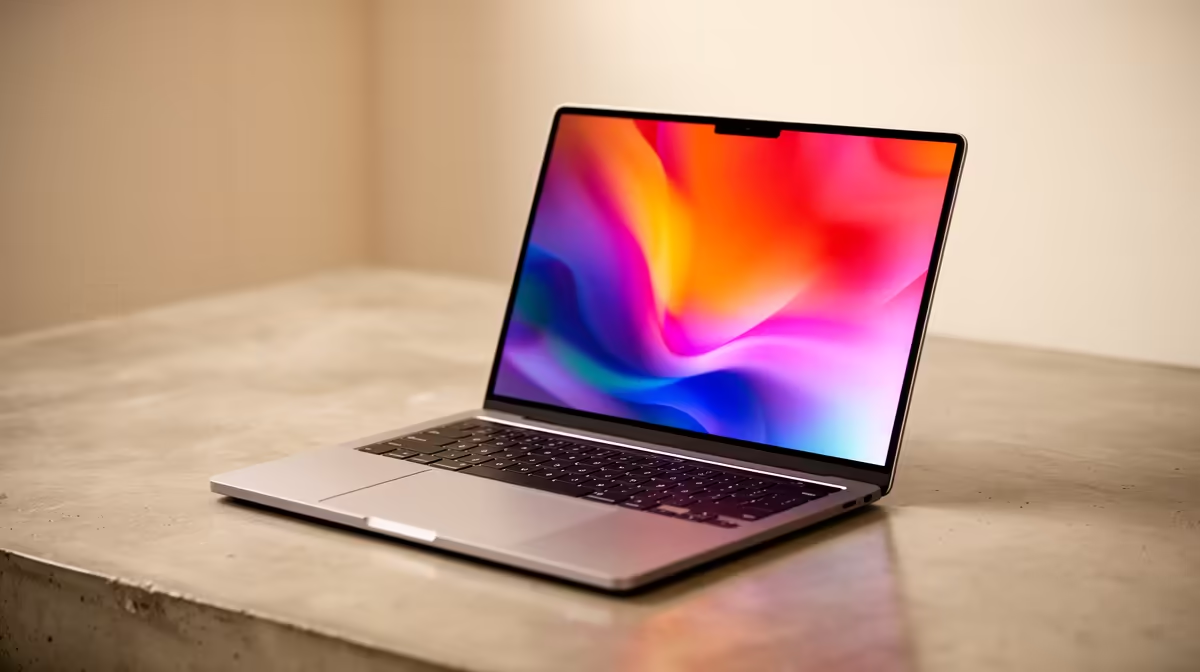
Ever sent a design to a client, only to have them say the colours look... off? It’s a uniquely painful moment for any creative in South Africa. The culprit is almost always your screen. Your brilliant ideas deserve a canvas that shows them accurately. Choosing the right laptop screen for graphic design in ZA isn't just a tech upgrade; it's a career investment that ensures what you create is exactly what the world sees.
Why Your Laptop Screen is Your Most Important Tool
Think of your laptop screen as the final filter between your creative vision and the finished product. If that filter distorts colour, brightness, or detail, your work is compromised from the start. For professional designers, a poor screen can lead to endless revisions, inaccurate print jobs, and inconsistent branding for clients. A top-tier laptop screen for graphic design in ZA isn't a luxury... it's the foundation of quality work.
The Pro's Checklist for the Perfect Design Screen
Navigating tech specs can feel like a mission. Let's cut through the noise. Here’s a simple checklist to help you find a professional design laptop in South Africa that won't let you down.
1. Colour Gamut: Beyond Standard sRGB
Colour gamut is the range of colours a screen can display. For basic web browsing, a standard sRGB screen is fine. For serious design work, you need more.
- sRGB: Aim for 100% coverage. This is the standard for web content and is a non-negotiable minimum.
- Adobe RGB & DCI-P3: These are wider gamuts crucial for print and video work respectively. Look for screens with over 95% coverage in one of these if your work demands it.
Many modern notebooks, especially those built for performance, now feature these high-gamut displays. You'll often find them among our best gaming laptop deals, as gamers and creators share the need for vibrant, accurate colour. ✨
2. Colour Accuracy: The Delta E < 2 Rule
This is a big one. Colour accuracy is measured by "Delta E" (dE). This number represents the difference between the colour signal sent to the screen and the colour it actually displays. A lower number is better. For professional work, a Delta E of less than 2 is the gold standard, meaning the screen's colour is virtually indistinguishable from the real thing.
3. Resolution & Size: Finding the Sweet Spot
More pixels mean more detail. While a 4K (UHD) screen is incredible, it can seriously drain your battery and requires a powerful GPU.
- Full HD (1920x1080): The absolute minimum for a 15-inch screen.
- QHD (2560x1440): Often the perfect balance. It provides a significant sharpness upgrade over FHD without the massive performance hit of 4K.
- 4K (3840x2160): Amazing for video editors and digital artists working with immense detail.
A powerful display needs a powerful brain behind it, and many of the top-tier Intel laptops on special are perfectly configured to drive these high-resolution panels smoothly.
Pro Calibration Tip 🔧
Even the best screens can drift over time. For absolute colour precision, invest in a hardware calibrator like a Datacolor SpyderX or Calibrite ColorChecker. Running a calibration once a month ensures your screen remains perfectly accurate, which is essential for print work and maintaining brand colour consistency across projects.
4. Brightness & Finish: Battling the Mzansi Sun ☀️
Working from a coffee shop in Cape Town or a sunny room in Jozi? Screen brightness matters. Measured in "nits," you should look for a minimum of 300 nits. For comfortable viewing in bright environments, 400-500 nits is ideal. Also, consider a matte (anti-glare) finish. It diffuses reflections, making it much easier on your eyes during long design sessions.
Beyond the Screen: What Else Matters?
Of course, the perfect screen needs a powerful machine to back it up. Don't forget to look for:
- A powerful CPU: For handling complex filters, effects, and multitasking.
- At least 16GB of RAM: 32GB is even better for large files and multiple apps.
- A dedicated GPU (dGPU): Essential for hardware acceleration in apps like Photoshop, Illustrator, and Premiere Pro.
The components inside are just as crucial as the display. You'll find that many of the latest AMD laptops on special offer incredible multi-core performance that is perfect for creative professionals.
Finding Your Ideal Graphic Design Laptop in South Africa
Choosing the right laptop is about empowering your creativity. By focusing on colour gamut, accuracy, resolution, and brightness, you can find a machine that truly does your work justice. An excellent laptop screen for graphic design in ZA isn't an expense; it's an investment in quality, efficiency, and client satisfaction. 🚀
Ready to Find Your Perfect Match?
Your designs deserve to be seen in perfect colour. Stop compromising and start creating with confidence. Explore our massive range of laptop specials and find the perfect machine to bring your vision to life.