




IPS vs VA for Strategy and Sim Games in SA
IPS vs VA for strategy and sim games should be judged by fit, not a single winner. Compare compatibility, latency, capacity, upgrade path, cost planning, and South African setup needs.
Read moreLogitech G435 wireless gaming headset puts cable-free play front and center — learn setup, low-latency tips, battery care, microphone tweaks, and troubleshooting 🎮🔋

Tangled cables are the worst. One minute you’re about to clutch a 1v3 in Valorant, the next you’re snagged on your chair, yanking your head and missing the shot. It’s a uniquely South African gaming frustration. What if you could get crisp, lag-free audio without the mess? The Logitech G435 wireless gaming headset enters the chat, promising feather-light freedom and vibrant style without emptying your wallet. Is this the budget wireless king? Let's find out. 🇿🇦
The buzz around the G435 isn't just hype; it's built on a smart combination of features that appeal directly to modern gamers who value comfort, versatility, and a bit of personality in their gear.
Clocking in at just 165 grams, the Logitech G435 wireless gaming headset is one of the lightest over-ear headsets on the market. What does this mean for you? No more neck strain or head fatigue after a marathon session of Apex Legends or a long night grinding in Elden Ring. It’s designed for all-day wear, making it a fantastic choice for gamers who also work or study from home and need a single headset for everything.
This is where the G435 truly shines. It’s not just a one-trick pony. You get two ways to connect:
To switch between LIGHTSPEED and Bluetooth on your G435, press and hold the mute button for three seconds. A cyan light means you're on LIGHTSPEED, while a blue light indicates you're connected via Bluetooth. It's a super-fast way to jump from a PC game to a call on your phone!
Forget boring black headsets. The G435 comes in several fresh colourways, like Blue/Raspberry and Off-White/Lilac, letting you match your headset to your personality and setup. Even better, Logitech made this headset with sustainability in mind. It includes certified post-consumer recycled plastic and is certified CarbonNeutral, so you can feel good about your gear.
For its price point, the G435 delivers solid audio performance. The 40 mm audio drivers provide clear, balanced sound that’s great for gaming—you'll hear footsteps and environmental cues perfectly well. While hardcore audiophiles might seek out premium alternatives from SteelSeries for music production, the G435 is more than capable for gaming, Discord, and media consumption.
Instead of a traditional boom mic, it uses dual beamforming microphones built into the earcup. This reduces background noise and keeps the look clean and minimalist. While it won't replace a dedicated streaming mic, your teammates will hear you loud and clear. For those wanting that RGB flair and immersive software customisation, exploring the latest from Razer is always a great option.
The Logitech G435 wireless gaming headset is a near-perfect choice for a huge number of gamers. It's ideal for:
If you prefer a more traditional, robust build with a flip-to-mute boom mic, checking out the diverse range from Corsair could be your next move. Of course, Logitech has a massive family of audio products, and you can always explore the full lineup of Logitech gaming headsets to find a model that ticks every single box for you. Ultimately, the best way to decide is to see how it fits your budget by checking out the latest gaming headset deals available right now. ✨
Ready to Cut the Cord? The Logitech G435 offers incredible freedom and style, but it's just one piece of the audio puzzle. Your perfect sound experience is waiting. Explore our massive range of gaming headsets and find the perfect gear to level up your game.
Plug the USB receiver into your PC, power on the headset, pair via receiver or Bluetooth, and install Logitech G Hub for optimal settings. (Logitech G435 setup guide)
Yes — use the USB receiver for the lowest latency. The G435 performs well for most competitive play when on the low-latency connection.
Expect around 18 hours of typical use; lowering volume and using power-saving settings can extend overall battery life.
You can use Bluetooth for basic chat and stereo audio on PS5; for full wireless features, the USB receiver on PC gives the best experience. (compatibility PS5)
The G435 supports Bluetooth for phones and a low-latency USB receiver for gaming — use the receiver to minimize lag.
Switch to the USB receiver, update firmware in Logitech G Hub, reduce interference, and keep your headset charged for low-latency tips.
The mic is clear for chat and casual streaming; improve results with proper mic positioning and EQ adjustments in Logitech G Hub. (microphone quality)
IPS vs VA for strategy and sim games should be judged by fit, not a single winner. Compare compatibility, latency, capacity, upgrade path, cost planning, and South African setup needs.
Read more
Gen 5 NVMe SSD guide for Bloemfontein gamers should be shortlisted around the job it must do. South African buyers should compare capacity, speed, thermals, and motherboard support, warranty path, and upgrade room before treating any pick as best.
Read more
Skip the RTX 5070 if your first-time builder budget needs better balance. Better SA picks can free room for the right CPU, PSU, case, monitor, storage, and cooling while still giving a strong first gaming PC experience this year in South Africa.
Read more
RTX 5080: weighing the pros and cons for SA should be shortlisted around the job it must do. South African buyers should compare GPU tier, VRAM, cooling, and PSU headroom, warranty path, and upgrade room before treating any pick as best.
Read more
Core i5-13400F gives South African PC builders a capable mid-range CPU choice with clear limits. Check its gaming fit, discrete GPU requirement, LGA1700 platform costs, and upgrade path before locking in your parts list.
Read more
Pros and cons of the Wi-Fi 7 routers for SA should be shortlisted around the job it must do. South African buyers should compare WiFi standard, coverage, latency, and device support, warranty path, and upgrade room before treating any pick as best.
Read more
Steam content servers unreachable needs a download-path check, not an immediate reinstall of every game. Restart the client, inspect download settings and compare another connection when practical. Clearing the download cache is separate from deleting installed games.

Keychron G6 HE has built-in and swappable battery versions with different weights. The product brief lists 42g and 46g respectively, each with a 3g tolerance. Choose by grip and battery preference before treating one headline weight as universal.

Corsair HS80 v2 MAX supports 2.4GHz wireless and Bluetooth. Its maximum battery figures use RGB-off conditions and differ by connection. Check microphone routing, comfort and the exact device support before assuming every wireless mode behaves alike.

Windows taskbar notification badges can be shown or hidden in Taskbar behaviours. This changes the small app indicators, not the underlying messages. Choose a calmer desktop while keeping a deliberate routine for checking important conversations and app updates.
Windows taskbar notification badges can be shown or hidden in Taskbar behaviours. This changes the small app indicators, not the underlying messages. Choose a calmer desktop while keeping a deliberate routine for checking important conversations and app updates.

Windows USB device in use can mean a program still has the drive open. Finish transfers and close files before retrying ejection. Better performance caching requires safe removal; a replacement drive is not the first fix for an open-file warning.

Windows Nearby Sharing not working starts with feature, Bluetooth and visibility checks on both PCs. My devices only depends on matching Microsoft accounts. Test a small harmless file before buying networking hardware or changing your home router.

Windows hardware reserved RAM is different from memory used by applications. Compare installed memory with firmware detection and the usable amount before buying modules. Reservations and reporting limits vary by system; no universal setting restores every byte.
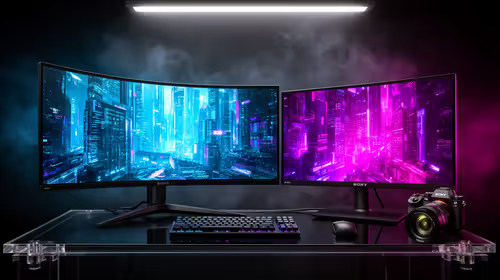
32:9 Super-ultrawide Or Dual-monitor Setup should be judged by your current setup, workload, and upgrade path. SA buyers should compare compatibility, likely gains, support, and timing before changing hardware.
IPS vs VA for strategy and sim games should be judged by fit, not a single winner. Compare compatibility, latency, capacity, upgrade path, cost planning, and South African setup needs.
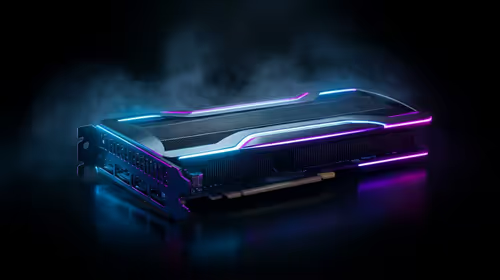
RTX 5090 for Horizon Forbidden West at 1440p should be judged by settings, CPU balance, drivers, and display goals. Use this as cautious SA build planning, not a fixed frame-rate promise or live benchmark claim.
Gen 5 NVMe SSD guide for Bloemfontein gamers should be shortlisted around the job it must do. South African buyers should compare capacity, speed, thermals, and motherboard support, warranty path, and upgrade room before treating any pick as best.