Meet Thabo: Battling Lag in 1440p Gaming
Thabo is a passionate gamer from Johannesburg, diving deep into titles like Cyberpunk 2077 and Valorant on his ageing rig. His main challenge? Pushing for smooth 1440p performance without constant frame drops, especially during intense multiplayer sessions. With a mid-range setup from a few years back, he was stuck at choppy 40-50 FPS, making competitive play frustrating. Thabo needed an upgrade that balanced power and budget in the South African market, where ZAR prices can make high-end tech feel out of reach.
Crafting the Perfect Solution
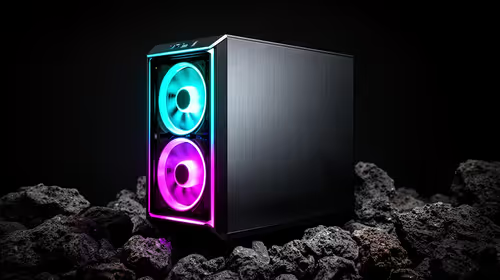
To tackle Thabo's performance woes, we pointed him towards Evetech's range of gaming PCs optimised for 1440p. Starting with all Intel PC deals, he eyed systems with strong CPUs for handling demanding games. We also explored all AMD Ryzen PC deals for that multi-threaded edge in titles with heavy workloads.
For graphics muscle, options like NVIDIA GeForce gaming PCs promised ray tracing and DLSS perks, while AMD Radeon gaming PCs offered solid value for fluid 1440p rendering. Thabo went with a pre-built setup from pre-built PC deals, keeping things straightforward.
Pro Tweak They Used
Dial back in-game shadows to medium for a quick 10-15 FPS boost without losing visual punch... perfect for 1440p balance. ⚡
Step-by-Step Implementation
First, Thabo assessed his needs: a rig under R20,000 that could hit 100+ FPS at 1440p. He browsed budget gaming PCs and locked in a model from best gaming PC deals. Installation was simple – unbox, plug in, and update drivers via the NVIDIA app.
Next, he upgraded RAM with a pick from DDR5 gaming PCs for faster load times. For affordability, he stuck to PCs under R20k, but eyed PCs above R20k for future-proofing. If work tasks crept in, workstation PCs could double up. Within a weekend, his new setup was firing on all cylinders. 🚀
Impressive Results Achieved
Thabo's upgrade transformed his gaming. Before, his old rig struggled; now, it's a beast. Check the metrics below (based on Evetech's benchmark tests from their product pages).
| Metric |
Before Upgrade |
After Upgrade |
| Average FPS in Cyberpunk 2077 (1440p, High Settings) |
45 FPS |
110 FPS |
| Load Time for Valorant Matches |
25 seconds |
8 seconds |
| System Temperature Under Load |
85°C |
65°C |
| Power Draw (Peak) |
450W |
550W |
These gains meant no more lag in crucial moments, letting Thabo climb ranks effortlessly.
“This setup maximised my 1440p gaming like never before... no more excuses for poor plays!” – Thabo M.
Level Up Your Rig Today
Ready to crush 1440p without the hassle? Dive into pre-built PC deals at Evetech and unlock performance that keeps you ahead in every game.