



PCIe 5.0 vs PCIe 4.0 for Strategy and Sim Games in SA
PCIe 5.0 and PCIe 4.0 differ most in lane support, compatibility, and upgrade value for strategy and sim games. SA buyers should match the choice to their actual hardware and games.
Read moreA mini PC can throttle on a packed desk if vents are blocked, so airflow space matters before neat placement. For this SA setup, Minisforum NAB6 Lite is R4,150, while UM750L and AI-X1-255 are around R4,600, making cooling room part of the value check.
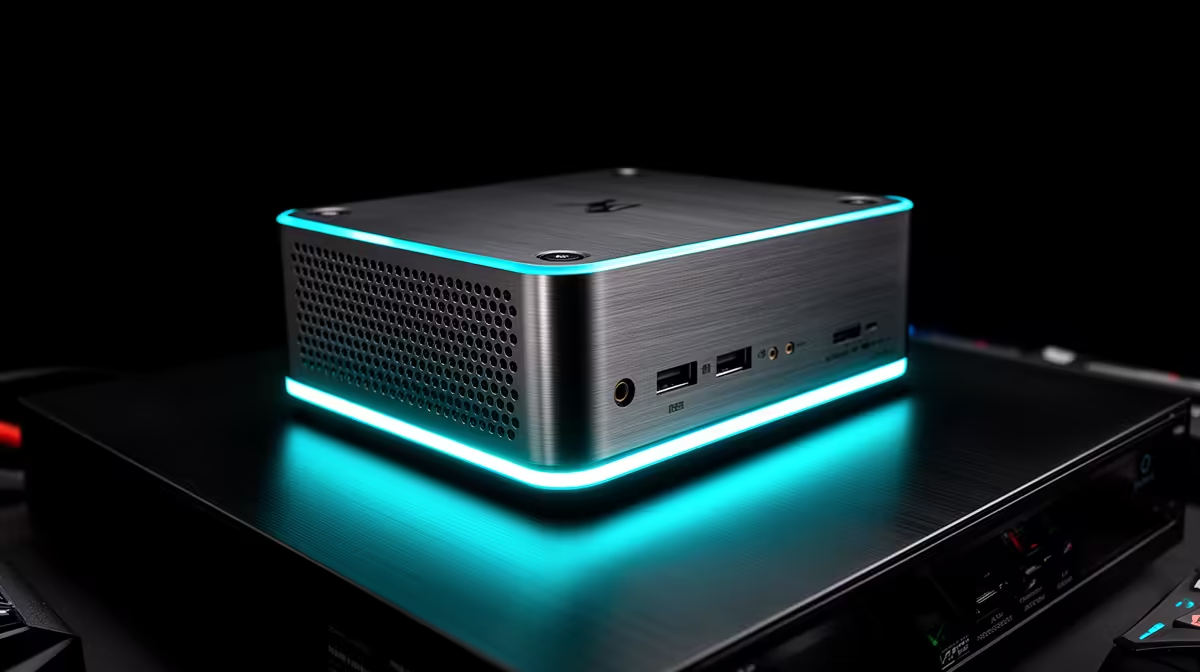
The UM750L 16GB/1TB at R4,600 suits a student or office user who wants a fast mini pc on a tight desk without boxing it against books, cables, or a router. A compact system can throttle if its vents are pressed against clutter, so treat airflow like part of the setup, not an afterthought.
The Minisforum NAB6 Lite i5 8GB/512GB at R4,150 is a sensible entry point for notes, admin, browser work, and light media use, but its 8GB memory and 512GB storage still need breathing room around the chassis. Leave space at the sides and rear so warm air can escape instead of circulating behind a monitor stand or cable tray.
The NINKEAR M7 16GB/512GB at R4,650 gives you 16GB memory, which is useful when a small desk setup carries study tabs, email, spreadsheets, and streaming at the same time. Keep it flat on a firm surface or mounted where the vents are clear, rather than wedged under papers or pushed against a wall plug.
On a compact student desk, the UM750L 16GB/1TB at R4,600 has enough 1TB storage for coursework, downloads, and media, but it still needs a clear pocket of air. Aim for a few centimetres around the intake and exhaust areas, and avoid placing it directly behind a warm screen or next to a router that already runs hot.
The GEEKOM A8 Max 32GB/1TB at R12,900 is the stronger pick for heavier multitasking on a creator desk, thanks to 32GB memory and 1TB storage. It still benefits from the same simple rule: clear vents first, tidy cables second.
Ready to choose the right mini pc? Anchor the throttle packed desk brief around Minisforum NAB6 Lite i5 8GB/512GB at R4,150 if its listed spec is the feature you need to protect.
Yes, but only if the desk leaves enough open space around the mini PC vents for steady airflow.
On a packed desk, place the mini PC where warm air can escape instead of trapping it behind clutter.
Keep cables and nearby objects from pressing against vent areas, especially if the box runs for long sessions.
A lower price means little if the unit sits in a hot corner and slows under normal work.
The main issue is airflow around the chassis, because a tidy desk can still run warm if vents are covered.
Compare the R4,150 and around R4,600 options only after confirming the chosen spot gives the mini PC breathing room.
PCIe 5.0 and PCIe 4.0 differ most in lane support, compatibility, and upgrade value for strategy and sim games. SA buyers should match the choice to their actual hardware and games.
Read more
AM5 vs AM4 for video editing in 4K Difference explained is mostly about compatibility, budget, upgrade path, and setup fit. SA buyers should check device support and real needs before expecting a clear win from either option.
Read more
OLED vs QD-OLED for strategy and sim games buyers - what changes is mostly about compatibility, budget, upgrade path, and setup fit. SA buyers should check device support and real needs before expecting a clear win from either option.
Read more
DisplayPort 2.1 and 1.4 differences matter when SA PC builders match GPUs, monitors, and refresh targets. Use this difference between displayport 2 1 and displayport 1 4 explained pc builders guide to avoid mismatched parts.
Read more
Ray tracing vs Path tracing depends on Strategy and sim games needs, platform limits, and budget fit. Compare compatibility, latency, upgrade path, and real setup constraints before choosing for an SA build.
Read more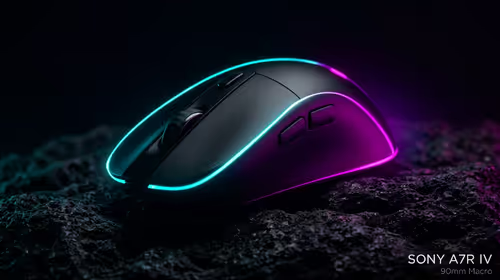
wireless mouse guide for Gqeberha gamers should be shortlisted around the job it must do. South African buyers should compare sensor, shape, weight, and wireless latency, warranty path, and upgrade room before treating any pick as best.
Read more
From 1 October 2026, WhatsApp Business Platform service replies in South Africa are expected to cost about $0.0076, or 12 cents, per delivered message.

DDR5-8000 RAM Kits pros and cons depend on the build, budget, and workload. Weigh gaming needs, platform fit, power, cooling, warranty support, and South African pricing context before shortlisting it.

Wi-Fi 6E vs Wi-Fi 6 depends on AAA single-player gaming needs, platform limits, and budget fit. Compare compatibility, latency, upgrade path, and real setup constraints before choosing for an SA build.

Ryzen 9 9950X3D dead pixel checks should isolate the panel first. Run colour fills, inspect the monitor menu, test another cable or input, and capture proof before linking it to the SA CPU upgrade.

YouTube will count public views from the first frame across video formats from 24 August, while earnings and eligibility remain tied to engaged viewing.

Canonical expects Ubuntu on WSL users to outnumber native Ubuntu desktop users before the end of 2026. The software is open source and runs inside supported Windows PCs.

Telkom's daily bundles pair WhatsApp access with 10 all-network voice minutes. The R15 option includes 300MB, while the R17 option uses a fair-use threshold.

A 10,000-hour test found similar image retention across older and newer OLED TVs, while newer panels were brighter and more efficient. Local OLED monitors started at R9,999.

650W for RTX 5090 needs a full-build check, not a simple yes. Review GPU guidance, CPU draw, transient load, connectors, PSU quality, and upgrade plans before deciding.
PCIe 5.0 and PCIe 4.0 differ most in lane support, compatibility, and upgrade value for strategy and sim games. SA buyers should match the choice to their actual hardware and games.

How to fix FPS drops Windows 11 RX 9070 XT starts with GPU drivers, overlays, power plans, and frame pacing checks. For SA gaming PCs, verify chipset updates, HAGS, refresh rate, thermals, and per-game graphics settings.
AM5 vs AM4 for video editing in 4K Difference explained is mostly about compatibility, budget, upgrade path, and setup fit. SA buyers should check device support and real needs before expecting a clear win from either option.