The desktop tower is no longer the default for a home office. A modern mini PC built on a Ryzen 7 or Ryzen AI chip, 32GB of DDR5 and a 1TB NVMe drive fits in one hand yet handles a full day of office and everyday work, and it sips power compared with a full-size tower. For South African buyers weighing desk space, electricity, and budget, that combination is hard to ignore.
Quick Answer
A current mini PC with a Ryzen 7 or Ryzen AI processor, 32GB DDR5 and a 1TB NVMe SSD comfortably runs office apps, browsing, video calls and light creative work from a palm-sized chassis. It costs less to run than a tower and frees your desk, making it an excellent everyday and home-office machine.
What a mini PC actually is
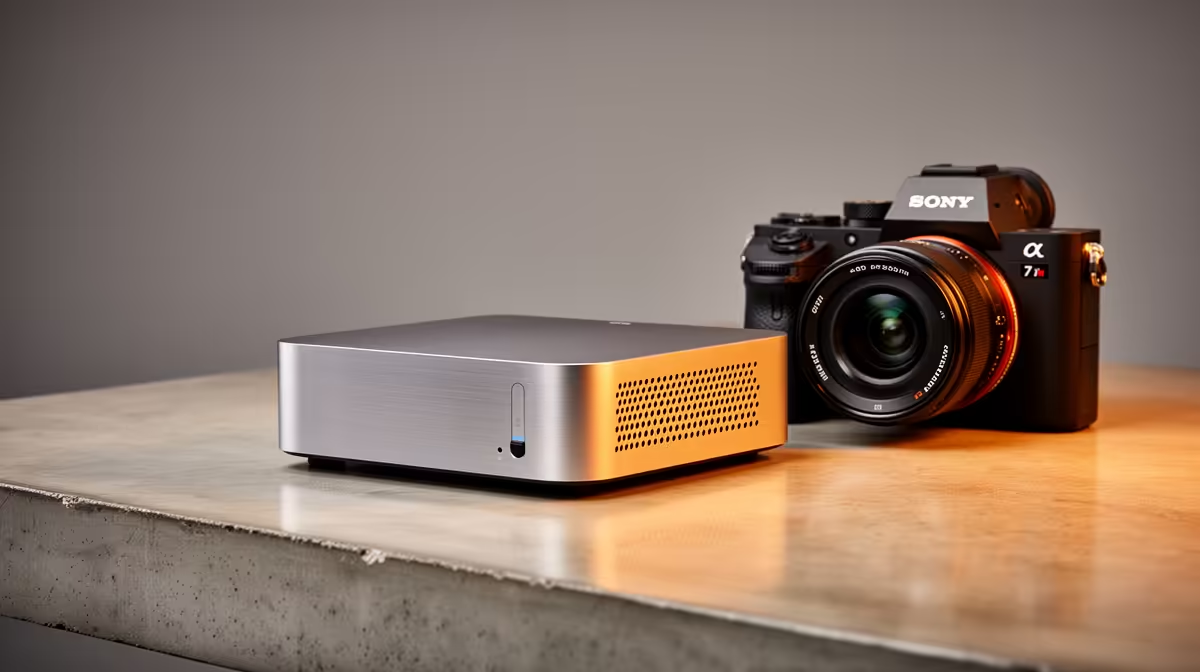
A mini PC is a complete desktop computer shrunk into a chassis roughly the size of a paperback. Inside sits a laptop-class processor, desktop RAM and storage, and full connectivity. Unlike a laptop, it has no built-in screen, keyboard or battery, so you pair it with whatever monitor, keyboard and mouse you already own.
That trade tilts in your favour for a fixed desk. You are not paying for a screen and battery you do not need, and you get a tidy box that tucks behind a monitor or under a desk. For a home office, the appeal is obvious: a clean workspace and a machine that disappears.
You can compare current models and configurations in the mini PC range at Evetech to see how specs and prices line up.
The specs that matter for office and everyday use
Processor: Ryzen 7 and the new Ryzen AI chips
The processor is where a mini PC earns its keep. A Ryzen 7 chip provides enough cores and threads to keep dozens of browser tabs, an office suite, a video call and a messaging app running at once without slowdown. The newer Ryzen AI parts add a neural processing unit, which accelerates the on-device AI features increasingly built into Windows and productivity apps. For everyday work this means smoother multitasking and headroom for the AI-assisted tools that are becoming standard.
Memory: why 32GB DDR5 is the sweet spot
16GB still works, but 32GB of DDR5 is the configuration that future-proofs a work machine. Modern browsers and collaboration tools are memory-hungry, and 32GB lets you keep everything open without the system swapping to disk. DDR5 also brings faster memory bandwidth, which the Ryzen integrated graphics use to drive smooth desktop performance and crisp video playback.
Storage: 1TB NVMe as the baseline
A 1TB NVMe SSD gives you fast boot times, near-instant app launches and enough room for documents, downloads and a media library. NVMe is dramatically quicker than the old spinning drives, so the whole machine feels responsive. If you store large video or design files, you can add external storage later, but 1TB is a comfortable starting point for office life.
Running costs and the SA power picture
A mini PC draws far less power than a full tower because it uses efficient mobile-class silicon. Over a working year that lower draw adds up to real savings on your electricity bill, and it runs cooler and quieter too. For a home office where the machine is on all day, the efficiency is a genuine, ongoing benefit rather than a spec-sheet footnote. The compact size also means less heat dumped into a small room, which matters in a Cape Town or Joburg summer.
Who a mini PC is right for
A mini PC suits the home worker, the student, the front-desk or point-of-sale setup, and anyone who wants a capable everyday desktop without a bulky box. It is ideal as a second machine, a media-and-browsing PC for the lounge, or the main computer for someone whose work lives in browsers and office apps.
Where it is not the right pick
Be honest about the ceiling. A mini PC relies on integrated graphics, so it is not built for serious gaming or heavy GPU workloads like 3D rendering or high-end video editing. If those are your daily tasks, a tower with a discrete graphics card is the better tool. For everything else in a typical office day, the mini PC has the performance and leaves you with a clear desk and a smaller power bill.
Connectivity and the dual-monitor desk
One detail buyers overlook is ports. A good mini PC offers multiple USB-A and USB-C connections, an HDMI and a DisplayPort or USB-C video output, plus wired Ethernet and Wi-Fi. That spread lets you run a dual-monitor setup, plug in a printer and external drive, and still have a free port for a flash drive. For a home office that often drives two screens, confirm the video outputs before you buy, since the Ryzen integrated graphics can comfortably handle two displays for productivity work. Wired Ethernet is worth having too, because a stable connection matters for video calls and large file transfers more than raw Wi-Fi speed does.
How to choose the right one
Match the chip to your workload. A Ryzen 7 covers heavy multitasking; a Ryzen AI part adds future-ready on-device AI. Insist on 32GB DDR5 if you keep many apps open, and treat 1TB NVMe as your floor. Check the ports too, since you want enough USB and display outputs for a dual-monitor desk. If you are torn between models, the best-selling PC list is a useful gauge of which configurations SA buyers are actually choosing.
Frequently Asked Questions
Can a mini PC really replace a desktop tower for office work?
For office and everyday tasks, yes. A Ryzen 7 mini PC with 32GB DDR5 and a 1TB NVMe handles browsing, documents, spreadsheets, video calls and light creative work as smoothly as a tower, while taking up a fraction of the space.
Is 32GB of RAM overkill for everyday use?
Not anymore. Modern browsers and collaboration apps consume a lot of memory, so 32GB keeps everything responsive with many apps open and gives you headroom for the next few years of software.
Can I game on a mini PC?
Light and older titles run on the integrated graphics, but a mini PC is not built for demanding modern games or heavy GPU work. For serious gaming, choose a system with a dedicated graphics card.
What does a Ryzen AI chip add for office users?
A Ryzen AI processor includes a neural processing unit that accelerates on-device AI features now appearing in Windows and productivity apps, giving smoother performance for those tools and useful future headroom.
Does a mini PC use less electricity than a tower?
Yes. Mini PCs use efficient mobile-class processors that draw considerably less power, so they cost less to run over time and produce less heat and noise, which suits an always-on home office.
Do I need to buy a separate monitor and keyboard?
Yes, a mini PC has no built-in screen or keyboard, so you pair it with your own monitor, keyboard and mouse. That is part of why it costs less, since you reuse peripherals you likely already own.