



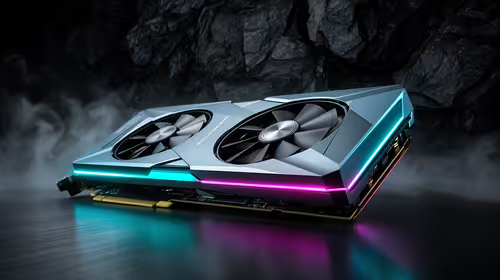
Value GPU planning for Balatro at 1440p ultrawide
Balatro at 1440p ultrawide on a R20,000 budget needs balanced GPU planning. Compare settings, CPU limits, monitor target, warranty support, and SA price movement before choosing.
Read moreAround R25,000 in SA, a photo-editing PC for Revit and AutoCAD should be treated as a creator PC where VRAM helps with render, AI and large creator projects. The input price band sits below the listed creator GPU examples of RTX 5070 Ti 16GB at R12,700 and RTX PRO 4000 24GB at R16,700, so the full build needs careful balancing.
A photo-editing PC can run Revit and AutoCAD when its processor, memory, graphics and software support match the project scale. Photo speed alone does not prove dependable building-model performance. Open a representative model, sheet set and render before buying around a creator label, then check the course or employer requirements for certified graphics.
Test model navigation, view regeneration, linked files and the normal export. The verified Leadtek NVIDIA RTX A1000 8GB costs R6,900 and offers a professional graphics direction for a compatible workstation. Confirm application certification, driver support, power, case clearance and display outputs. Graphics hardware cannot compensate for insufficient system memory or a slow processor in large Revit models.
Use fast working storage with enough free space for project caches and photo previews. Store client images, model files and linked assets in separate controlled folders, then back them up independently. Open a restored Revit project and confirm that links resolve. A photo catalogue backup does not protect the building model unless the process includes it explicitly.
Choose the whole computer after measuring both workloads. A consumer creator system may suit smaller study projects, while professional work can justify validated graphics and more memory. Spend against the tested model complexity rather than the broad purchase ceiling.
Combining CAD and photo work? > Ask Evetech to match workstation graphics, memory and storage to the exact project files.
Yes, Revit, AutoCAD and photo editing suit a creator PC because large visual work benefits from stronger graphics memory.
For this R25,000 Revit and AutoCAD target, keep the build balanced so graphics memory does not consume too much of the total budget.
Check that the workstation can support the displays and peripherals used for drawing work without forcing awkward adapters.
For daily CAD and editing, stable sustained performance matters more than chasing a single headline component.
Focus on Revit and AutoCAD project size first, then weigh photo-editing demands against the R25,000 ceiling.
Leave room for future creator workload growth only where the platform can accept sensible upgrades later.
Balatro at 1440p ultrawide on a R20,000 budget needs balanced GPU planning. Compare settings, CPU limits, monitor target, warranty support, and SA price movement before choosing.
Read more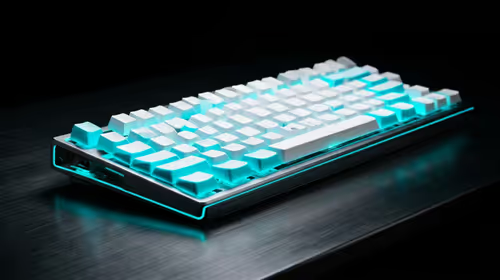
Every magnetic-switch keyboard in SA should be shortlisted around the job it must do. South African buyers should compare switch feel, latency, layout, and software, warranty path, and upgrade room before treating any pick as best.
Read more
Customs and warranty notes for gaming hardware in Makhanda should focus on proof of purchase, serial numbers, courier handling, and return steps. SA buyers should confirm policies before ordering costly parts.
Read more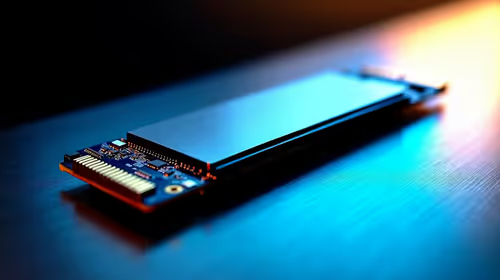
Can NVMe SSDs under R20,000 handle should be shortlisted around the job it must do. South African buyers should compare capacity, speed, thermals, and motherboard support, warranty path, and upgrade room before treating any pick as best.
Read more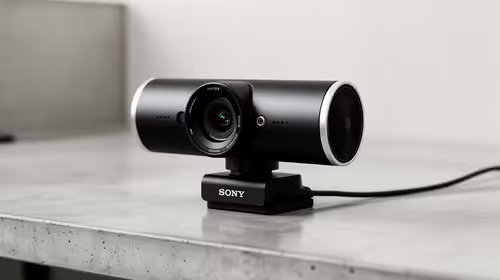
Buy now or upgrade later: webcams decisions should be shortlisted around the job it must do. South African buyers should compare fit, performance, compatibility, and upgrade room, warranty path, and upgrade room before treating any pick as best.
Read more
Frigate is free open-source NVR software running object detection locally on an Intel N100 mini-PC with a Coral TPU, versus cloud AI that requires a monthly plan. SA buyers get footage on-site with no fees and no reliance on uplink bandwidth. 📹
Read more
Chrome change search engine settings control ordinary address-bar searches. Check site shortcuts and managed-browser rules if the wrong provider keeps returning.
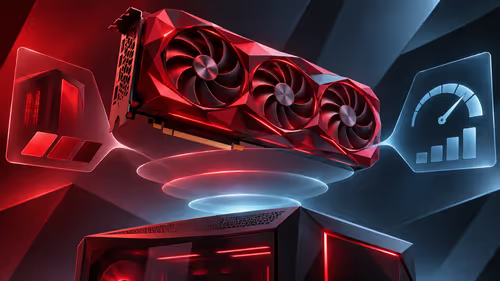
VASTARMOR RX 9070 XT red adds a matching red finish to the Super Alloy PRO family. Check its length, thickness and three power sockets before buying.

OLED edge rot is a panel-edge defect examined in new longevity research. Older TV results do not establish the failure rate of current gaming monitors.

Chrome translate not working often needs a page refresh or language-setting check. Test one foreign-language page before changing broader browser settings.
Chrome translate not working often needs a page refresh or language-setting check. Test one foreign-language page before changing broader browser settings.

Check when Chrome saves power, compare a repeatable task on battery and separate browser changes from battery health and Windows settings.

Find Chrome's caption control, check language and audio and bring back the floating bubble when captions disappear during playback.

Open the simplified Chrome reader, adjust type and spacing and check whether the page supports the view before changing your display setup.
Balatro at 1440p ultrawide on a R20,000 budget needs balanced GPU planning. Compare settings, CPU limits, monitor target, warranty support, and SA price movement before choosing.
Should I spend more on the GPU or the CPU should be shortlisted around the job it must do. South African buyers should compare GPU tier, VRAM, cooling, and PSU headroom, warranty path, and upgrade room before treating any pick as best.
Every magnetic-switch keyboard in SA should be shortlisted around the job it must do. South African buyers should compare switch feel, latency, layout, and software, warranty path, and upgrade room before treating any pick as best.
Optimal Balatro 144fps on RX 9070 needs frame cap, driver, display, and background load checks. SA gamers should tune one option at a time, retest the same scene, and treat the target as hardware, scene, and monitor dependent.