




IPS vs VA for Strategy and Sim Games in SA
IPS vs VA for strategy and sim games should be judged by fit, not a single winner. Compare compatibility, latency, capacity, upgrade path, cost planning, and South African setup needs.
Read moreBuilding a professional graphics workstation ensures your projects render perfectly every time. Discover why ECC memory and ISV certifications are crucial for stability. 🖥️ Don't risk crashes during critical renders! 🚀

Staring at a crashed render, with hours of work potentially lost? If you're using a gaming PC for professional creative work, you've likely felt that pain. A professional graphics workstation isn't just a more powerful PC; it's a completely different beast, engineered for one thing: unwavering stability and precision. It's the difference between hoping your project finishes and knowing it will. Let's explore why this specialised tool is a non-negotiable for serious creators in South Africa.
We all love a good gaming session, and the power packed into modern NVIDIA's GeForce gaming cards is incredible. They are optimised for one primary goal: pushing the highest possible frames per second in games. Their drivers are frequently updated to boost performance in the latest AAA titles.
But for professional applications... that focus on speed can become a weakness. The drivers aren't validated for the complex, precise calculations needed by software like Autodesk Maya, SolidWorks, or Adobe Premiere Pro. This mismatch is often the source of frustrating glitches, visual artefacts, and system-crashing errors that can cost you time and money. A dedicated graphics workstation is built from the ground up to avoid these exact problems.
So, what truly sets a professional-grade machine apart? It comes down to a few core principles that prioritise reliability over raw gaming speed. These components work in harmony to create a seamless and stable creative environment.
This is perhaps the biggest differentiator. Manufacturers of specialised workstation graphics cards work directly with Independent Software Vendors (ISVs) like Adobe and Autodesk. They develop, test, and release certified drivers that guarantee compatibility and peak stability with specific versions of professional software.
This certification means the hardware and software have been rigorously tested together to ensure every function works as intended. No more random crashes during a complex simulation or bizarre viewport errors when manipulating a 3D model. It’s the ultimate peace of mind for any professional whose livelihood depends on their tools.
The differences go right down to the silicon. Workstation GPUs often feature:
Before investing in new hardware, visit the website for your primary software (e.g., Autodesk, Adobe, Dassault Systèmes). They maintain lists of certified hardware for each software version. Building a professional graphics workstation around these recommendations is the surest path to a stable and productive setup.
It's easy to be tempted by the marketing buzz around consumer cards from popular brands like MSI or the value offered by others from Palit. And while they are phenomenal for entertainment, a professional graphics workstation becomes essential when:
Looking ahead, as project complexity increases, the hardware requirements will only get steeper. Professionals will be keeping a close eye on the performance benchmarks of future GPUs, from a potential mainstream powerhouse like a hypothetical RTX 5060 to a high-end creative option like a future RTX 5070, knowing that even more powerful workstation equivalents will follow to tackle next-generation workloads. 🚀
Choosing the right tool for the job is the hallmark of a true professional. Stop fighting with your hardware and invest in a system designed for your workflow.
Ready to Build a Creative Powerhouse? A professional graphics workstation is an investment in your productivity and peace of mind. Stop gambling with deadlines. Explore our range of NVIDIA RTX & AMD Radeon Pro workstation cards and build a machine that works as hard as you do.
A professional graphics workstation uses ISV-certified drivers to ensure software like AutoCAD runs without glitches or calculation errors.
ECC (Error-Correcting Code) memory detects and fixes data corruption, preventing crashes during long renders on a workstation GPU.
Not necessarily; while gaming cards prioritize frame rates, professional cards prioritize calculation accuracy and stability under heavy loads.
Independent Software Vendor certification guarantees that hardware is tested and optimized for specific professional applications.
Yes, for scientific simulations and high-end 3D modeling, high double-precision performance ensures mathematical accuracy.
Stable drivers prevent mid-render crashes, saving hours of work and ensuring the final output matches the intended design exactly.
IPS vs VA for strategy and sim games should be judged by fit, not a single winner. Compare compatibility, latency, capacity, upgrade path, cost planning, and South African setup needs.
Read more
Gen 5 NVMe SSD guide for Bloemfontein gamers should be shortlisted around the job it must do. South African buyers should compare capacity, speed, thermals, and motherboard support, warranty path, and upgrade room before treating any pick as best.
Read more
Skip the RTX 5070 if your first-time builder budget needs better balance. Better SA picks can free room for the right CPU, PSU, case, monitor, storage, and cooling while still giving a strong first gaming PC experience this year in South Africa.
Read more
RTX 5080: weighing the pros and cons for SA should be shortlisted around the job it must do. South African buyers should compare GPU tier, VRAM, cooling, and PSU headroom, warranty path, and upgrade room before treating any pick as best.
Read more
Core i5-13400F gives South African PC builders a capable mid-range CPU choice with clear limits. Check its gaming fit, discrete GPU requirement, LGA1700 platform costs, and upgrade path before locking in your parts list.
Read more
Pros and cons of the Wi-Fi 7 routers for SA should be shortlisted around the job it must do. South African buyers should compare WiFi standard, coverage, latency, and device support, warranty path, and upgrade room before treating any pick as best.
Read more
Steam content servers unreachable needs a download-path check, not an immediate reinstall of every game. Restart the client, inspect download settings and compare another connection when practical. Clearing the download cache is separate from deleting installed games.

Keychron G6 HE has built-in and swappable battery versions with different weights. The product brief lists 42g and 46g respectively, each with a 3g tolerance. Choose by grip and battery preference before treating one headline weight as universal.

Corsair HS80 v2 MAX supports 2.4GHz wireless and Bluetooth. Its maximum battery figures use RGB-off conditions and differ by connection. Check microphone routing, comfort and the exact device support before assuming every wireless mode behaves alike.

Windows taskbar notification badges can be shown or hidden in Taskbar behaviours. This changes the small app indicators, not the underlying messages. Choose a calmer desktop while keeping a deliberate routine for checking important conversations and app updates.
Windows taskbar notification badges can be shown or hidden in Taskbar behaviours. This changes the small app indicators, not the underlying messages. Choose a calmer desktop while keeping a deliberate routine for checking important conversations and app updates.

Windows USB device in use can mean a program still has the drive open. Finish transfers and close files before retrying ejection. Better performance caching requires safe removal; a replacement drive is not the first fix for an open-file warning.

Windows Nearby Sharing not working starts with feature, Bluetooth and visibility checks on both PCs. My devices only depends on matching Microsoft accounts. Test a small harmless file before buying networking hardware or changing your home router.

Windows hardware reserved RAM is different from memory used by applications. Compare installed memory with firmware detection and the usable amount before buying modules. Reservations and reporting limits vary by system; no universal setting restores every byte.
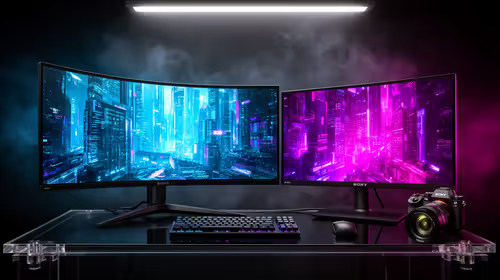
32:9 Super-ultrawide Or Dual-monitor Setup should be judged by your current setup, workload, and upgrade path. SA buyers should compare compatibility, likely gains, support, and timing before changing hardware.
IPS vs VA for strategy and sim games should be judged by fit, not a single winner. Compare compatibility, latency, capacity, upgrade path, cost planning, and South African setup needs.
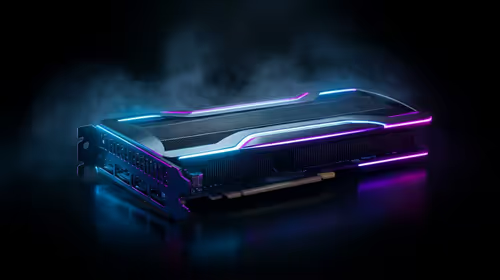
RTX 5090 for Horizon Forbidden West at 1440p should be judged by settings, CPU balance, drivers, and display goals. Use this as cautious SA build planning, not a fixed frame-rate promise or live benchmark claim.
Gen 5 NVMe SSD guide for Bloemfontein gamers should be shortlisted around the job it must do. South African buyers should compare capacity, speed, thermals, and motherboard support, warranty path, and upgrade room before treating any pick as best.