



PCIe 5.0 vs PCIe 4.0 for Strategy and Sim Games in SA
PCIe 5.0 and PCIe 4.0 differ most in lane support, compatibility, and upgrade value for strategy and sim games. SA buyers should match the choice to their actual hardware and games.
Read more144Hz vs 240Hz for SA esports has practical trade-offs for SA buyers, not one answer for every setup. Compare fit, compatibility, upgrade path, price tier, and daily gaming needs before deciding.
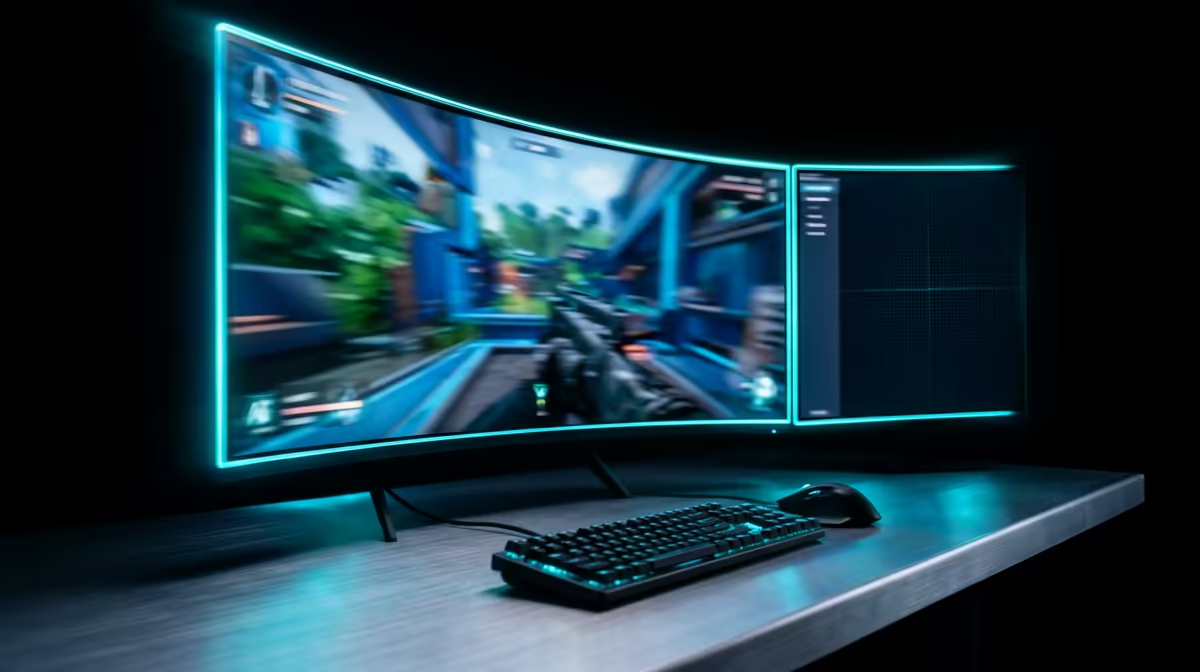
Choosing 144Hz or 240Hz for South African esports comes down to your game, your skill level and your hardware budget. Both are fast, but the jump from 144Hz to 240Hz delivers a smaller, more situational gain than the leap from 60Hz to 144Hz.
For most SA esports players, a 144Hz monitor is the value sweet spot at roughly R3,000-R5,000, while 240Hz suits dedicated competitive players who consistently push 240fps and can spend R6,000-R9,000. The 240Hz upgrade cuts perceived motion blur and trims a few milliseconds of latency in Valorant, CS2 and Apex, but only if your GPU and CPU sustain frame rates near 240. Below that, the panel sits idle.
If you play Valorant, CS2, Apex or Fortnite at a high but not professional level, 144Hz already feels dramatically smoother than 60Hz and is easy to drive. A mid-range GPU holds 144fps in most esports titles, and panels around R3,000-R5,000 leave budget for a better GPU. For students and value-focused buyers, 144Hz is the smarter spend.
240Hz pays off for competitive players whose hardware genuinely sustains 240fps and who notice the reduced motion blur in fast flick shots. The latency drop is real but small, on the order of a few milliseconds. It only helps if your rig reliably feeds 240fps; pairing a 240Hz panel with a GPU that manages 150fps wastes most of the upgrade. Budget R6,000-R9,000 for a quality 240Hz panel.
Only if your GPU and CPU sustain frame rates near 240fps and you compete seriously. Otherwise a 144Hz panel from R3,000-R5,000 delivers most of the benefit for far less.
You want to consistently exceed 240fps in your main esports title to use the panel fully. If your rig manages 144-180fps, a 144Hz monitor is the better match.
Roughly R3,000-R5,000 for a good 144Hz panel versus R6,000-R9,000 for a quality 240Hz one. That gap often buys a meaningful GPU upgrade instead.
Check your average fps in your main esports title first; if you cannot hold near 240fps, put the R6,000-R9,000 toward a 144Hz panel plus a stronger GPU.
PCIe 5.0 and PCIe 4.0 differ most in lane support, compatibility, and upgrade value for strategy and sim games. SA buyers should match the choice to their actual hardware and games.
Read more
AM5 vs AM4 for video editing in 4K Difference explained is mostly about compatibility, budget, upgrade path, and setup fit. SA buyers should check device support and real needs before expecting a clear win from either option.
Read more
OLED vs QD-OLED for strategy and sim games buyers - what changes is mostly about compatibility, budget, upgrade path, and setup fit. SA buyers should check device support and real needs before expecting a clear win from either option.
Read more
DisplayPort 2.1 and 1.4 differences matter when SA PC builders match GPUs, monitors, and refresh targets. Use this difference between displayport 2 1 and displayport 1 4 explained pc builders guide to avoid mismatched parts.
Read more
Ray tracing vs Path tracing depends on Strategy and sim games needs, platform limits, and budget fit. Compare compatibility, latency, upgrade path, and real setup constraints before choosing for an SA build.
Read more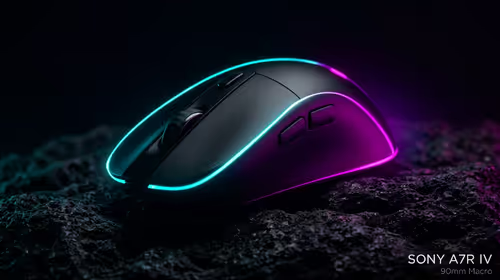
wireless mouse guide for Gqeberha gamers should be shortlisted around the job it must do. South African buyers should compare sensor, shape, weight, and wireless latency, warranty path, and upgrade room before treating any pick as best.
Read more
From 1 October 2026, WhatsApp Business Platform service replies in South Africa are expected to cost about $0.0076, or 12 cents, per delivered message.

DDR5-8000 RAM Kits pros and cons depend on the build, budget, and workload. Weigh gaming needs, platform fit, power, cooling, warranty support, and South African pricing context before shortlisting it.

Wi-Fi 6E vs Wi-Fi 6 depends on AAA single-player gaming needs, platform limits, and budget fit. Compare compatibility, latency, upgrade path, and real setup constraints before choosing for an SA build.

Ryzen 9 9950X3D dead pixel checks should isolate the panel first. Run colour fills, inspect the monitor menu, test another cable or input, and capture proof before linking it to the SA CPU upgrade.

YouTube will count public views from the first frame across video formats from 24 August, while earnings and eligibility remain tied to engaged viewing.

Canonical expects Ubuntu on WSL users to outnumber native Ubuntu desktop users before the end of 2026. The software is open source and runs inside supported Windows PCs.

Telkom's daily bundles pair WhatsApp access with 10 all-network voice minutes. The R15 option includes 300MB, while the R17 option uses a fair-use threshold.

A 10,000-hour test found similar image retention across older and newer OLED TVs, while newer panels were brighter and more efficient. Local OLED monitors started at R9,999.

650W for RTX 5090 needs a full-build check, not a simple yes. Review GPU guidance, CPU draw, transient load, connectors, PSU quality, and upgrade plans before deciding.
PCIe 5.0 and PCIe 4.0 differ most in lane support, compatibility, and upgrade value for strategy and sim games. SA buyers should match the choice to their actual hardware and games.

How to fix FPS drops Windows 11 RX 9070 XT starts with GPU drivers, overlays, power plans, and frame pacing checks. For SA gaming PCs, verify chipset updates, HAGS, refresh rate, thermals, and per-game graphics settings.
AM5 vs AM4 for video editing in 4K Difference explained is mostly about compatibility, budget, upgrade path, and setup fit. SA buyers should check device support and real needs before expecting a clear win from either option.