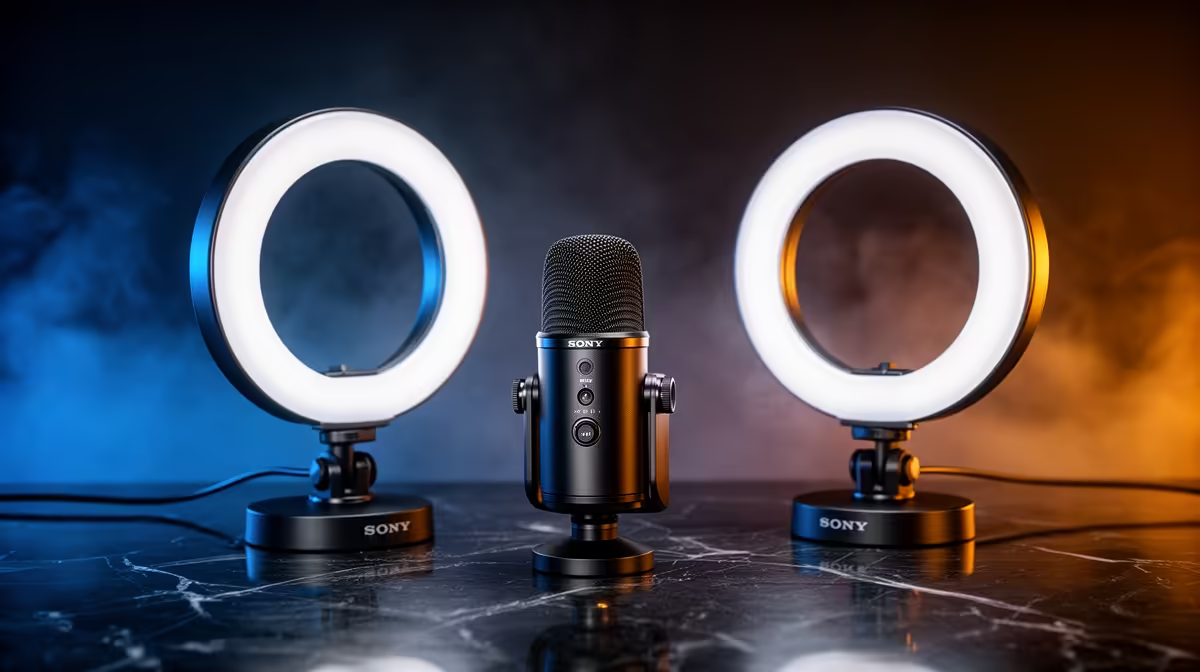
Live viewers punish dropouts in the moment; recorded work gives you time to edit around smaller flaws. Recording vs streaming kits spend the same budget differently across monitoring, capture reliability, microphone and room treatment.
Quick Answer
A live-streaming kit must deliver stable sound and picture in real time, so it spends more attention on monitoring, control, network reliability, and fast fault recovery. A recording-first kit can favour capture quality, room control, and storage because you can stop for another take and shape the edit later.
Both begin with clear audio. Compare microphones, lights, interfaces, and control gear in the streaming essentials section. Use the webcam range to decide whether a real-time camera or a more flexible recorded angle fits the content. Editing can polish a clean take; it cannot restore clipped speech or missing footage.
Live kits spend on certainty
During a stream, the audience hears every cable fault, mute mistake, and level change. You need a microphone path you can monitor, controls you can reach, and software that remains stable with the game or presentation running.
A USB microphone can be the simplest live route for one speaker. It combines the microphone and conversion stage, reduces the cable chain, and may provide direct headphone monitoring. Check platform and software support before buying.
An audio interface becomes useful when you need an analogue microphone, instrument input, two speakers, physical gain controls, or a specific monitoring route. Choose the number and type of inputs from the show plan rather than buying unused channels.
Closed headphones help you hear hum, clipping, guest levels, and feedback without sending playback into the microphone. Direct monitoring can keep your own voice free of distracting delay. Test the exact path because software monitoring can add latency.
Recording-first kits spend on the source
A recorded voice-over, lesson, podcast, or music performance benefits from a microphone suited to the voice and room, stable stands, and acoustic control. You can repeat a line, but you do not want every take to contain the same echo or vibration.
Place the microphone close, set gain with headroom, and record an unprocessed original. Room treatment can begin with existing curtains, rugs, and soft furniture. Add purpose-built panels only after a test identifies remaining reflections.
Storage belongs in the recording plan. Separate camera and audio tracks, high bitrates, and several takes create more data than a switched live programme. Estimate from a real test, leave working space, and keep a separate backup.
Editing hardware and software matter when deadlines are tight. Confirm codec support, memory, CPU, GPU, and storage performance for the chosen format. A creator who records once a week may accept longer exports to put more of the starting budget into sound and light.
Cameras serve different pressures
For live video, a webcam offers a compact signal path and long-session convenience. It handles conversion and can expose controls through supported software. The priority is stable operation at a resolution and frame rate the PC and upload can sustain.
A recording-first creator may use a webcam, phone, action camera, or dedicated camera according to the shot. Internal recording can provide a clean high-quality file without relying on the streaming computer, though it brings batteries, media, file transfers, and synchronisation.
Check continuous-runtime behaviour. Some cameras have recording limits, power requirements, heat constraints, or clean-output settings. Confirm current details for the exact model and intended mode.
Lighting improves either path. A soft key light placed well can make a modest camera look cleaner. Live creators need a setup that stays cool and stable through the show. Recording creators can move lights between shots but need position marks for continuity.
Software changes the budget split
Live software must combine sources, encode video, manage scenes, and send the programme without dropping frames. Free tools can cover core work, but plugins, remote guests, alerts, music, captions, or cloud services may carry their own current terms.
Build a safe scene, microphone mute, start or stop control, and local recording into the workflow. Keep keyboard fallbacks for core actions. A control pad becomes useful when several sources and layers demand frequent attention.
Recording software can be simpler at capture and heavier in post-production. Preserve isolated tracks where practical. Name files and back them up before editing. Proxies can make demanding footage easier to cut on a modest system.
Do not assume post-production fixes minor capture errors without cost. Noise reduction can create artefacts, a clipped microphone loses peaks, and an out-of-focus shot may remain unusable. Editing gives choices when the source is intact.
Network or storage becomes the hidden bill
A live stream needs stable upload, low packet loss, and a route that remains dependable for the full session. Use Ethernet where practical, measure performance at the streaming location, and leave headroom above the selected bitrate. Keep a local recording when the system can handle it.
A recording-only project does not need live upload, but it needs enough storage for capture, edit files, cache, exports, and backup. One fast system drive is not a complete data-safety plan. Copy irreplaceable footage to another device before formatting cards.
Hybrid creators need both. If you stream and then edit highlights, test simultaneous encode and local recording. The PC may handle either task alone while struggling with both at the target settings.
Choose with a real episode map
Write down every source and destination. Include microphones, cameras, game or screen capture, guests, music, headphones, local files, stream output, and backup. Draw how each signal reaches the next device.
For live work, identify every point that can stop the show and create a fallback. This may be a spare cable, keyboard mute, safe scene, local recording, or second network route you have tested and are authorised to use.
For recorded work, identify what would force a reshoot. Focus, clipping, missing media, fan noise, and a dead battery deserve checks. A slate or hand clap gives camera and audio tracks a common sync marker.
Run a twenty-minute rehearsal. Live creators should mimic the full game, guest, and upload load. Recording creators should move files into the editor and complete a sample export. Buy the next item only after that chain exposes its weakest point.
FAQ
Is streaming equipment different from recording equipment?
Much of the hardware overlaps. Live work puts more weight on monitoring, control, stability, and network delivery. Recorded work can prioritise source quality, room treatment, storage, and post-production.
Can editing repair poor audio?
It can reduce some noise and shape tone, but clipped speech, severe echo, cable dropouts, and missing words may remain damaged. Get placement, gain, room sound, and monitoring right during capture.
Should I buy an audio interface?
Buy one when your microphone, instrument, input count, or monitoring route requires it. A single supported USB microphone can be a cleaner starting path for one live or recorded voice.
Map whether your content succeeds live or in the edit, then put the budget into the signal-chain failure that would hurt that format most.