So, you’ve just snagged a sweet deal on a new monitor. You're unboxing it, imagining that glorious screen real estate, and then you spot it on the spec sheet: "VESA 75x75mm" or "VESA 100x100mm". What does that even mean? For South African gamers building a clean, ergonomic setup on a budget, understanding the VESA 100 vs 75 difference is key. It’s the small detail that ensures your screen is secure and perfectly positioned.
Understanding the VESA Standard: More Than Just Holes
Before we dive into the VESA 75 vs 100 showdown, let's quickly clarify what VESA is. It stands for the Video Electronics Standards Association, and they created a universal standard for mounting screens. Those four screw holes on the back of your monitor? That’s the VESA pattern. The number simply refers to the distance between them in millimetres.
So, a VESA 75x75 pattern has 75mm between each hole, while a VESA 100x100 has... you guessed it, 100mm. Most modern PC monitors adhere to one of these standards, making your life much easier when choosing a mount. 🔧
VESA 100 vs 75: The Practical Differences for Your Rig
The core difference between VESA 100 and 75 comes down to size and stability. It's not about one being "better," but rather which is right for the monitor it's attached to.
Size and Weight Support
Generally, you'll find the VESA 75x75 standard on smaller, lighter monitors—typically those 24 inches and under. They simply don't need the wider, more robust anchor points.
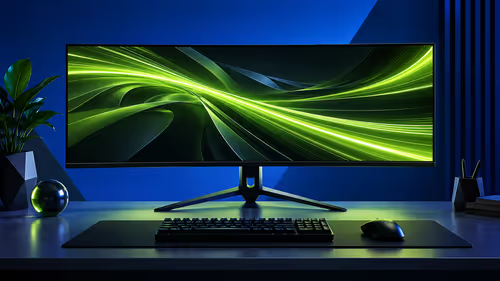
The VESA 100x100 standard is built for bigger and heavier screens. As you move into 27-inch panels and larger, especially the beautiful immersive curved monitors, the wider mounting pattern provides the necessary stability to hold the extra weight securely. It spreads the load over a larger area, preventing stress on any single point.
Compatibility with Mounts
Here’s the good news: most modern mounts are champions of compatibility. The vast majority of quality monitor arms and accessories are designed with mounting plates that feature holes for both 75x75mm and 100x100mm patterns. This gives you fantastic flexibility, but it's always smart to double-check the product specs before you buy. ✨
Got a Mismatch?
Don't stress if your monitor is 75x75 but your dream mount is 100x100 only. You can easily find a VESA adapter plate. It's a small, affordable metal plate that bridges the gap, letting you connect mismatched patterns without any drama.
Choosing the Right VESA Mount for Your Budget Monitor
So, which should you prioritise? If you're buying a budget-friendly 22 or 24-inch monitor, the VESA 75 standard is perfectly fine and will serve you well. It's stable, secure, and gets the job done.
However, thinking about the future is always a good move. If you suspect you might upgrade to larger, high-resolution 4K monitors down the line, investing in a monitor arm that supports VESA 100 gives you that future-proofing. Even some specialised screens like portable monitors are now including VESA options for custom setups.
Ultimately, the VESA standard on the monitor itself is fixed. Your choice lies in picking the right mount or stand to complement your screen and your ambitions. Whether you're a competitive gamer or a content creator, a proper mount makes all the difference. You can browse all our gaming monitors to see the VESA specs listed on each product page. 🚀
Ready to Mount Your Perfect View?
A clean, ergonomic setup is just a few clicks away. Check out the best PC monitor deals in South Africa and find the perfect screen for your rig.