Let's talk storage. If you are building a rig in South Africa right now, a single drive just does not cut it anymore. Between massive 150GB game installs and hefty video renders, running out of space is a daily headache. But before you grab any board off the shelf, ask yourself: which users benefit most from dual M.2 NVMe slots on an ATX motherboard? Let's find out. 🚀
Breaking Down the Dual Drive Advantage
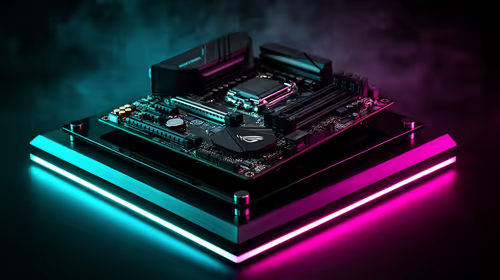
Having two high-speed storage slots directly on your board is no longer just a luxury. It is an absolute necessity for modern computing. When you explore our massive range of motherboards, you will quickly notice that dual slots are becoming the gold standard. But who actually needs to utilise both of them right out of the gate?
Content Creators and Video Editors
If you edit 4K video or work with massive 3D renders, you know the pain of slow load times. A dual M.2 setup allows you to use one drive purely for your operating system and daily applications. The second drive acts as a dedicated scratch disk for your active projects. This setup prevents bottlenecking... keeping your workflow buttery smooth. Many local creators rely on premium ASUS Intel motherboards specifically to handle these intense, sustained data transfers without breaking a sweat.
Hardcore Gamers and Streamers
Modern games are enormous. Titles like Call of Duty or Cyberpunk 2077 easily eat up hundreds of gigabytes of precious space. If you are streaming while gaming, your primary storage drive works overtime. By splitting your OS and your game library across two separate NVMe drives, you ensure that background Windows updates do not cause frame drops or stuttering in-game. Whether you are building a custom rig from scratch or looking at top-tier gaming PC deals, having that second slot means you can easily expand your storage later when your Steam library inevitably grows. ✨
Power Users and Heavy Multitaskers
Maybe you are running virtual machines, compiling heavy code, or managing massive databases. These complex tasks require rapid read and write speeds. Pairing a dual NVMe setup with high-speed RAM kits ensures your system never hangs when juggling multiple heavy applications at once. For these demanding users, reliable ASUS AMD motherboards offer incredible PCIe lane distribution... making sure both drives run at absolute peak performance.
Storage Pro Tip 🔧
Always install your operating system on the primary M.2 slot closest to your CPU. This specific lane usually connects directly to the processor rather than the motherboard chipset. It gives you the absolute lowest latency and the fastest possible boot times.
Future-Proofing Your Investment in South Africa
Upgrading your storage later can be a massive headache if you only have one slot available. You would have to buy an external enclosure, clone your primary drive, carefully swap it out, and hope everything boots correctly. With a second slot, you just plug in a new drive, format it in Windows, and you are good to go. It literally takes two minutes and requires nothing more than a small screwdriver.
Considering a quality 1TB NVMe drive can cost around R1,200 to R1,800 ZAR today, adding a second drive later is a highly cost-effective upgrade path. You do not have to discard your original drive to get more space.
So, which users benefit most from dual M.2 NVMe slots on an ATX motherboard? Ultimately... anyone who values lightning-fast speeds, stress-free expansion, and a completely stutter-free experience.
Ready to Build Your Dream Rig?
Do not let slow storage hold you back from peak performance. Whether you are a hardcore gamer or a professional creator, we have the perfect foundation for your next build. Explore our massive range of motherboards and step into the future of high-speed computing today.