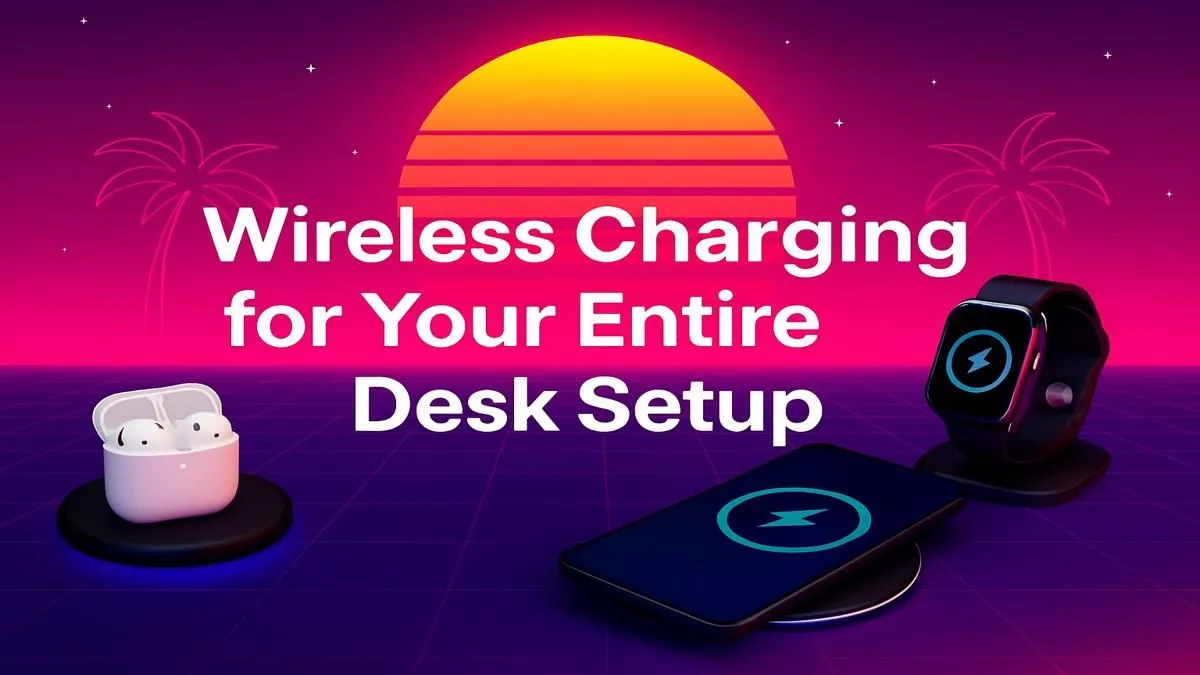
Tired of that tangled mess of cables cluttering your epic gaming rig? We get it. In South Africa, a clean battle station is a happy battle station. Imagine a desk where your phone, mouse, and headset power up just by placing them down. This isn't science fiction... it's the reality of a wireless charging desk setup. It’s simpler than you think to achieve this sleek, cable-free gaming paradise, and we'll show you how. ✨
Why a Wireless Charging Desk Setup is Worth It
Let's be honest, cable management is a mission. Even with the best routing, you're still left with stray USB-C and Lightning cables creating visual noise. A proper wireless charging desk setup solves this instantly.
The primary benefit is pure, uncluttered aesthetics. Your desk looks cleaner, more professional, and lets your awesome rig be the star of the show. But it's also about convenience. No more fumbling for the right cable in the dark during a late-night session. Just drop your phone on the pad and let it juice up. This also reduces wear and tear on your device's charging ports over time. It's a small change that makes your entire setup feel more modern and streamlined, turning your desk into more than just a place to play... it becomes a statement.
The Core Components for a Cable-Free Desk
Building your dream cable-free desk doesn't require a complete overhaul. It's about choosing a few key pieces of gear that work together seamlessly.
The Heart of the Setup: The Charging Pad
This is your main power hub. You have a few options:
- Flat Pads: Simple, minimalist, and perfect for placing your phone down.
- Stands: These prop your phone up, making it ideal for checking notifications or watching media while it charges. Many are powerful enough to be considered essential gaming accessories.
- Multi-Device Chargers: The ultimate solution. These often have dedicated spots for your phone, wireless earbuds, and smartwatch, all charging from a single power source.
Most modern chargers use the universal Qi (pronounced "chee") standard, so they're compatible with the vast majority of new smartphones and devices.
Expanding Your Wireless Ecosystem
Your phone is just the beginning. To complete your wireless charging setup, look for peripherals that cut the cord. Many high-performance gaming mice (like those from Logitech and Razer) now support wireless charging through their specific mousepads. Some premium headsets also offer Qi charging bases, eliminating yet another pesky USB cable from your life. By investing in a few key components from Evetech's wide range of chargers, you can get tantalisingly close to a truly wire-free experience.
Choosing the Right Wireless Charger in South Africa
Not all chargers are created equal. When browsing, here’s what to look for to ensure you get the best performance for your hard-earned Rands.
Power & Speed (Wattage)
Wattage (W) determines charging speed. Standard Qi charging starts at 5W, which is fine for overnight charging. For a quicker boost, look for chargers that support 7.5W (for iPhones) or 10W/15W (for many Android devices). Always check what your specific device supports to get the maximum speed. When in doubt, a higher wattage charger is generally a safe bet, as it will only deliver the power your device can safely handle. You can find excellent, high-speed options from top brands like Promate, which offer a great balance of performance and price.
Pro Tip: Mind the Gap! ⚡
Your phone case can affect wireless charging performance. Most thin plastic or silicone cases (under 3mm) are fine. However, thick, rugged cases or those with metal plates or pop sockets on the back will likely block the connection. If your phone isn't charging, the first thing to try is removing the case.
Safety and Build Quality
A good wireless charger should have built-in safety features like over-voltage protection, temperature control, and foreign object detection (so it won't try to charge your keys!). Stick to reputable brands to ensure you're getting a safe, reliable product that won't damage your expensive tech. Investing a little more in a quality charger is always a smart move for your peace of mind.
Putting It All Together 🏆
Ready to build your own wireless charging desk setup? It's a simple, rewarding project.
- Assess Your Gear: Make a list of all your devices that support wireless charging (phone, earbuds, mouse, etc.).
- Pick Your Spot: Decide where on your desk is the most natural place to drop your phone. This will determine if a flat pad or a stand is better for you.
- Select Your Charger(s): Based on your needs, choose your main charger. If you have multiple devices, a 3-in-1 station might be the most efficient choice. Don't be afraid to mix and match; you can always check out these Promate chargers for reliable single-device solutions.
- Manage the Final Cable: Your wireless charger itself still needs power! Route its cable cleanly behind your desk or through a grommet hole for that ultra-clean, professional look.
And that's it! You've successfully decluttered your space and created a more functional, futuristic gaming environment.
Ready to Cut the Cords?
A clean, cable-free desk isn't just a dream... it's an upgrade that boosts your focus and style. From powerful multi-device pads to sleek stands, the perfect wireless charging setup is waiting for you. Explore our massive range of gaming accessories and build the ultimate battle station today.