New demonstrations using Chinese-made CXMT memory have reached two eye-catching points: DDR5-9000 operation and tight DDR5-6000 CL28 timings. They show technical progress, but neither result is a retail guarantee. For a South African builder, stable capacity and platform fit still matter more than an isolated record.
Quick Answer
A Colorful 48GB kit built with CXMT memory was shown running at 9,000 MT/s on a two-slot X870E motherboard with a Ryzen 9 9950X3D. Separate testing showed DDR5-6000 at CL28 and CL30. CXMT's own current product page lists DDR5 parts up to 8,000Mbps, so the 9,000 MT/s result should be treated as an overclocking demonstration rather than a normal retail specification. The 18 August Evetech DDR5 memory range included 16GB kits from R3,799, a 24GB DDR5-8000 module at R6,999 and sampled 32GB DDR5-6000 kits from R8,199.
🧪 What the two demonstrations prove
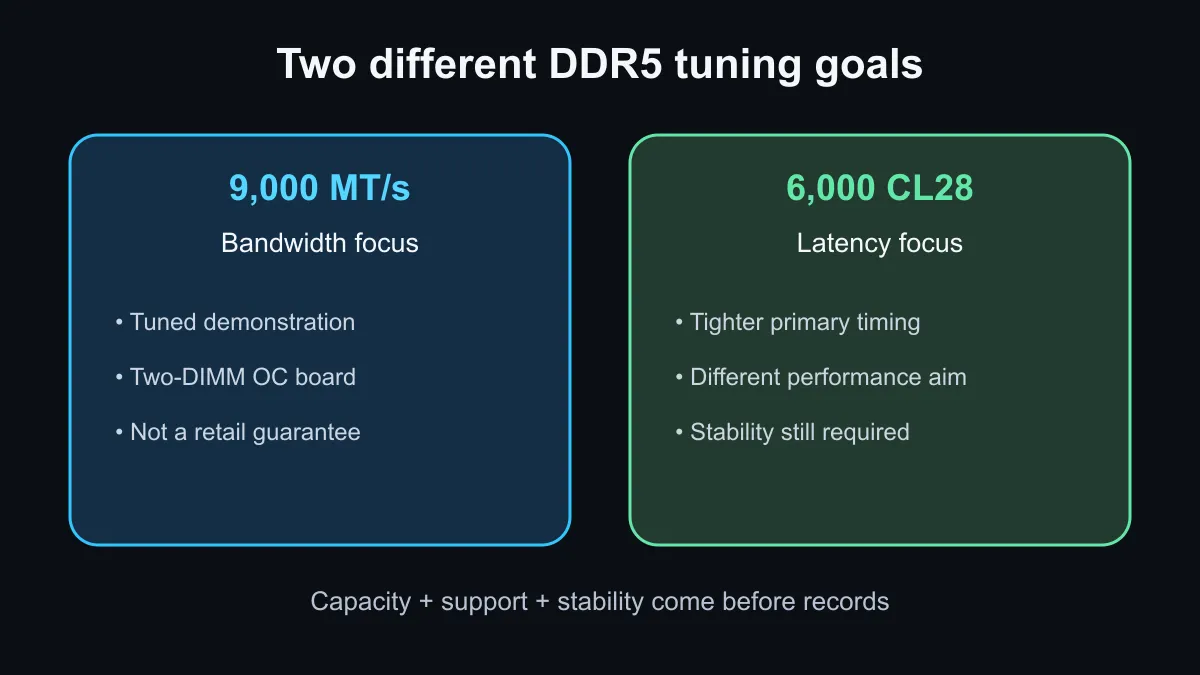
The 9,000 MT/s result used a 48GB kit made from two 24GB modules, a Colorful iGame X870E Vulcan W OC motherboard and an AMD Ryzen 9 9950X3D. That two-DIMM board is built for memory tuning, and the result reportedly passed a stability test. It is useful evidence that the memory can operate at a high data rate on a carefully selected setup.
The CL28 result answers a different question. DDR5-6000 with tighter timings can reduce latency without pushing the memory controller to the edge of its speed range. A high frequency and a low timing number are not directly interchangeable, so buyers should not rank kits using only one figure. Total latency, secondary timings, controller ratios and application behaviour all contribute.
🧠 Match memory to the processor
Memory overclocking depends on the exact processor sample, motherboard layout, firmware and kit. A result on a two-slot overclocking board does not promise 9,000 MT/s on a four-slot mainstream board. Filling four modules can also be harder on the memory controller than using a matched two-module kit.
For an AMD gaming system, DDR5-6000 is often a practical target because it balances data rate, controller behaviour and broad kit availability, but the motherboard's qualified list and the processor specification remain the safe starting points. Intel systems have different tuning headroom and ratios. In both cases, apply the memory profile, update firmware when appropriate and test stability before trusting important work to the machine. The general memory catalogue helps compare capacity and module count across current stock.
💸 Spend on capacity and stability first
The local snapshot shows why headline speed needs context. A 16GB DDR5-5600 kit was R3,799 and a 16GB DDR5-6000 kit was R3,999. A 24GB DDR5-8000 module was R6,999. Sampled 32GB DDR5-6000 kits were R8,199 and R8,499. These are exact captured listings, not prices for the demonstrated Colorful kit.
A gaming build with too little memory can stutter or close background tasks no matter how high the data rate. Content creation, virtual machines and large projects can benefit from 32GB or more before they benefit from extreme tuning. Choose the needed capacity, prefer a matched kit and preserve a return path to default settings if an overclock is unstable.
The DDR5 upgrade-kit page is a useful local comparison point. Wait if you specifically want CXMT-based retail kits and independent testing. Buy a current validated kit if the PC is ready now, using the motherboard support list and real workload as the decision rather than a record number.
Frequently Asked Questions
Is DDR5-9000 now a standard CXMT specification?
No. CXMT currently lists parts up to 8,000Mbps, while the 9,000 MT/s result was a tuned demonstration.
Is DDR5-6000 CL28 faster than DDR5-9000?
They optimise different things. One uses tighter latency at a lower rate, while the other pushes bandwidth higher.
Will every X870E motherboard run 9,000 MT/s?
No. Memory results depend on the board layout, processor sample, firmware, kit and settings.
What should most buyers prioritise?
Choose enough capacity, a supported matched kit and proven stability before paying for extreme speed.
Tuning a new DDR5 build? Pick the capacity first, check the board support list, then test the memory profile before chasing higher clocks.