


The Goodram Master SSD arrives with a striking transfer-speed claim, but the useful question is what you move every day. A large video project and a small game update put different demands on storage. Before a South African buyer pays for another generation of NVMe, the motherboard slot, capacity and cooling deserve as much attention as the number on the box.
Quick Answer
Goodram has announced 1TB and 2TB PCIe 5.0 models with up to 14,000MB/s sequential reads. The 2TB version has a higher write rating, while local alternatives provide a real budget reference: Evetech listed the XPG MARS 970 PLUS at R4,599 for 1TB and R7,399 for 2TB on 16 September. Those are separate products, not prices for Master.
💾 Capacity affects more than free space
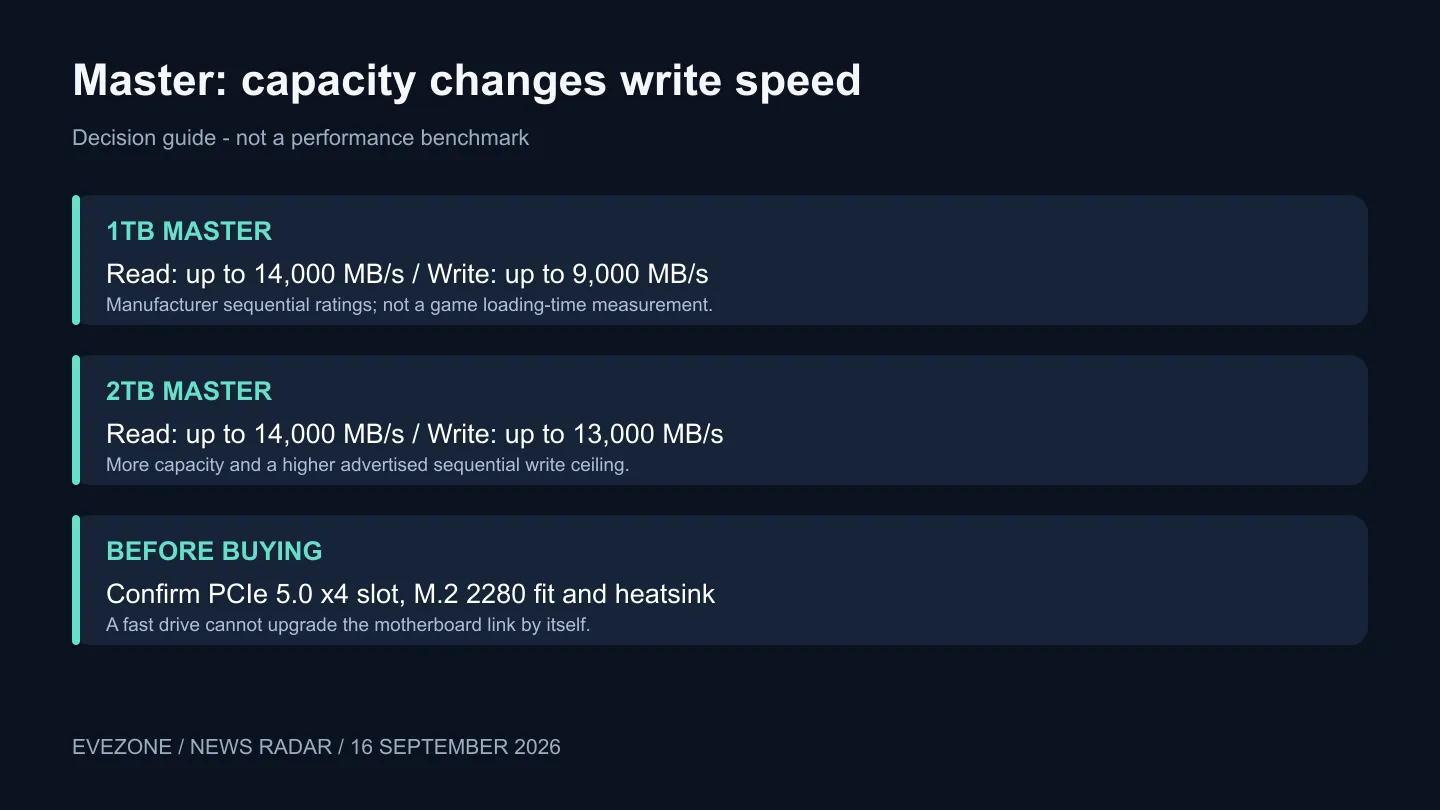
The smaller Master carries an advertised sequential write ceiling of 9,000MB/s, compared with 13,000MB/s for the 2TB model. Both quote the same maximum read figure. If your work involves copying large batches onto the drive, that distinction belongs on your shortlist alongside capacity. It would be misleading to attach the larger model's write number to the whole range without qualification.
These are manufacturer ratings, not our measurements. They do not tell you how quickly every game starts or whether a long copy holds its initial pace. A sensible comparison uses the actual capacity you plan to buy and the workload you repeat, rather than mixing a flagship result with a cheaper configuration.
Start with the current SSD selection and calculate how much room your installed games, projects and backups already occupy. Paying for speed while leaving yourself too little working space is an awkward upgrade: you still spend time moving files off the machine.
🔧 Check the slot and the cooling plan
Master uses a single-sided M.2 2280 design and a PCIe 5.0 x4 interface. Goodram describes it as suitable for the heatsinks integrated into modern motherboards. Read your exact board's storage section before purchase: the physical connector alone does not establish the link speed, lane arrangement or clearance available in a particular position.
The B850 motherboard range is a place to compare complete platform options, but the chipset name is not a substitute for each board's slot specification. Work out which slot you would actually use, whether its heatsink is included and how it sits around the graphics card. Do that before treating the drive's peak number as a system-wide improvement.
Keep the installation practical. Save a verified backup before moving an operating system or important projects, and follow the motherboard instructions for its thermal pads and mounting hardware. A new drive should solve an identifiable bottleneck, not introduce a rushed migration with your only copy of a project at risk.
🎮 Buy for transfers, not a frame-rate promise
DirectStorage support is listed, but compatible software still matters. Nothing in this launch establishes a universal increase in gaming frame rates. If your current machine runs games smoothly and the main problem is a full library, prioritise capacity and the total installed cost. If you repeatedly transfer large working files, fast storage deserves a more detailed comparison.
The captured local XPG pair was marked in stock with Evetech. That gives a dated alternative to price against, not a complete market minimum or a promise that stock will remain unchanged. Obtain a current quote for the exact Master capacity before deciding whether its extra headroom is worth waiting for.
Also separate storage from backup. Two fast drives in one PC can improve convenience, but they do not automatically give you a recoverable copy if a file is deleted or the machine fails. Include your backup destination in the budget instead of spending the entire allocation on the fastest primary drive.
Frequently Asked Questions
Is the 1TB model slower than the 2TB model?
Its advertised sequential write ceiling is lower. The read ceiling is the same, so describe the difference by operation rather than calling one universally slower.
Does the five-year warranty remove endurance limits?
No. Goodram calls it a limited warranty subject to the TBW limit. Check the exact capacity's terms before planning a heavy writing workload.
Should I replace a working SSD immediately?
Only if you can name the problem the replacement solves. Measure your space needs and usual transfers first, then compare the cost of the complete upgrade.
Plan storage around the files you actually move. Compare Evetech's NVMe capacities and your motherboard's storage layout before choosing the next drive for your PC.









