Leaning back to laugh or turning towards a second screen can change how a desk microphone hears you. Logitech Yeti 2 targets that everyday streaming problem with voice tracking and automatic sound adjustment. The useful question is whether those tools improve your recordings enough to justify replacing equipment that already works.
Quick Answer
Yeti 2 combines voice proximity sensing, automatic processing and AI noise reduction in a USB-C microphone. Treat those as features to audition, not proof that your room will sound perfect. The 25 September 2026 Evetech snapshot showed the in-stock Razer Seiren V3 Chroma at R2,999, providing a local USB-microphone budget reference rather than a Yeti 2 price.
🎙️ Understand what follows your voice
Logitech describes sensing the speaker's position in three dimensions and adjusting gain, EQ and pickup behaviour in response. The intended benefit is more consistent speech when your posture changes. It is still worth keeping a comfortable, repeatable speaking position: an automatic system should help your routine rather than become an excuse to record from an awkward distance.
For a first microphone, compare the practical setup with current microphones. Think about where the mic will sit, whether it obscures your screen and where its cable will run. A device that is easy to keep near your voice may solve more of your problem than a longer feature list on one pushed behind the keyboard.
🎧 Listen to processing as well as silence
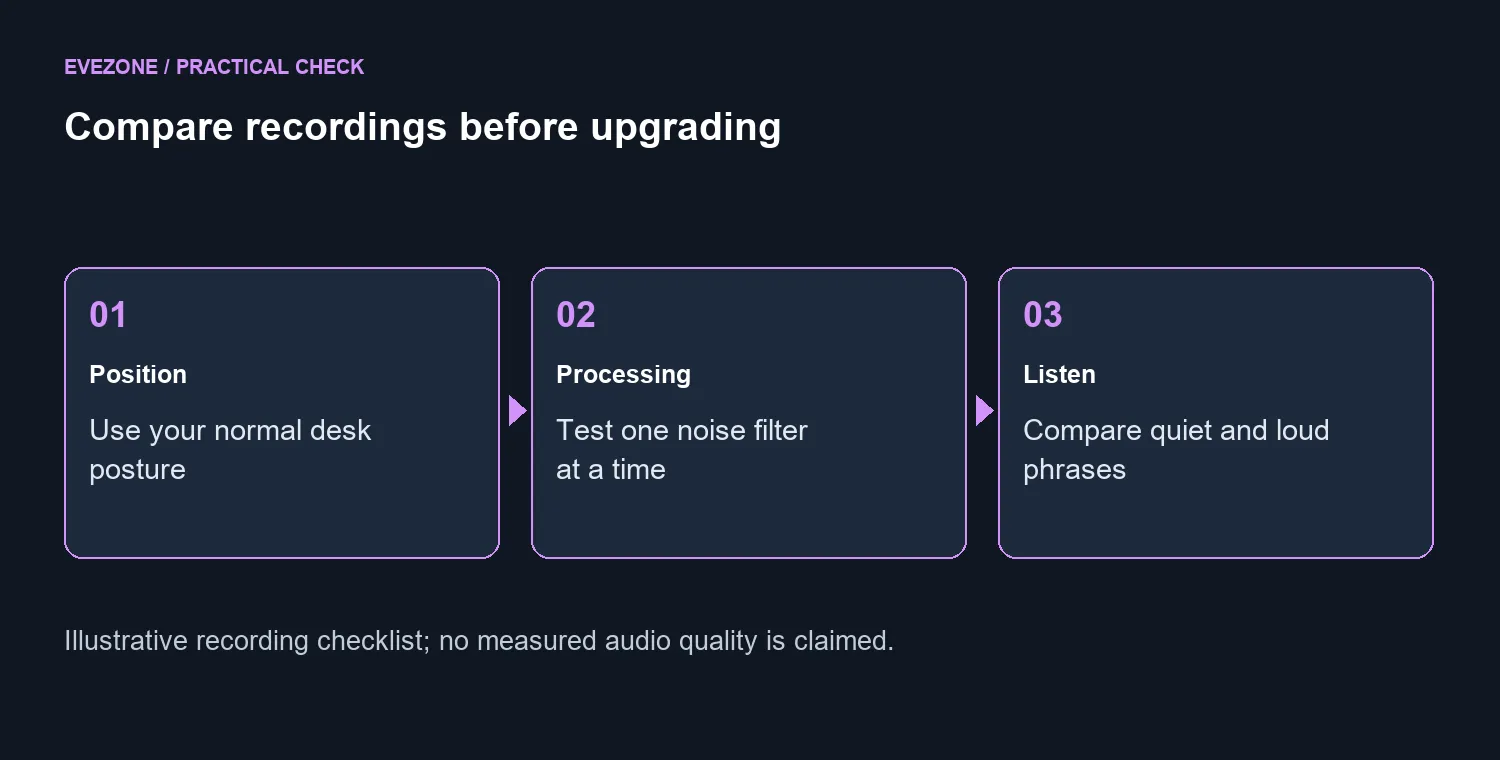
Noise reduction is meant to reduce distractions such as keyboard sounds and fan noise. However, the test that matters is a recording of your own voice with the actual room in the background. Include a quiet sentence, an excited response and a short pause. Listen for missing word endings, unnatural changes in volume or an obvious change in tone as you move.
Keep the comparison simple. Use the same script and position, change one processing setting, then listen again at a similar playback volume. If your chat or recording software also applies noise treatment, check which layer is active before stacking adjustments. Otherwise you can end up comparing several changed settings without knowing which one helped.
🎛️ Decide where you want the controls
The product page describes plug-and-play USB-C operation, an onboard display and a dial, with deeper control through G HUB. That combination may suit someone who wants quick changes during a session without constantly opening a software window. Consider whether you will actually use the physical controls while recording, and whether the display is visible from your normal seat.
No external mixer is required for the advertised USB setup. That can make a simple desk easier to manage, but it does not decide every workflow. If several people share a room or you already route multiple audio sources, list what must connect and where each sound is recorded before choosing your next device.
🪑 Spend on the problem you can identify
A headset microphone may still be the sensible choice for someone who moves around while talking to friends. Browse gaming headsets if keeping the microphone close to your mouth matters more than putting a studio-style object on the desk. Conversely, a standalone mic can be useful when you want to choose headphones separately from the recording device.
The local R2,999 comparison gives an existing purchase a concrete cost. It does not establish the new microphone's SA launch price, stock or delivery date. Logitech says regional pricing and timing are announced separately. Keep that uncertainty in your budget, and record a sample with your current setup before deciding that the new automatic features answer a problem you actually have.
Frequently Asked Questions
What does the voice proximity sensor do?
Logitech says it tracks the speaker in three dimensions and adjusts gain, EQ and pickup behaviour in real time.
Does it require an external audio mixer?
The product page describes USB-C plug-and-play operation without a separate mixer or preamp.
Can I change settings on the microphone?
Yes. The onboard display and dial expose controls, with additional settings available through G HUB.
Will noise reduction fix every bad room?
No. Compare recordings in your own room; microphone position and reflective surfaces still affect the result.
Make the next recording easier to manage Explore Evetech microphones after listening to your current room and deciding which controls you need.