A screen can be sharp enough for tiny text or quick enough for a competitive match without offering both advantages at once. MSI MAG 271KPD7 makes that choice explicit: its two modes trade resolution for refresh rate. With the Japanese launch bringing it back into the news, South African buyers should start with the mode they will actually use most.
Quick Answer
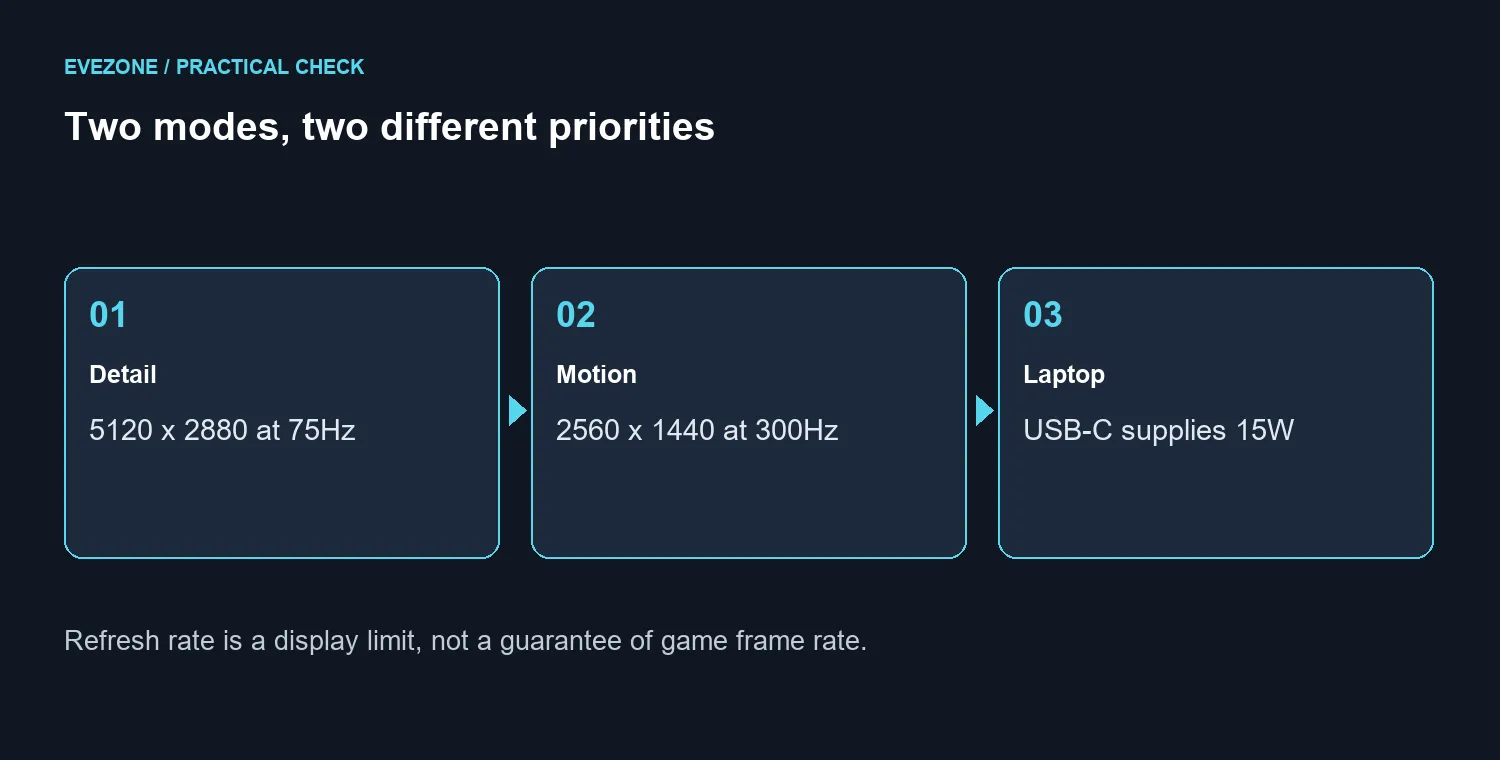
Choose 5K at 75Hz for fine detail, or WQHD at 300Hz when motion clarity matters more than pixel count. Neither setting is 5K at 300Hz. For a local budget comparison, Evetech listed the different Lenovo Legion 27Q-10 QHD 240Hz monitor in stock at R5,099 on 25 September 2026; that is not an MSI launch price.
🖥️ Plan around your main task
The 26.9-inch Rapid IPS panel has a native 5120x2880 resolution. That can make small interface elements and fine lines easier to distinguish, provided you choose sensible scaling. It does not mean every programme suddenly becomes comfortable at its smallest text setting. Think about viewing distance and how long you read on the screen, rather than treating more desktop space as an automatic benefit.
The other mode is 2560x1440 at 300Hz. A player who spends evenings in fast matches may value that option more than a higher-resolution desktop. Someone editing photographs between occasional games may spend much longer in 5K mode. Write down which use describes you before comparing gaming monitors, because buying for the less common task can leave you paying for a feature you rarely select.
🎮 Keep rendering demands separate
The 5K mode contains four times as many pixels as WQHD: both its width and height are doubled. That arithmetic explains why the two modes place different demands on rendering. It does not provide a benchmark, and it cannot predict a particular game's frame rate. Graphics settings, upscaling, the processor and the game itself all affect the result.
Before upgrading a graphics card, record how your current PC behaves in the games you play. A demanding single-player title and a lightweight competitive title are different tests. Decide whether you would accept reducing image quality for responsiveness, or whether you would rather keep detail and accept a lower refresh target. The monitor's maximum is an available setting, not a promise that your system will fill it.
🔌 Check the laptop and desk connections
MSI lists HDMI 2.1, DisplayPort 1.4a and USB-C with DisplayPort Alt Mode. The USB-C power allowance is 15W. Check your laptop's own charging requirement before planning a one-cable desk; keep its normal charger available if the monitor cannot supply what it needs. A matching connector shape alone is not enough to settle video capability or charging.
The built-in KVM is useful when one keyboard and mouse need to move between computers. Work out which USB upstream connection belongs to each machine before assuming that changing the picture also changes every accessory. This is a desk-planning check, not a reason to discard a working switch or dock without testing your present setup.
For an SA purchase, compare the complete cost with current monitor best sellers. The R5,099 example is a budget anchor for an existing QHD option, not a like-for-like substitute or a guarantee of tomorrow's price. An overseas release does not establish local arrival, stock or warranty terms. Wait for those details if this exact model is the reason for the purchase.
Frequently Asked Questions
Does it run 5K at 300Hz?
No. The specified modes are 5120x2880 at 75Hz and 2560x1440 at 300Hz.
What panel does it use?
MSI lists a flat 26.9-inch Rapid IPS panel, with 218 pixels per inch in its native 5K mode.
Can its USB-C port replace a laptop charger?
It supplies 15W. Compare that with your laptop charging requirement; do not assume it replaces the original power supply.
Is the Japanese launch a South African release?
No. An overseas launch does not establish local stock, warranty arrangements or a South African price.
Ready to choose your display mode? Compare Evetech monitors around the resolution, refresh rate and connections you will use most.