



An ultrawide monitor changes both the view and the work your graphics card must do. The Philips Evnia 34M2C8600P pairs a wide OLED image with a high refresh ceiling, making it an interesting prospect for a desk used for racing, adventures and everyday windows. The buying decision needs more than the largest number on the specification sheet.
Quick Answer
This Philips display combines a 34-inch QD-OLED panel, 3440 x 1440 resolution and 280Hz refresh. Evetech's 18 September 2026 catalogue listed separate 27-inch OLED alternatives at R9,999 and R10,999; neither price belongs to the new Philips. Decide whether you need the wider image before comparing refresh rate, GPU demands and the final local offer.
🖥️ Work out what the extra width buys you
The panel's wider format can keep two useful windows beside each other or give a supported game more horizontal space. That benefit depends on what you actually run. A favourite title may handle its interface, cutscenes and field of view differently from another game, so investigate the specific games that will occupy most of your time.
For desktop work, consider your seating distance and how often you turn towards the edges. A screen that suits a deep desk may feel crowded on a shallow one. Measure the usable width, the stand footprint and the space occupied by speakers before deciding that 34 inches will fit comfortably.
The gaming monitor selection makes more sense when you compare these physical choices first. A smaller screen may suit competitive play, while a wide desktop may be worth more to someone who keeps a timeline and preview visible together. Neither preference is a universal upgrade rule.
🎮 Budget for pixels as well as refresh rate
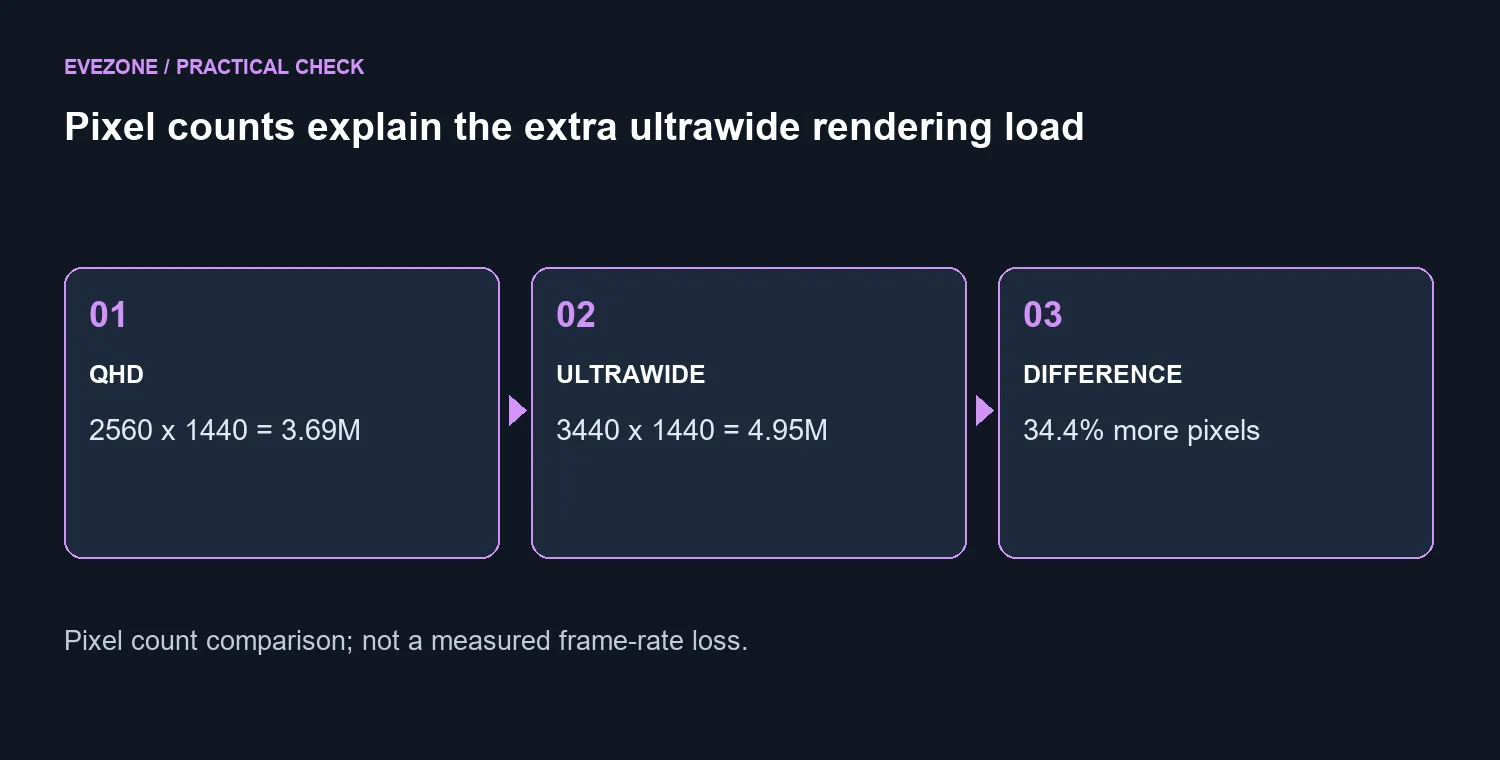
Multiplying the two resolution dimensions gives 4,953,600 active pixels. Standard 2560 x 1440 QHD has 3,686,400, so the ultrawide image contains roughly 34.4% more pixels. This is a simple workload comparison, not a prediction that your frame rate falls by that exact percentage.
A 280Hz ceiling also does not mean your PC generates 280 unique frames each second. Choose a game you know, identify the settings you are willing to adjust and look for relevant performance measurements at the intended resolution. Do not base the purchase on a lower-resolution benchmark without accounting for the change.
If an eventual graphics upgrade is part of the plan, compare the combined cost rather than treating the monitor as an isolated purchase. Browse graphics cards only after identifying the performance you want from your actual games. A display upgrade can still be enjoyable at lower frame rates, but that should be a deliberate choice.
🌈 Treat OLED care and local terms as part of ownership
Philips lists DisplayHDR True Black 500 for this model. Its specification also describes several HDR modes. Those labels help identify capabilities, but they do not replace seeing how the display behaves with the content and room lighting you use each day.
The exact model has its own support page, quick start guide and important information manual. Use those documents to check setup and care rather than borrowing instructions from another Evnia model with a similar name. Read the regional warranty that comes with the unit you can actually order, including any panel-specific conditions.
There is also a useful local comparison below the ultrawide tier. At the timestamped catalogue read, the AOC Q27G41ZDP was R9,999 and the ASUS ROG Strix XG27AQDMG was R10,999, both marked in stock. These are 27-inch QHD alternatives, not direct matches for the Philips format. Their value is in showing what a different size decision could leave in your build budget.
Frequently Asked Questions
Is this the same pixel count as ordinary QHD?
No. The height is 1440 pixels, but the width increases to 3440. That extra horizontal area is why ordinary 1440p results are an incomplete performance comparison.
Will every game fill the screen correctly?
Check each important title for ultrawide support. Gameplay, menus and video sequences can behave differently, even within one game.
Should I buy this only for 280Hz?
Choose it for the complete display format and your use case. A high refresh ceiling is less useful if the games or connection you use cannot take advantage of it.
Is the quoted Rand figure a preorder price?
No. The local prices refer to named alternative monitors checked on 18 September. No South African price or delivery date for this Philips model is asserted here.
What should I do when setting it up?
Follow the model-specific instructions, select the correct resolution and supported refresh setting, and review the panel-care options. Keep your purchase documentation with the regional warranty details.
Choosing between a wide view and a smaller OLED? Compare Evetech gaming monitors around desk space, the games you play and the total display-plus-GPU budget. Let the format solve a real need.










