You’ve just dropped some serious ZAR on a new graphics card, hoping for buttery-smooth frames in your favourite battle royale. But you’re still hitting frustrating stutters and lag spikes. What gives? Often, the bottleneck isn’t just your hardware… it’s the digital clutter running in the background. This is where gaming PC optimization software comes in, promising to clean up, speed up, and streamline your rig for peak performance. But does it actually work?
What is Gaming PC Optimization Software?
At its core, gaming PC optimization software is a suite of tools designed to free up system resources—like RAM and CPU cycles—so your games can use them instead. Think of it as a digital personal trainer for your PC. It automates tasks that you could do manually, such as:
- Temporarily shutting down non-essential background processes.
- Cleaning out temporary files and junk data.
- Updating drivers to ensure maximum compatibility and performance.
- Tweaking hidden Windows settings for lower latency.
For many South African gamers, these tools can be a quick fix for a sluggish system, especially if you aren’t comfortable digging into the Windows Registry or BIOS yourself.
Software Tweaks vs. Hardware Realities 🚀
Here’s the hard truth: optimisation software can only work with the hardware you’ve got. It can’t magically turn a dual-core processor into a multi-threaded beast. If your performance issues are deep-rooted, software is just a plaster on a bigger problem.
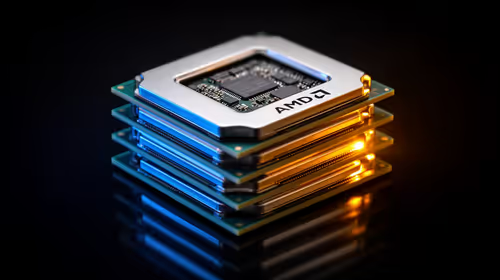
A common issue is a CPU bottleneck, where your processor can't keep up with your powerful GPU. No amount of software tweaking can fix this hardware mismatch. If you suspect this is the case, it might be time to look at what a modern CPU can do. Exploring the latest CPU processors online is the first step toward a truly balanced and powerful rig.
Sometimes, the best optimisation is a foundational upgrade. A cohesive system where the motherboard, RAM, and CPU work in perfect harmony is crucial. For Team Red fans, bundling core components with one of our AMD barebone kits can provide a massive performance uplift. Likewise, those loyal to Team Blue can build a powerful new foundation with our Intel barebone kits, ensuring every component can reach its full potential.
Our Top 3 Manual Optimisation Tips (No Software Needed!)
Before you download any third-party tools, try these proven manual tweaks. They cost nothing and can deliver noticeable results. ✨
1. Tame Your Startup Programs
Every app that launches with Windows eats up resources.
- Press
Ctrl + Shift + Esc to open Task Manager. - Go to the "Startup" tab.
- Disable any non-essential programs you don't need running immediately (e.g., Spotify, Discord, Steam—you can open them when you need them).
2. Update Your Graphics Drivers
This is the single most important thing you can do for gaming performance. NVIDIA, AMD, and Intel regularly release drivers with specific optimisations for new games. A fresh driver can boost your frame rate significantly.
Clean Driver Install Pro Tip 🔧
For the best results, use Display Driver Uninstaller (DDU) to completely remove your old graphics drivers before installing new ones. This free utility wipes every trace of the old driver, preventing conflicts and potential performance issues. Always run it in Windows Safe Mode for the best effect.
3. Enable XMP or EXPO in your BIOS
Your high-speed RAM might be running at a much slower default speed. Extreme Memory Profile (XMP for Intel) or Extended Profiles for Overclocking (EXPO for AMD) is a one-click setting in your PC’s BIOS/UEFI that unlocks the advertised speed of your memory. It’s a simple, safe overclock that can give you a free performance boost, especially in CPU-intensive games.
Ultimately, the best gaming PC optimization software is a combination of smart hardware choices and good digital hygiene. These tools can help maintain your system, but they are most effective when they’re enhancing an already capable machine.
Ready to Unlock True Performance?
Gaming PC optimization software is a great first step, but it can't create power out of thin air. When you're ready to move beyond software tweaks and truly upgrade your rig, we've got you covered. Explore our massive range of PC components and build the machine that will conquer any game you throw at it.