You’re in the final circle of a tense Warzone match. The enemy peeks, you line up the perfect shot… and your screen tears, throwing your aim off for a split second. It’s enough. You’re back in the lobby, cursing the stutter that cost you the win. Sound familiar? This is where Variable Refresh Rate (VRR) technology comes in, and the big question for South African gamers is: HDMI VRR vs FreeSync—which one do you need for buttery-smooth gameplay?
Understanding the Enemy: Screen Tearing & Stutter
Before we dive into the HDMI VRR vs FreeSync debate, let's quickly break down the problem they solve. Screen tearing happens when your graphics card (GPU) sends out frames at a different rate than your monitor can display them. The result is a jarring visual glitch where two different frames are shown on the screen at once. It’s distracting, ugly, and can seriously impact your performance.
VRR is the solution. It allows your monitor to dynamically adjust its refresh rate to match the frame rate of your GPU in real-time. This synchronisation eliminates tearing and stutter, giving you a fluid, responsive experience. Investing in one of the latest PC monitors with VRR is one of the biggest upgrades you can make to your gaming setup. 🚀
The Main Event: HDMI VRR vs FreeSync Explained
While both technologies aim for the same goal, they get there in slightly different ways. The choice between FreeSync vs HDMI VRR often comes down to the hardware you're using.
What is HDMI VRR?
HDMI VRR is a feature built directly into the HDMI 2.1 specification. Think of it as a baseline, open standard for adaptive sync. Its biggest advantage is for console gamers. If you own a PlayStation 5 or an Xbox Series X/S, a TV or monitor with HDMI 2.1 is essential to unlock that smooth, tear-free gameplay. This feature is a must-have if you're looking at any of the stunning 4K monitors for your next-gen console.
What is AMD FreeSync?
AMD FreeSync is AMD's own adaptive sync technology. While it's developed by AMD, it’s an open standard, meaning monitor manufacturers don't have to pay a licensing fee to include it. This often makes FreeSync monitors more affordable. It works over both DisplayPort and HDMI connections and comes in three tiers:
- FreeSync: The basic level, eliminating tearing and stutter.
- FreeSync Premium: Adds a requirement for at least a 120Hz refresh rate at 1080p resolution and includes Low Framerate Compensation (LFC), which keeps gameplay smooth even when your FPS drops below the monitor's minimum refresh rate.
- FreeSync Premium Pro: Includes everything from Premium, plus specific optimisations for HDR (High Dynamic Range) content, ensuring brilliant colour and contrast without added latency.
You can browse all our gaming monitors to see the wide variety of FreeSync options available.
HDMI VRR vs FreeSync: The Key Differences
So, which gaming monitor tech should you back? The decision hinges on your gaming ecosystem. For console players, the choice is simple: HDMI VRR is the feature you need. For PC players, the HDMI VRR vs FreeSync comparison is more nuanced.
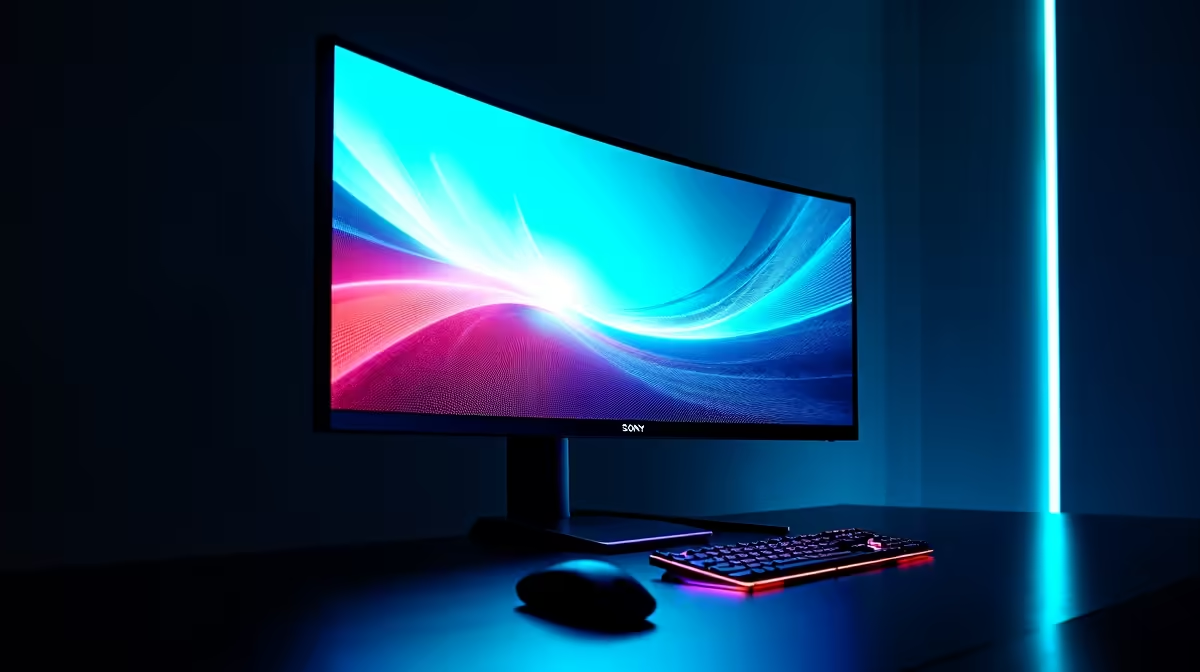
Most modern AMD and NVIDIA graphics cards support FreeSync (often labelled as "G-Sync Compatible" on the NVIDIA side). This makes FreeSync the more versatile and often more budget-friendly choice for PC builds. You can find it on everything from standard displays to immersive curved monitors designed to pull you right into the action. ✨
Cable Check! 🔧
get the full benefit of HDMI 2.1 features like VRR at 4K@120Hz, you need an Ultra High Speed HDMI cable. Using an older, lower-spec cable can lead to signal dropouts or prevent features from working correctly. Don't let a R200 cable bottleneck your R20,000 setup! Check your cables and other [monitor accessories](https: www.evetech.co.za PC-Components buy-monitor-accessories-368) to ensure you're getting the performance you paid for.
Making the Right Choice for Your Rig
Let's simplify the decision-making process. Here’s a quick guide to help you choose the right tech for your specific setup.
- You're a PS5 or Xbox Series X/S gamer: Prioritise a monitor with an HDMI 2.1 port. HDMI VRR is the native solution for these consoles and will give you the best experience.
- You're a PC gamer with an AMD GPU: A FreeSync Premium monitor is your sweet spot. It offers excellent performance, LFC, and great value for your money in ZAR.
- You're a PC gamer with an NVIDIA GPU: Look for monitors that are officially "G-Sync Compatible." These are essentially FreeSync monitors that NVIDIA has tested and certified to work flawlessly with their GPUs.
- You need flexibility: If you game on both PC and console, or need a screen for on-the-go productivity and gaming, a monitor supporting both FreeSync over DisplayPort and HDMI VRR over HDMI 2.1 offers the best of both worlds. You can even find these features on some high-end portable monitors now.
The Final Verdict: It’s All About Your Ecosystem
Ultimately, there isn't a single winner in the HDMI VRR vs FreeSync showdown. The best technology is the one that’s compatible with your gaming hardware. For console gamers, HDMI VRR is king. For the vast majority of PC gamers in South Africa, a FreeSync or G-Sync Compatible monitor will deliver that tear-free, smooth-as-silk experience you crave.
The good news? You don't have to choose just one. Many modern monitors support both, giving you maximum flexibility. Now that you know what to look for, you can find the perfect screen for your setup. Check out the best PC monitor deals and say goodbye to screen tearing forever.
Ready to Experience Smooth Gameplay? The battle between HDMI VRR vs FreeSync is decided by your hardware. Armed with this knowledge, you're ready to pick the perfect display. Explore our massive range of gaming monitors and find the perfect screen to elevate your game today.