Stuck in a stuttering mess while your mates are clutching the win? We've all been there. That split-second freeze in the middle of a firefight is one of the most frustrating things for any South African gamer. The good news is you don't always need a complete rig overhaul to fix it. Learning how to increase FPS in South Africa for smoother gaming is about smart tweaks and understanding where your performance bottlenecks are. Let's get your frame rate climbing. 🚀
First Steps: Optimise Your Software for More FPS
Before you even think about opening your wallet, let's squeeze every last drop of performance from the software you already have. These free fixes can provide a significant FPS boost and are the foundation for a smoother gaming experience.
Update Your Graphics Drivers
This is non-negotiable. NVIDIA, AMD, and Intel constantly release driver updates that include performance optimisations for the latest games. A new driver can sometimes give you a 5-10% FPS increase overnight. Head to the official GeForce Experience, AMD Software, or Intel Arc Control panel and get the latest version installed. It's the quickest win you'll get.
Tweak In-Game Settings
Every game's graphics menu is a control panel for performance. If you're struggling for frames, it's time to make some sacrifices.
- Shadows & Lighting: These are often the biggest performance hogs. Dropping them from "Ultra" to "High" or "Medium" can claw back a huge number of frames.
- Anti-Aliasing: This smooths out jagged edges but costs a lot of performance. Try lowering it a step or two.
- Resolution: While playing at your monitor's native resolution is ideal, dropping from 1440p to 1080p will massively increase FPS. Use this as a last resort if other tweaks aren't enough.
Even the most affordable budget gaming PCs can run modern titles smoothly with the right settings, proving that optimisation is key.
Windows Pro Tip ⚡
Enable Hardware-Accelerated GPU Scheduling. In Windows 11, go to Settings > System > Display > Graphics > Change default graphics settings. Toggling this on can reduce latency and give you a small but noticeable FPS boost by allowing your GPU to manage its own video memory more efficiently.
The Hardware Equation: When Software Isn't Enough
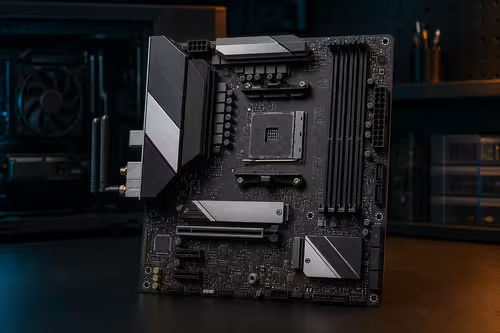
If you've optimised everything and your frames are still dropping, it's time to look at your hardware. In South Africa, getting the right components at a good price is crucial for a great gaming experience. Understanding what part does what is the first step to a smart upgrade.
Is Your CPU the Bottleneck?
Your CPU (Central Processing Unit) is the brain of your PC. In fast-paced competitive games like Valorant or CS2, the CPU is responsible for tracking player positions, physics, and more. If your CPU can't keep up with your GPU, you have a "CPU bottleneck," and your FPS will suffer no matter how powerful your graphics card is. For high-refresh-rate gaming (144Hz and above), a capable CPU is essential. This is where many gaming PCs under R20k offer a fantastic balance, pairing a solid CPU with a capable GPU.
The GPU: Your FPS Powerhouse
The GPU (Graphics Processing Unit) is the single most important component for high frame rates. It handles all the visual rendering—textures, models, and lighting that make your games look incredible. If you want to crank up the settings and resolution while maintaining a high FPS, a powerful GPU is a must. Upgrading your graphics card will almost always give you the most significant increase in gaming performance, especially in visually demanding single-player titles. Many powerful rigs over R20k are built around top-tier GPUs for exactly this reason. ✨
Putting It All Together for Smoother Gaming
So, how do you increase FPS in South Africa for smoother gaming effectively? It's a two-part strategy:
- Optimise First: Squeeze every frame you can out of your current setup using the software tweaks above.
- Upgrade Smart: Identify your weakest link. Is your CPU holding you back in esports titles, or is your GPU struggling with the latest AAA blockbuster?
Sometimes, the most cost-effective solution is a balanced, new system. Checking out excellent pre-built PC deals can save you the headache of component-matching and often provides better value. A well-configured machine ensures no single part is holding another back, giving you a consistently smooth experience right out of the box. Ultimately, the goal is to spend more time gaming and less time worrying about stutter. For a comprehensive look at what's available, browsing the best gaming PC deals is the perfect place to start your upgrade journey.
** Ready for a Lag-Free Victory? ** Stop letting low FPS cost you the game. The ultimate fix is a balanced machine built for performance. Explore our massive range of custom and pre-built gaming PCs and find the perfect rig to conquer your world.