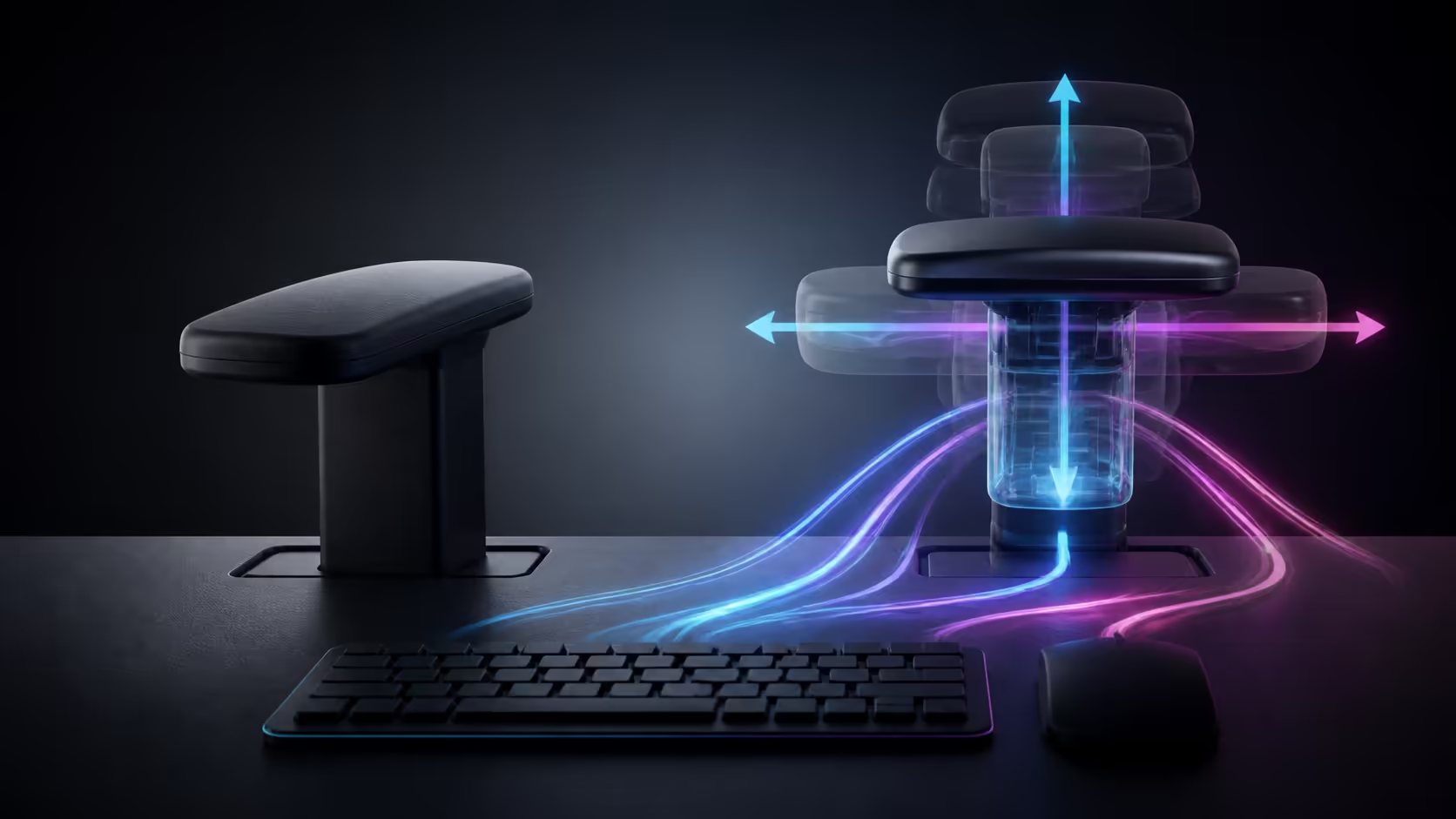
Fixed armrests give one support position; 4D armrests can follow different keyboard, mouse and controller postures. Their advantage appears only when the user tunes each direction without lifting the shoulders or blocking the desk.
Quick Answer
Choose fixed armrests when their height and spacing already fit the body and desk. Choose 4D when tasks change, the desk edge creates clearance problems or each arm needs a different position. Adjust height for relaxed shoulders, width for elbows near the torso, depth for desk access and pivot for the input angle.
What fixed armrests do well
A fixed design is simple, quick to use and less likely to be moved accidentally. It can work perfectly when the user, desk and input height align. The weakness appears when the pads sit too high, too low or too far apart, because there is little room to correct the mismatch.
Use the gaming chair collection to compare fixed and adjustable support designs.
What four directions change
Height prevents the shoulders from hanging or shrugging. Width keeps the upper arms near the ribs. Forward-and-back movement clears the desk edge or supports more forearm. Pivot follows an angled keyboard or mouse path.
At R5,299, Arozzi's standard Pink Vernazza Supersoft provides 4D armrests. Evaluate it as a standard chair, not an XL model.
Typing needs balanced support
Centre the keyboard and set both pads so the elbows remain beside the body. Support the forearms lightly without pressing the wrists against an edge. If the desk is too high, raise the chair and add a footrest rather than using high armrests to reach the keyboard.
Pads should not stop the chair approaching the desk. Move them backwards or slightly lower while keeping the shoulders neutral.
Mouse play may need freedom
Low-sensitivity aiming uses broad forearm movement. Slide the mouse-side pad back until it stops catching the elbow. A smaller mouse range may benefit from more support, provided the shoulder remains relaxed.
Keep sensitivity and desk position fixed while testing. A changed input setting can disguise whether the armrest actually improved comfort.
Controller use changes the angle
Hands usually move closer together and lower with a controller. Width and pivot adjustment can bring support towards that position. Restore the typing or mouse profile afterwards instead of forcing one arrangement on every task.
Compare premium adjustable options through gaming chairs above R4,000, and view coordinated products in the Arozzi setup range.
Coordinate lumbar and arm support
Armrests work best after the user sits fully against the backrest. Set lumbar contact first, because sliding forward changes shoulder and elbow position. Once the pelvis is stable, adjust the pads without leaning towards them.
If one forearm needs much more height, inspect keyboard tilt, mouse placement and shoulder posture before accepting a large asymmetry. Small differences are normal; a dramatic difference can point to another desk mismatch.
Test desk entry and exit
Push the chair towards the working position and confirm that the pads clear the desk without lowering the shoulders. Then stand up and sit down several times. Armrests should not trap the body or require twisting around the desk edge.
Fixed armrests can be an advantage when their shape clears the desk consistently. A 4D design adds options but also needs a repeatable saved position.
Consider sharing and adjustment drift
A shared chair benefits from clear reference settings. Count clicks, use removable markers or save a photograph for each user. Check that every control locks securely and does not drift during normal forearm pressure.
One user should not force another to retain unsuitable settings. Reset height and width before each long session, then fine-tune depth and pivot for the task.
Decide whether four directions justify cost
List the actual problems: raised shoulders, armrests too wide, desk collision or poor mouse angle. Award value only when a 4D direction addresses one of them. If fixed pads already meet the forearms and clear the desk, the budget may be better spent on overall chair fit.
Run a full work block and game with the shortlisted arrangement. Comfort that survives both tasks is stronger evidence than the number of adjustment labels.
Frequently Asked Questions
Are 4D armrests always more comfortable?
No. They help when their range fits the user and they are adjusted correctly; a well-positioned fixed pad can still be comfortable.
Which direction helps desk clearance?
Moving the pads backwards usually prevents their front edges colliding with the desk.
Should the elbows flare outwards?
No. Keep upper arms near the torso unless the task requires a wider movement.
Can each side use a different setting?
Yes. Keyboard and mouse tasks can justify small left-to-right differences while the shoulders stay level.
Deciding whether four directions solve a real desk mismatch?
Map typing, mouse and controller positions, then compare fixed support with the exact adjustments each task requires.