More charging headroom is useful only when the laptop, charger, cable, and workload can turn it into a better result. In a 60W vs 100W USB-C hub comparison, the right figure comes from the machine's requirement rather than an assumption that the larger number always wins.
Quick Answer
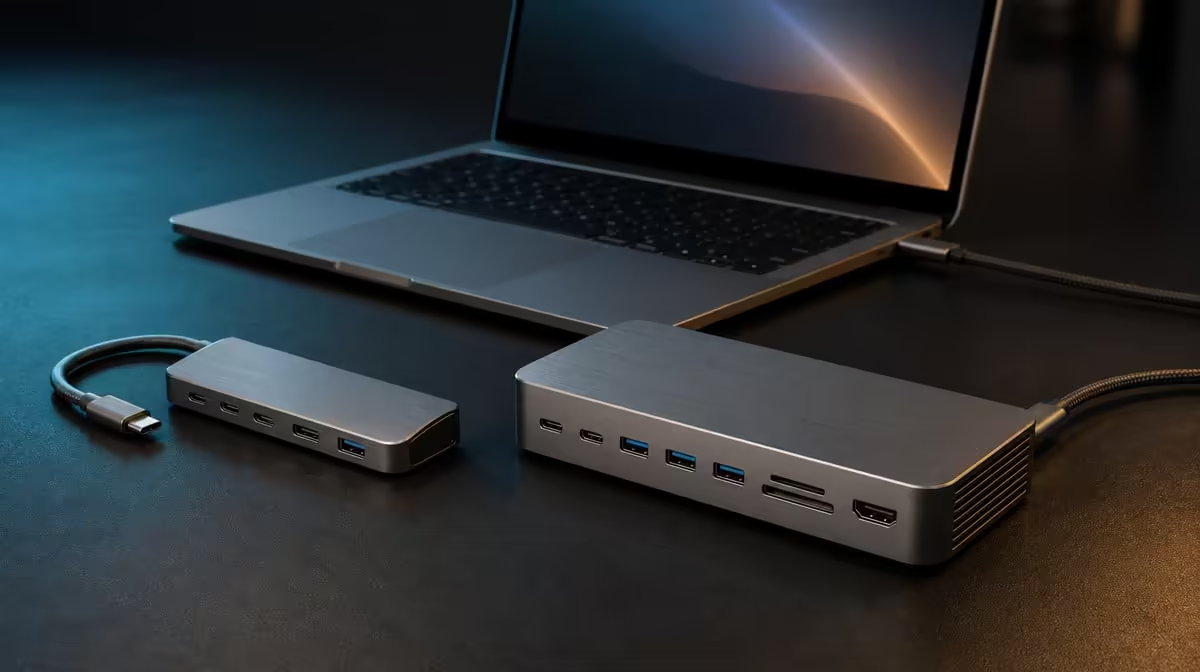
Choose 60W passthrough when it covers the laptop's supported charging demand; consider 100W when the device and workload genuinely need and accept more. The R399 UPERFECT UExtend supports up to 60W Power Delivery, so it is a concrete lower-power option alongside 4K video, Ethernet, SD, and two USB data ports.
🔋 Treat the number as a ceiling
A hub passes compatible charger power towards the host; it does not create the stated wattage. The charger must supply a suitable input, the cable must support the path, and the laptop negotiates what it accepts.
Evetech's USB hub range should therefore be filtered through the laptop's charging specification. Paying for 100W adds little if the machine will never use the extra ceiling.
💻 Observe the actual workload
Check charging first with the laptop idle, then during the applications normally used at the desk. A system may maintain or gain battery at one demand level and fall at another. That does not automatically mean the UExtend has failed; the negotiated input may simply be below consumption.
🖥️ Count simultaneous functions
The R399 hub can combine its 60W path with a 4K display route, Gigabit wired networking, a card reader, and two data-device connections. Add those functions gradually and watch the reported charging state so a new workload is not confused with a charger or cable fault.
For a fixed higher-demand station, compare Evetech's docking stations by confirmed power and ports. A label alone does not prove the host will receive the maximum.
💰 Buy useful headroom
Choose enough charging capacity for the demanding normal session, plus only the headroom the equipment can use. A smaller compatible figure can be better value than a larger unused one.
Use Evetech's gaming-accessories selection to account for the devices sharing the hub. Recheck the UExtend's R399 price and availability when its complete mix suits the setup.
Use a charging-demand ladder
Begin at idle, then add the external display, open normal applications, and finally run the busiest regular task. Record whether the battery rises, remains level, or falls at each stage. This creates a practical demand ladder without pretending to measure power the laptop does not report.
Repeat with the same charger and cable after a restart. A result that changes only when another component is substituted should be traced to that component or negotiation, not assigned automatically to the 60W ceiling.
Compare 100W through an actual need
Ask what a higher passthrough figure would change. If 60W maintains the laptop during every normal session, extra headroom may remain unused. If the machine's documented and observed demand exceeds the UExtend path, a higher compatible ceiling may reduce drain or restore the desired charging behaviour.
Keep the host's acceptance in view. A 100W hub cannot make a laptop draw 100W, and the charger plus cable still need to support the route. The comparison is a chain, not a contest between two printed numbers.
Finish by assigning Rand value to the complete package. The UExtend combines its 60W path with 4K output, wired networking, SD, and two data ports for R399. A 100W alternative should be judged on the additional usable charging result while the rest of its confirmed functions are compared separately.
Test the chosen power route again after the battery is at a different level and the laptop has restarted. Negotiation and system demand can vary with state, so one short observation should not control the purchase. Keep the workload and peripherals consistent enough to identify a meaningful pattern.
Pack the complete charger, cable, hub, and laptop combination for a travel rehearsal. A higher ceiling that needs a different bulky power kit may have a portability cost; a 60W route that meets demand may be easier to carry. Judge the whole charging system rather than the hub alone.
Frequently Asked Questions
Will a 100W hub force 100W into the laptop?
No. Compatible equipment negotiates power, and the laptop controls what it accepts.
Can 60W suit every laptop?
No. Compare the exact machine requirement and its behaviour under the intended workload.
Does the hub charge without a charger?
No. Passthrough depends on a compatible external power source.
Why test with the display active?
The normal workload can change system demand, so the final test should reflect real use.
Ready to choose a charging ceiling your laptop can actually use?
Compare Evetech's Power Delivery hubs with your charger, cable, host requirement, and busiest desk workload in view.