



1000W PSU Planning for RTX 5090 Builds in SA
1000W for RTX 5090 needs a full-build check, not a simple yes. Review GPU guidance, CPU draw, transient load, connectors, PSU quality, and upgrade plans before deciding.
Read moreAn 8kHz mouse can report more frequently than a 1000Hz model, reducing the interval between possible input updates in principle. Whether that difference is useful depends on the PC, game, display and consistency; the G305 X SUPERLIGHT supports up to 8kHz.
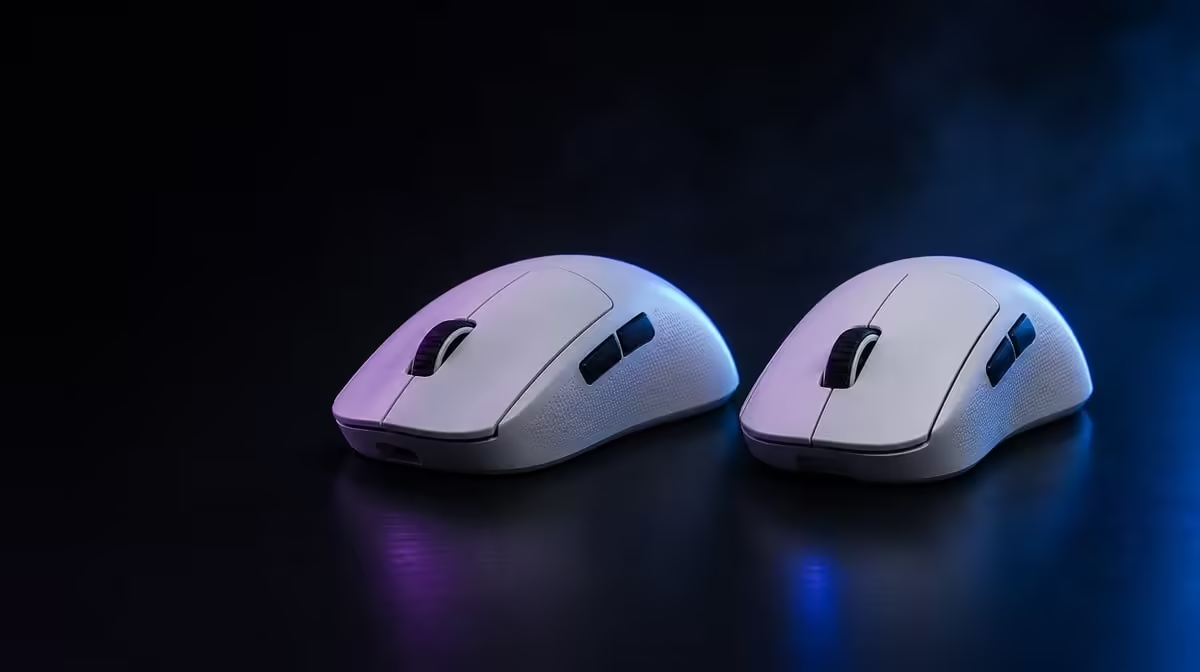
An 8kHz versus 1000Hz mouse report rate comparison concerns how often input can be sent, not whether the player's aim improves automatically. The higher ceiling can reduce the interval between possible updates in principle, while the complete PC, game and display decide whether that change remains useful.
Start at 1000Hz, run a repeatable aim and frame-time test, then try higher rates without changing DPI or connection. The R1,499 G305 X SUPERLIGHT supports up to 8kHz, but 1000Hz can remain the better profile if higher reporting adds system load without a consistent gameplay benefit.
Report rate is separate from sensitivity. Keep DPI and in-game settings fixed so the test measures update behaviour rather than movement scale.
Compare suitable products through Evetech's Logitech gaming mouse page.
Run the same game scene at normal graphics settings and observe frame timing as well as mouse feel. A high report rate that makes the system less consistent is not an upgrade.
Keep the USB route, connection mode and receiver position unchanged. Repeat more than once to avoid choosing from one unusually good run.
Use a rapid turn drill and a small-target correction test. The player should be able to reproduce the improvement across both.
Different games and display setups may respond differently. Save per-game report settings only when the evidence justifies the extra complexity.
The wider gaming mouse category helps compare report capability with shape, sensor and button layout.
Record average behaviour, worst inconsistency and player comfort. Do not keep 8kHz merely because it is the maximum.
Evetech's accessory best-seller page offers broader market context around the R1,499 mouse; verify the live choice when buying.
Connection and report settings can affect real battery behaviour. Use the more-than-130-hour rating as a planning reference and record actual session use.
Start at 1000Hz and record the aim drill, frame-time behaviour and system load. Move through available higher settings one stage at a time rather than jumping straight to 8kHz. Keep the same connection and receiver position.
At each stage, ask whether the player can reproduce a control improvement. A result that appears only once should not displace the stable baseline.
Test in the part of the game that already stresses the processor, not only an empty practice area. Higher reporting adds input work to the system, so the worst representative scene matters.
Watch for a smoother mouse trace alongside worse frame consistency. The complete experience should decide the setting rather than one isolated metric.
Keep a 1000Hz profile available even if a higher rate wins. It provides a quick comparison after a game update, USB change or different PC.
Record the conditions under which 8kHz helped. If those conditions are absent on another setup, repeat the test instead of copying the maximum automatically.
Run several similar sessions at the chosen report rate and note charge movement. The mouse is rated beyond 130 hours, but real endurance depends on mode, reporting and activity.
A player who cannot reproduce a gameplay gain at 8kHz may prefer the lower stable rate for a simpler charging routine. That is a practical performance decision, not a failure to use the maximum.
Keep both profiles named clearly and confirm the active one before recording any future result.
Game patches can change frame behaviour and input handling. Return to the saved 1000Hz baseline, run the original scene and then retest the higher rate. Do not assume the old winner remains best.
Keep notes short: game version, display mode, DPI, report rate and whether frame consistency changed. This makes the next comparison fast enough to perform instead of relying on memory.
If both profiles behave identically in useful play, choose the one that makes the setup easier to sustain and charge.
Run one final blind comparison with the profile names hidden. If the player cannot identify a consistent advantage, keep the simpler stable rate and preserve 8kHz as optional headroom for another game or system.
Keep the trial order balanced so one setting is not always tested while the hand is fresh. Rest briefly between runs, then repeat in reverse order. This reduces fatigue and expectation effects enough to make a practical home comparison more trustworthy.
It can send updates more frequently, but gameplay benefit does not scale automatically with the number.
No. Hold sensitivity fixed to isolate report-rate behaviour.
Higher reporting can require more system processing, which is why frame consistency belongs in the test.
No. Test the exact game and display environment.
Keep it when it provides stable control and higher rates do not produce a repeatable useful improvement.
Ready to compare report rates on your own PC? Browse Evetech's gaming mouse options, then test 1000Hz and higher rates with fixed sensitivity and real game load.
It can send updates more frequently, but gameplay benefit does not scale automatically with the number.
No. Hold sensitivity fixed to isolate report-rate behaviour.
Higher reporting can require more system processing, which is why frame consistency belongs in the test.
No. Test the exact game and display environment.
Keep it when it provides stable control and higher rates do not produce a repeatable useful improvement.
1000W for RTX 5090 needs a full-build check, not a simple yes. Review GPU guidance, CPU draw, transient load, connectors, PSU quality, and upgrade plans before deciding.
Read more
RTX 5080 Super with a 750W PSU is more comfortable than lower wattage if the unit is quality. SA builders should still confirm GPU guidance, CPU draw, connector type, airflow, and upgrade room.
Read more
How to fix FPS drops after a RX 9070 XT starts with driver cleanup, chipset updates, thermals, and power checks. For SA gaming PCs, confirm PCIe seating, monitor refresh, frame caps, and per-game graphics settings before replacing parts.
Read more
How to fix low FPS Windows 11 Wi-Fi 7 issues starts by checking whether the problem is frame rate or network lag. Test ping, drivers, power settings, Ethernet, and game FPS before adjusting visuals.
Read more
AM5 is smart for SA builders because it supports newer Ryzen CPUs, DDR5 memory, and a longer upgrade path. Compare board cost, cooling, gaming needs, and local part availability before choosing your next PC platform.
Read more
AM5 gives Randburg gaming builders a longer upgrade path. For SA buyers, DDR5 support, newer board features, and future CPU options can justify the platform. Weigh board cost, cooler support, BIOS maturity, and upgrade timing before choosing.
Read more
RTX 5090 on a 550W PSU leaves almost no practical room for OC plans. Treat the setup as constrained, with CPU draw, power spikes, cable quality, thermals, and stability checks more important than chasing extra clocks.

FPS drops on a Ryzen 9 9950X3D build often have a fixable cause. Check settings, drivers, thermals, background tasks, network conditions, and bottlenecks before assuming a part must be replaced.

The difference between PCIe 5.0 and PCIe 4.0 for SA gamers is mostly bandwidth headroom. Compare GPU slot needs, NVMe speed, motherboard support, and upgrade timing before paying extra for a newer platform.

Gaming PC stuck pixel checks in South Africa should confirm the monitor fault first. Use colour tests, screenshot comparison, cable swaps, display menu checks, and clear photos before deciding on support.

AMD's current driver now lists a Radeon RX 9050 4GB, while product coverage details a narrowed memory system. SA buyers should weigh the low VRAM ceiling against current local Radeon options.

Samsung Display has demonstrated a 16-inch 2.5K OLED laptop panel running at 300Hz. SA buyers should wait for a named notebook, full panel specifications and a local price before planning an upgrade.

Microsoft says some Windows 11 game crashes after recent updates are linked to RGB-related drivers. Affected SA gamers should confirm the update and driver before using the published registry workaround.

Thermalright's Fan Frame Vision-1 adds a 640x172 status screen to a standard 120mm fan. SA builders should check clearance, USB routing and local support before treating it as an easy upgrade.
1000W for RTX 5090 needs a full-build check, not a simple yes. Review GPU guidance, CPU draw, transient load, connectors, PSU quality, and upgrade plans before deciding.

Wi-Fi 6E vs Wi-Fi 6 matters for 4K video editing when files move across a network. The real-world difference between Wi-Fi 6E and Wi-Fi 6 for video editing in 4K depends on NAS access, cloud uploads, router range, and SA creator workflows.
RTX 5080 Super with a 750W PSU is more comfortable than lower wattage if the unit is quality. SA builders should still confirm GPU guidance, CPU draw, connector type, airflow, and upgrade room.

Wi-Fi 6E vs Wi-Fi 6 for Video Editing in 4K comes down to router support, latency, client devices, band support, and home network layout. SA buyers should match the choice to their setup instead of assuming one option always wins.